Tagged 'Biped'

Select_All_Animatable_Biped_Objects.ms

3 votes

Using a selected biped body part this script will select the rest of the biped. If any of the parts are hidden or frozen they will be unfrozen or unhidden.

Rigging_Paste_Biped_or_Envelope_or_Mirror_Paste.ms

3 votes

This script will either (based on the object selected and its' subobject mode) paste a biped posture opposite or paste a skin envelope or mirror paste a skin envelope.

Rigging_Paste_Biped_or_Envelope_or_Mirror_Paste.ms

3 votes

This script will either (based on the object selected and its' subobject mode) paste a biped posture opposite or paste a skin envelope or mirror paste a skin envelope.

Bend Biped

3 votes

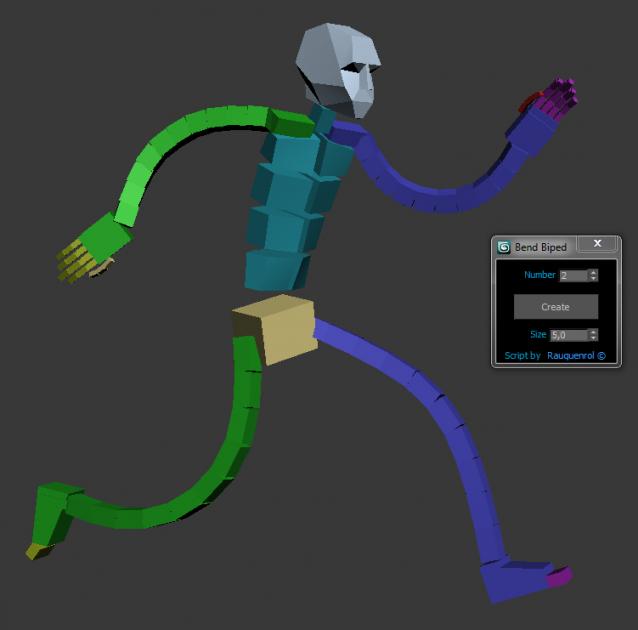
It adds to the biped bend joints on Arms and Legs.
A slider on Hands and Feets control the bend value.
It also can be use to create good twist bones.
It adds the ability to stretch the Arms and legs.

You just have to skin using these new bones and not the biped ones.
But you animate using the original biped bone

Select_All_Animatable_Biped_Objects_And_Keys.ms

3 votes

Using a selected biped body part this script will select the rest of the biped body parts and all of their keys.

Biped Resizer

3 votes

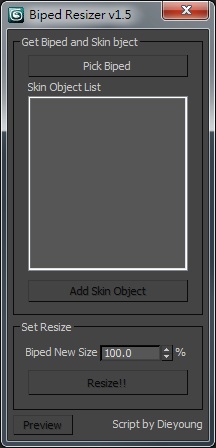
Script for quick resizing Character rigging with Biped and Skin.

biped_resizer_v1.0

Just drag and drop in your viewport.

Bones from biped

2 votes

Very flexible and fast script to generate a bone based skeleton over the 3ds max's biped. This script creates an entire rig from Bip character. If you don't have time to create all roll bones, and repeat all the same on the mirrored side, just create Bip and set up it's proportions, run the script and magically you will have a brand new rig.

To start, just create biped, custom it in figure mode to match your character. When done, create a new empty layer, select any bip element, and click on script button. Bones will be created automatically on biped structure.

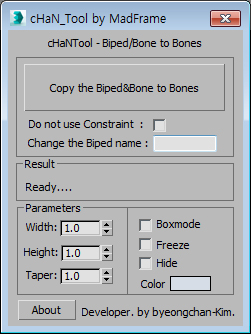
Copy the Biped&Bone to Bones

2 votes


1.Select Target(Biped or Bone)

2.[Copy the Biped&Bone to Bones] pressed button

3.The target name is automatically changed to Hep001.(If you want to enter directly  Change the Biped name)

Biped and CAT Mass Markers

2 votes

A tool for visualising the projected lower and upper masses (pelvis and base of the neck respectively) in relation to the feet of a standard Biped or CAT rig. Markers between the feet show where the masses intersect, which may help with determining where the static weight is distributed when posing. It does not take into account motion dynamics and so is intended for use when standing still. Additionally, when a foot is raised above the ground the foot line markers turn blue. Likewise if lowered below the ground they turn red.

Bip2root

1 vote

Copies horizontal position of the biped onto the root object and links the biped to the root.

Two useful uses for this script:

  1. Use it to create a root for your biped (using the Static Root option) - so you can place your biped with animation anywhere in the scene without adding extra keyframes. Simply move the root instead of the biped itself.
  2. Some game engines require a moving root to calculate biped's position in the game environment space. With a moving root the biped itself actually stays in place and only the root moves.
Syndicate content