Tagged '3ds max'

Pivot point Align managment tool

2 votes

Her is a simple tool i just created to help align the pivot position around any mesh cage, as you can align the pivot point to 27 point around the object cage, and move the pivot point to the scene orgine and rotat the pivot point 90 degree on the X axise if you are exporting mesh to unity 3d that will import the object to unity with out any rotation values.

Face Pose Saver

1 vote

A 3ds Max script to save key positons of the face witch is controlled with sliders

Video link

GitHub link

ABOUT THE SCRIPT:
It's a tool for animators to save key face poses and speed up work. It's gets the position of the selected sliders and do a snapsot on the viewport and save as a button. First you have to set the "CHR" as the charachter name and set the path where the picurates begin saved.

Hammer Skin Tool For 3ds Max

1 vote

Hammer Skin Tool for 3ds max

Macroscript is under "Savas" Category
Script works on selected vertices on skin modifier.
It does not work as expected on first couple of button clicks, But starts to work properly after third button click.

Paid one and free variants are the same. You can grab whichever you like.

Should work after Max 2019 update 2. Tested on Max 2022

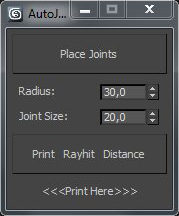
TP autojoint script

1 vote

Script for placing cebas TP joint helpers(Shape collision only) between objects.

It's a fast and "dirty" way to make lot of joint helpers with auto linking to objects.

The good idea is to check distance between objects BEFORE press button "Place joints".

In other case it can freeze and create a thousand of joints.

Require a "TP easy joint script" to work with joint properties after approval placing.

 
.

Batch Export Any Format

1 vote

To Batch export use it script with "Batch It Max" script. "Batch It Max" can run any script on multiple files with single click.

Link for Batch It Max : http://paulneale.com/scripts/batchItMax/batchItMax.htm

Lock and Unlock objects and Cameras

1 vote

this is a very sipele one but usefull.
This script allow you to lock and unlock transforms for any object and camera in one click.

Menu 1 - "Lock All Trasform For Selection":

- Lock and unlock all transforms.

Menu 2 - "Separated Trasforms":

- Lock and unlock Separated Trasforms: Transform, Rotation, Scale.

Menu 3 - "Cameras In Scene":

- Lock and unlock all the transforms for all the cameras in the scene.

note: in menus 1 and 2, if you select a camera and lock or unlock it will apply on the target as well.

IFL Playback Manager

1 vote

Description

IFL Playback Manager is a really handy script for 3ds Max that helps you manage and control the timing of animated textures in your scene. It automatically lists all textures with assigned .ifl (Image File List) files and allows you to adjust their playback parameters directly.

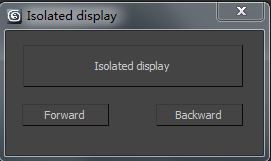
83pig's Isolated display

1 vote

Isolated display

Instructions:

1.Isolated display,Comes with 3dmax 'Select isolated' 'are different。

2.Select the isolated object, modify the model alone, then click once to select isolatedbutton. It can be repeatedly isolated objects.

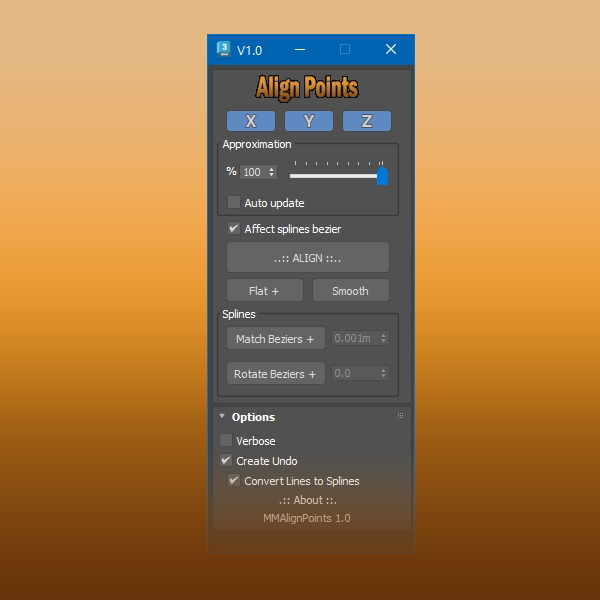
Align Points

1 vote


Free Tool

This tool aligns selected mesh vertices and spline points.

With splines you can align bezier vectors too.

available here


Harry's Proxy Creator

1 vote

This script is very similar to a script Jason Schleifer wrote from Maya, it allows you to split a predefined object into several segments based on the transforms of special cutter objects, these segments can then be linked back into a skeleton hierarchy. The advantage of displaying segmented geometry in the viewport rather than the skinned mesh is that you get faster playback speeds.

When you evaluate this script it create a new "Category" in the "Customize User Interface" window called "Harry's Proxy Creator" where you'll find the tool

Syndicate content