Tagged 'script'

Environment Lighting HDR Studio (MR)

3 votes

 NEW VERSION 0.9

This Script allows to insert a Environment map HDR in the scene and simluate a virtual set for rendering "white". Also useful in the preparation of illuminated images in HDRi.

New features (work in progress):

Change Log v.0.9

Expression Benchmark

4 votes

Face Pose Saver

1 vote

A 3ds Max script to save key positons of the face witch is controlled with sliders

Video link

GitHub link

ABOUT THE SCRIPT:
It's a tool for animators to save key face poses and speed up work. It's gets the position of the selected sliders and do a snapsot on the viewport and save as a button. First you have to set the "CHR" as the charachter name and set the path where the picurates begin saved.

Feathers RigTools 3dsmax HPK

6 votes

Hi Everybody
Recently I've Done a Simple 3dsmax Script For Making Number Of Feathers Which Every Single Feathers Can Control By Animator Plus Wind Simulation on Feathers and its Kind of Auto rigger For Feathers Stuff.
i am sure there will be some bugs , so please let me Know and Leave a comment if you find one . Thankyou :)
and i can make a howtouse Tutorial for that if i find out you are interested.

ForestPack Manager

0 votes

ForestPack Manager Cover

FPManager is a powerful MaxScript utility, specifically designed to optimize workflow when using iToosoft Forest Pack in 3ds Max.

Key Features:

Global Scene Management: Instantly select all Forest Pack objects in the scene (visible or hidden) and force a global refresh/rebuild to update distributions.

FumeFX ModernUI

0 votes

FumeFX ModernUI is a tool for 3ds Max that helps reducing repetitive tasks when simulating with FumeFX. It has a clear interface (therefore the name) and comes with an easy to use installer.

Grow

0 votes

with this script you can create a stem and put as much as you will various of leaf or flower or any other object that you want on it and it will grow.
Very useful and powerful for creating ads.

Henriqvist's Hand Poses

0 votes

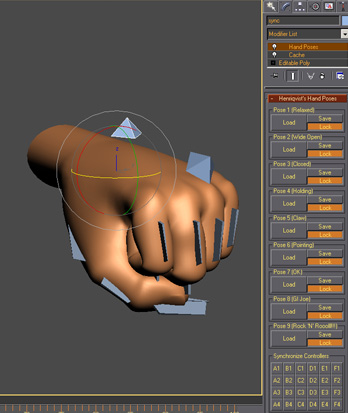
Script developed to enhance the speed of animating hands. You can save a lot of poses and then load it anytime you want. OBS1: It only saves position and rotation, scale information is not stored. OBS2: You cannot use position or rotation list in the controllers, but you can use float list.

IDs Finder

1 vote

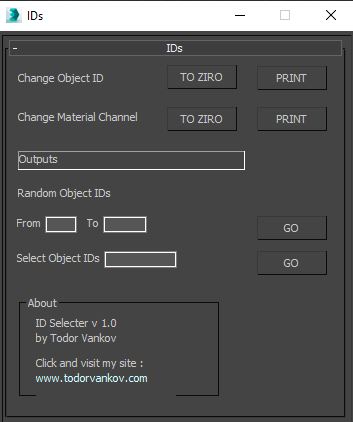
With this script you can Find what kind of object and material IDs you have in your scene.

- the Buttons „to zero" reset all material and object IDs
- random object ID
- select the objects with one special ID

Script category: “#todorScripts”

You can see an example here, how to install my script per Drag and Drop:

jEasyRender

0 votes
Syndicate content