Tagged 'script'

Krakatoa light control

2 votes

A small tool I developed while working on StarTrek Beyond's krakatoa nebula cloud to help me control the lights that are acting like a giant stars on the go. It allowed me to control lights globally or just the selected ones and I only exposed the following parameters:

Labyrinth Maker

12 votes


Lattice

7 votes

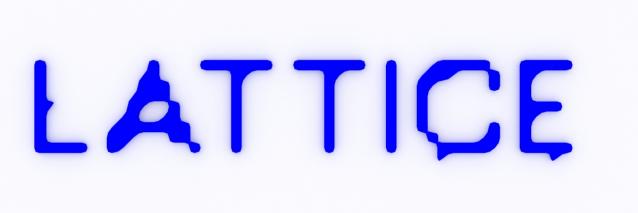
Uses selected object to creates lattice/blob like objects.

Updated!

--V2.0--

Lazytoolbox

15 votes

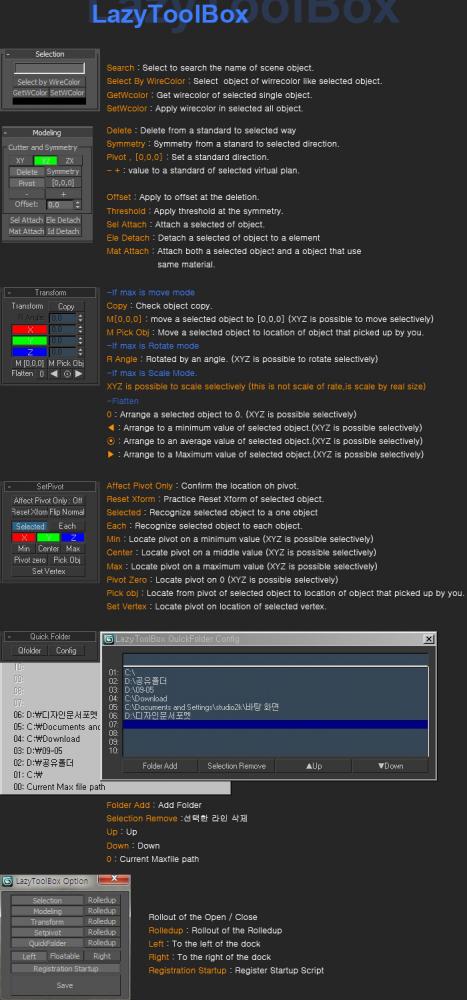
 Choose Install Location window, select the folder to use version of the Max!

lengthCalculator

38 votes

With length calculator you can easily calculate the length of the selected edges. Very usefull for arch modeling. In the next release it will also support shapes.

***I have uploaded a 2009 compatible version.

Load Multiple Bips

0 votes

I created this script to speed up my daily work with crowd animation. If you have a lot of character studios rigged bipeds and need to load the same animation (walk loops, conversation...) on all of then, so this script might help you.

It's a .mzp file that you can just drag and drop into 3ds Max or run through the MAXscript menu. After that you will find the script at: Customize > Customize User Interface > Toolbars tab > Category: MMScripts > Load Multiples Bips".

To use the script you just need to:

Lock Cameras or objects

3 votes

A little script to lock/unlock the movements of the cameras or objects too.
Put into your scripts directory, and under "Customize user inteface" open the category "Maico G." and assign "Lock Camera" to a menu, shortcut or toolbar.
To use, select a camera, camera target or an object and click lock or unlock.

LOD Creator

64 votes

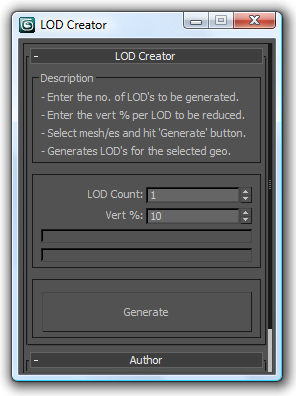
Here's my version of LOD creation script, it uses multiRes modifier. It works on multiple geometry and retains the geo type. It retains the skin modifier too, so you can run on a skinned character as well. Feel free to use this script and lemme know if you want me to add any feature to it or if it has any bugs.

Log Console Zorb

3 votes

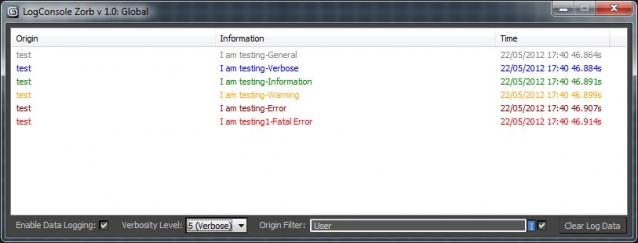
This script is a general Log Console to be used by max scripters, a great way to quicly add information logging to your script Once installed you will have access to the LogConsole by creating an instance (you can create as many as you want) by using something like:

foo = ZorbConsole title:"Log A"

You may open the log by using: foo.showme() And write to the log with the AddLog function like so:

foo.AddLog #("test", "I am testing-General", 0)

The Information may then be filtered by verbosity or by the information origin (handy to add what function is sending the log info)

makeLODs - 3D Studio Max automatic LOD creation script

2 votes

Script i wrote to automate one of tasks i spent too much time on:
Automatic LOD creation, with customisable reduction percentages and nice naming sheme.

Any feedback / suggestions are welcome.

After running this script, you can find it under category _Piro_Tools, with name makeLODs 0.3.

Presentation on how it works: https://www.youtube.com/embed/D33Shhms5O8

Syndicate content