Tagged 'materials'

Turn Viewport Maps On/Off

70 votes

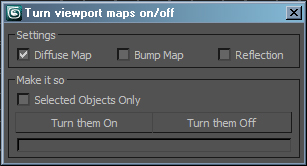
This is a very simple script for turning Bitmaps on and off in the view port. It has been very popular in the studio that I work at work so I though I would upload it. Its funny how the simple ones are the ones that every one likes. Anyways it will let you turn view port maps on or off, it works with Standard and V-Ray materials. It also handles multi sub materials with no troubles, you can also choose to display Bump or Reflection maps. If you have any troubles or ideas for new features please let me know.

UnwrapUVW Editor AutOOpen

4 votes


v.2.3 Now, when you run Unwrap UVW_Editor_AutOOpen on an object where Unwrap already exists anywhere on the stack, it will become active in the editor. A new modifier will only be added if there is no modifier at all.

Теперь при запуске UnwrapUVW_Editor_AutOOpen на объекте, где в любом месте стека уже есть Unwrap, именно он станет активным в редакторе. Новый будет добавляться только если модификатор отсутствует вовсе.

Script makes. Скрипт делает
1) Assigns unwrap UVW. Назначается unwrap UVW

V-Ray Material Shortcuts

34 votes

These short cuts are really collection of very simple Macro scripts. Like my Turn Viewport Maps On/Off this one has had some serious staying power with artists to date it has to be one of my most used scripts. All of the macros are designed to manipulate V-Ray materials globally throughout the scene, very quickly and efficiently. Each macro effects every V-Ray material in the scene. They are very handy in a number of situations, for example when you get a file from a junior that has the glossy sub divs on every material sky high.

VP | Material Manager Pro

2 votes


VP Material Manager - Main

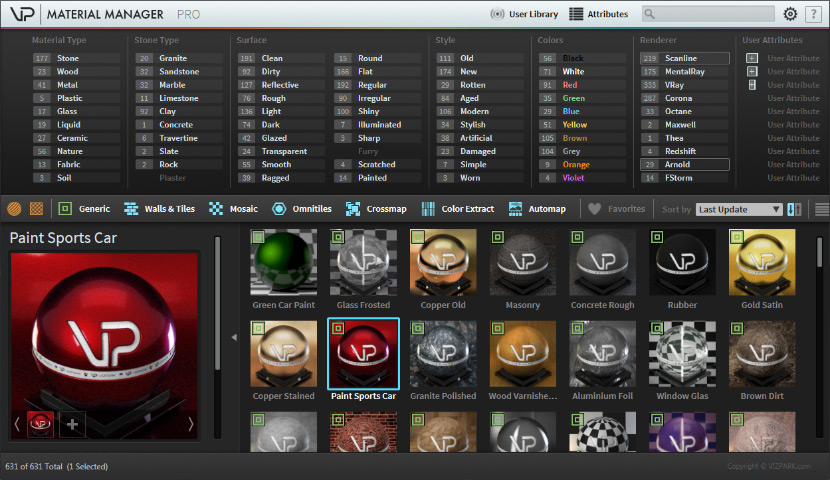
The VP MATERIAL MANAGER is the perfect tool to manage materials within 3ds max in ways never possible before. Material presets can now have ATTRIBUTES that can easily be filtered with the integrated attribute filters. The times are over where you needed to dig through folders to find the material you need. Just select the combination of attributes and the preset manager will just show you the materials that fit these attributes. Finding material was really never faster!

Vray Mass Material Editor

1 vote

Simple script, that walks through all Vray Materials (including Sub Materials of Multimaterials, VrayBlendMtl, Vray2Sided, VrayBump etc. including Sub-Sub...and Sub-Sub-Sub Materials) to make mass-changes like adjust Glossy Reflection Samples, Enable/Disable Bump Maps, change Trace Depth etc. ----New---- Added checkbox "Affect selected objects only". Please remember, if selected and not-selected objects share Materials/Material Instances, also the materials of the not selected objects will be affected, of course. Have fun, use at your own risk!

Vray Mat Lister

4 votes

Hi everyone,

I'd like to share a script I have made.
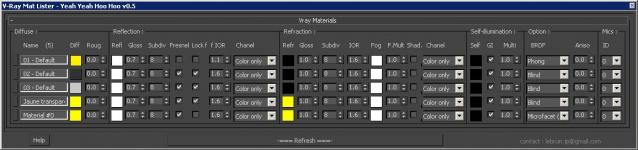
It's for Vray and it makes a list of all your VrayMtl (and of the main parameters) you have in your scene.

UPDATE Version 0.5 for vray 3.xx

This tool allow you to modify all your vray materials parameters quickly. Globally it works like the Vray Lightlister

Vray_Material_subdiv_lister

4 votes

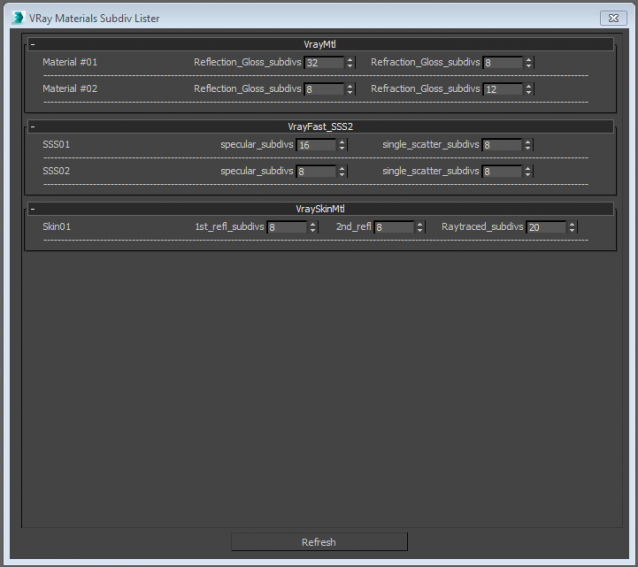
This script collects all the Vray materials of the scene and allows you to easily change theirs subdivisions parameters.
Only tested with max 2015
Any feedback is highly appreciated


waRp CtrlMtls

0 votes

This script simplifies the editing of the textures (that are imported from Mari) within 3ds Max. It changes some basic parameters of all the imported textures.
It automatically enable only the mapping slots that have textures assigned to them.
It only works with materials that are assigned in the scene and have the keyword "_tg" in their name

Options that are included:
-- Turn on or off a particular mapping slot
-- Change the RGB offset
-- invert the textures
-- Preview the textures in the viewport

waRp Slate

2 votes

Inserts into Material Editor sets of 24 SCENE materials.
If there are more than 24 materials in the scene you can choose, which set of 24 you want to load to the Material Editor (slate number one means get the first 24 scene materials, set number two means get the second set of 24 materials and so on).

Syndicate content