Tagged 'materials'

Copy Paste - Objects/Materials/Modifiers

3 votes

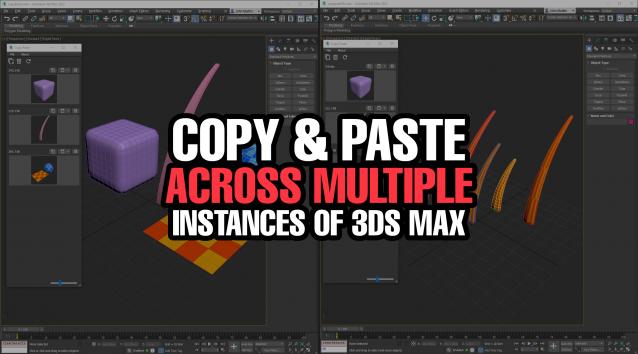
Copy Paste is a 3ds Max tool that allows teams or individuals to copy and paste objects, materials, or modifiers across multiple instances of 3ds Max. It supports sharing these copy/paste buffers in shared locations on the network or local on your computer. The tool helps to keep everyone up to date with real time updates anytime a new copy is created or modified.


Selection Toolbox

1 vote


Quick Select

Objects In View
– Selects all objects visible in the current viewport

Objects Not In View
– Selects all objects not visible in the current viewport

library collector

17 votes

A simple script that can be used to merge individual .mat files (material libraries) into one big file. Pretty lame interface, but it gets the job done. Feel free to modify as needed.

Milyan's object cleaner

1 vote

V-Ray Material Shortcuts

34 votes

These short cuts are really collection of very simple Macro scripts. Like my Turn Viewport Maps On/Off this one has had some serious staying power with artists to date it has to be one of my most used scripts. All of the macros are designed to manipulate V-Ray materials globally throughout the scene, very quickly and efficiently. Each macro effects every V-Ray material in the scene. They are very handy in a number of situations, for example when you get a file from a junior that has the glossy sub divs on every material sky high.

Render Holder Zorb

3 votes

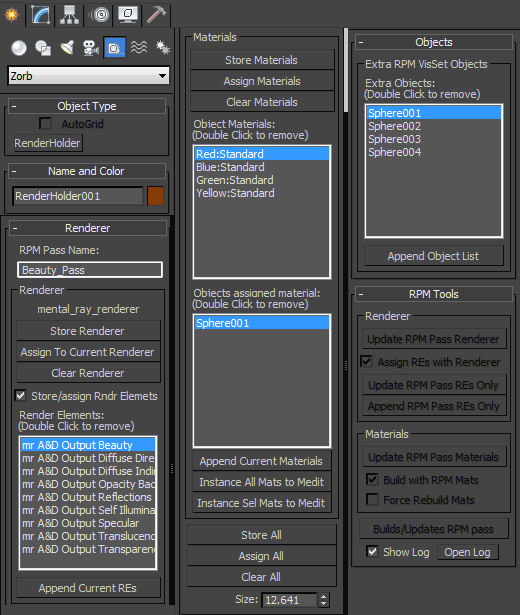
Render Holder Zorb is a max helper that is designed to help you manage, share and build render setting, render elements, material assignments and RPM passes. The main use for this is to us one or mutiple Render Holder with an asset file to store per pass render settings and materials.

You can store and restore the current Renderer, Render Elemants and object materials. Also there is a suit of RPM tools to help build and manage passes based on the settings stored on the Render Holder.  Including an object list to create the visability set with.

to install just extract to the 3dsmax root, or put the .ms file in scripts/startup or the plugins folder

For more help, hover your mouse over a button or checkbox in 3dsMax
SIGERSHADERS VFloor

34 votes

Interface

VP | Material Manager Pro

2 votes


VP Material Manager - Main

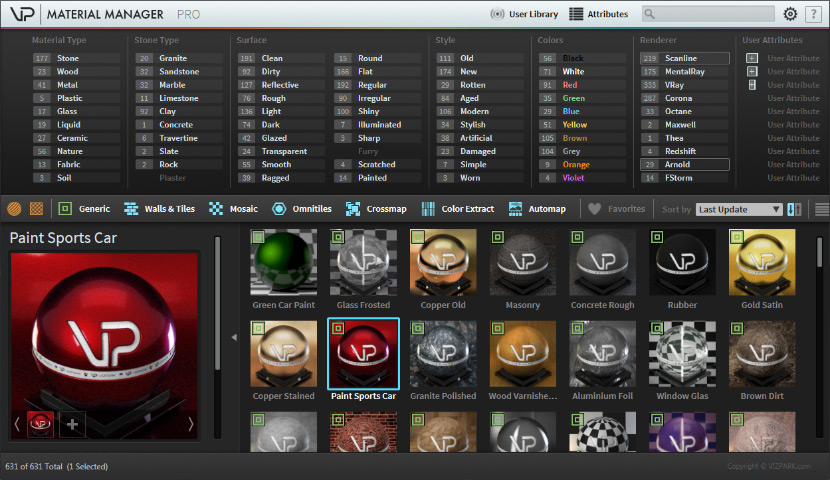
The VP MATERIAL MANAGER is the perfect tool to manage materials within 3ds max in ways never possible before. Material presets can now have ATTRIBUTES that can easily be filtered with the integrated attribute filters. The times are over where you needed to dig through folders to find the material you need. Just select the combination of attributes and the preset manager will just show you the materials that fit these attributes. Finding material was really never faster!

Easy Peasy 2

3 votes

Cheetah!

Scene Notes Pro @ Show Notes Only

0 votes

Scene Notes Pro Show Notes allows you to read the notes saved with Scene Notes Pro.

You can't add and/or edit the notes, only to read them in case that you do not own Scene Notes Pro.