Tagged 'materials'

Materials to Scene

3 votes

Straight forward script to load a directory of your choice or by recursively going through a single directory (be careful it doesn't go through too many as this will be slow to load) and loading up .mat files.

From here the script will apply Materials only (no maps) to teapots.

I use this to quickly populate the scene with all materials inside a .mat file to tweak and update it quicker.

See screenshot.

Can be found under the category: 3dwannab

Open script and change:
local intialMLPath = "F:\SS_3diT\Textures & Materials\Corona"

to your own user library of your choice.

Select By Material

6 votes

'SELECT BY MATERIAL'


LATEST KEY FEATURES:

- Select multiple node/s in SME.

- Unhides and hides objects on scripts second run.


    --============================================================

Script which allows easy selection of materials inside Slate Material Editor and Compact Material Editor over 3ds max standard method.

Benefits over maxes built in way:

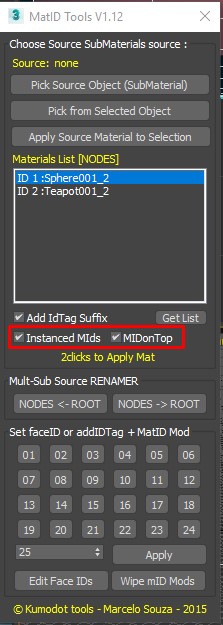
MatIDTools

4 votes

Purge Unused Materials

2 votes

A simple macroscript to delete all unused materials from the Compact Editor Material Slots AND the Slate Material Editor Views.
The Compact Editor Code is from the existing Macro found under the Compact Material Editor "Utilities" menu.
I have added the code to also purge the SME at the same time.

You might want to check out the "Purge Empty Layers" macroscript as well. There are some awesome scene management tools out there but these are both small, simple tools without a lot of overhead for doing a little housekeeping before saving your file.

Vray_Material_subdiv_lister

4 votes

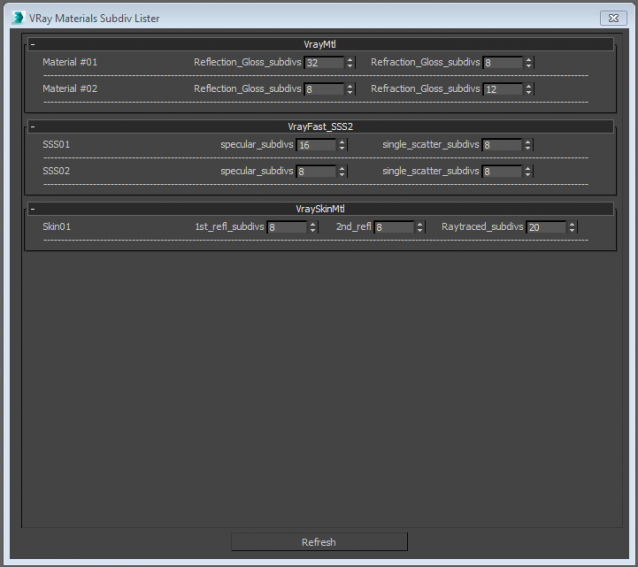
This script collects all the Vray materials of the scene and allows you to easily change theirs subdivisions parameters.
Only tested with max 2015
Any feedback is highly appreciated


Materializer

5 votes

poster

Materializer (materials equalizer) is the fastest way to create materials mixing different templates. It works like a sound equalizer but for materials!
Example: To make glossy wood press the 'Wood' button and then add a little bit of plastic.

Every time you hit 'Set' selected material will be updated without removing of maps.

Plugin works both with Compact and Slate material editors.

matReplace

1 vote

This script will allow you to replace the materials in your scene with materials from a library or max file in mass. Use the match name button if the names of your materials are similar.

Slate Connector

5 votes

SlateConnector

SlateConnector - Makes the everyday task of exposing nodes and adjusting material parameters easier and faster! New version (0.59a) with lots of impromevents!

id_changer

7 votes

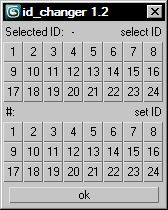
Selecting or applying material ID's with one click!

Rollout with button grid for selecting or setting material ID's of selected polys up to ID 24. Works with editable poly only. Displays selected poly's material ID if they're same.
Ctrl + click add specific IDs. Alt + click deselects specific IDs.

Examples:
Want to set some specific material ID up to 24 to selected polys? One click.
Want to select polys with same material ID's of selected poly? One click.

Get Materials (one click!)

4 votes

A very simple but EXTREMLY USEFUL script you will use all the time!

With just one click it opens the Slate Material Editor and displays all the materials for the selected objects well organized in a clean view.

Forget about the annoying material picker tool. Add this simple button to your toolbar and every time you want to see the material/s for your current selected object/s just click the button and... Voila!

It will save you a lot of time!