Tagged 'layer'

CAT Pose Grabber

1 vote

A panel to support CAT rigs which allows temporary storage and retrieval of a single or muliple poses. Poses are not named and there is no management of them. The idea is that you simply want to grab a pose (or several) and use it immediately, without dealing with names or folder structures for fluid workflow. Poses saved are stored as files and are thererfore persistent unless overwritten using the script store functions.

Features include:
- Supports multiple CAT rigs in the same scene. You can even transfer poses from one rig to another.

miauu's LayerColorizer – color-coded layers for 3ds Max

1 vote


miauu's Layer Colorizer allows you to assign custom background and text colors to any layer in the Layer or Scene Explorer.

You can also apply the same color to all child objects of a colorized layer for better visual organization.

You can save your preferred colors in a Color Palettes and reuse them anytime.

csLayerExplorerExtension

1 vote

Finally 3ds max 2015 introduced nested layer and Scene Explorer based new Layer Explorer.


I think it is one of the the most important update for years. Of course being the first version. it has some rough edges. I hope this script smooth out the rough edges a little bit.


Some of scripts are for old layer manager functionality. Some of scripts are for nested layers. Some of scripts are for frequent user request items.

Script List

GTVFX-LIB_layerIsolate

1 vote


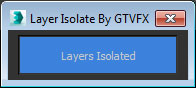
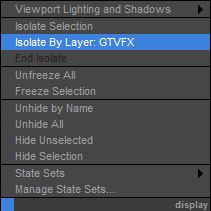
Adds an option to your display quad menu to isolate by layer.

Works with your object selection. Hides all layers that none of the objects in your selection belong to.


Quick Manager

0 votes

This is simple script for renaming and managing objects on the go.

To install script Just
1. Unzip "Quick Manager v1.0.rar"
2. Keep "MyLibrary.mat" to that folder if you are going to keep that folder.
If you are going to delete that folder, then put "MyLibrary.mat" to following location - "C:\Program Files\Autodesk\3ds Max 2017\materiallibraries"
1. run "Quick_Manager_1.0.ms" from MAXScipt-Run Script.
2. Then go to Customize-Customize User Interface.
3. Find "Quick_Manager" Under "Sharad Tools"
4. Assign Shortcut for it.

Script will Renames objects

Syndicate content