Tagged 'layer'

CAT Pose Grabber

1 vote

A panel to support CAT rigs which allows temporary storage and retrieval of a single or muliple poses. Poses are not named and there is no management of them. The idea is that you simply want to grab a pose (or several) and use it immediately, without dealing with names or folder structures for fluid workflow. Poses saved are stored as files and are thererfore persistent unless overwritten using the script store functions.

Features include:
- Supports multiple CAT rigs in the same scene. You can even transfer poses from one rig to another.

csLayerExplorerExtension

1 vote

Finally 3ds max 2015 introduced nested layer and Scene Explorer based new Layer Explorer.


I think it is one of the the most important update for years. Of course being the first version. it has some rough edges. I hope this script smooth out the rough edges a little bit.


Some of scripts are for old layer manager functionality. Some of scripts are for nested layers. Some of scripts are for frequent user request items.

Script List

delete empty layer in the Layer manager

37 votes

hello this one i wrote just now to clean 3dsmax file the office sent me.

thanks 

bernardo


it erases all empty layers

Delete UnRemovable Layer

2 votes

You might encounter a situation where you want to remove an empty layer that you created earlier, but the delete option is grayed out in the layer manager. and you are unable to remove that layer. After all you have to remember that 3Ds Max never allows you to delete a layer while it contains nodes or the default layer called “0”. But in some rare situations, even an empty layer that you created and then finished with, may not be deletable in 3Ds Max. This happens because of some unclassified nodes that come with your imported models from other programs. These nodes are not visible in the viewport or the layer manager. The only way to eliminate them is to select those nodes using MaxScript and delete them manually, so the layer’s delete option becomes available again.

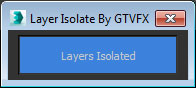
GTVFX-LIB_layerIsolate

1 vote


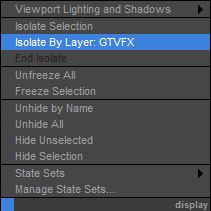
Adds an option to your display quad menu to isolate by layer.

Works with your object selection. Hides all layers that none of the objects in your selection belong to.


Hide Layer By Pick

33 votes

Hide Layer By Pick v1.0

The idea behind hide/freeze layer, was to
be able to hide/freeze a layer quickly on
screen by picking an object rather then
opening the layers tab and picking the
corresponding layer.

hide object's layer by one click

30 votes

with this script you can hide object's layer by one click like in autocad, it scans your mouse position so you simply move your mouse over the object an clik to hide appertain layer also display currently "mouse over" objects name and layer in status bar

i hope you will like it :)

p.s. excuse my bad english

Interactive Universal Renamer

17 votes

NEW VERSION: Asset Paths + Sorting + Filtering + Multiselection

Make sure to select items in the list to see the renaming preview and do the actual renaming!

Isolation Levels

10 votes

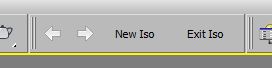
Create nested isolations, go back and forth between them. Hope it helps.

Layer Manager to files Exporter

6 votes

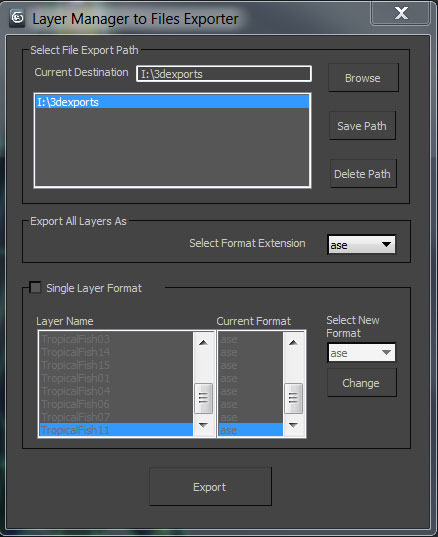
A simple tool designed for 3d modelers to save time on exporting multiple objects and to allow them the freedom to continue working in one max file. Script allows exporting to the following formats using the layer manager: FBX,OBJ,3DS,ASE, and separate max files.

Syndicate content