Tagged 'hdri'

CoreLink

0 votes

CoreLink - AI-Powered Asset Library Manager for 3ds Max

CoreLink is a fast, lightweight asset manager designed for 3ds Max artists. It allows users to browse, preview, and drag assets directly into a scene without heavy viewport plugins or complex database setups.

All features are included for free, and users only need to upgrade when their library outgrows the standard limit.

Content Browser

2 votes

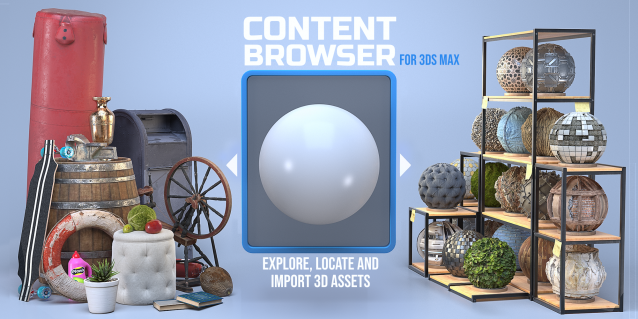
The Content Browser helps you quickly browse and import 3D assets on your computer.

Load any folder accessible on your machine and the Content Browser will find any materials, hdri’s, models, and max files. It will group, organize and display these files as assets, recognizing previews, LODs, mapping channels, resolutions and other important information automatically. 

It simplifies the importing and merging process for 3d models, max files, material creation and hdri environment maps by allowing you to directly browse, filter and drag all of your 3D assets from sources like MegaScans, PolyHaven, gameTextures, Poliigon, Arroway into 3ds max viewport or material editor. 

Main Features

  • Load any folder and find 3D models, max files, materials and hdri’s.
  • Show grouped files as assets, group matching assets and find preview images.
  • Drag and Drop asset into the 3ds max viewport or the Slate Material Editor
  • Import assets to Slate and Compact Material Editors
  • Default Merge and Import 3d files and max scenes, with automatic relinking filepaths
  • Choose LODs/resolution/variations and Import multiple assets at once
  • Folder hierarchy, File list and Preview Gallery

HDRI Material Override Toolbar

6 votes

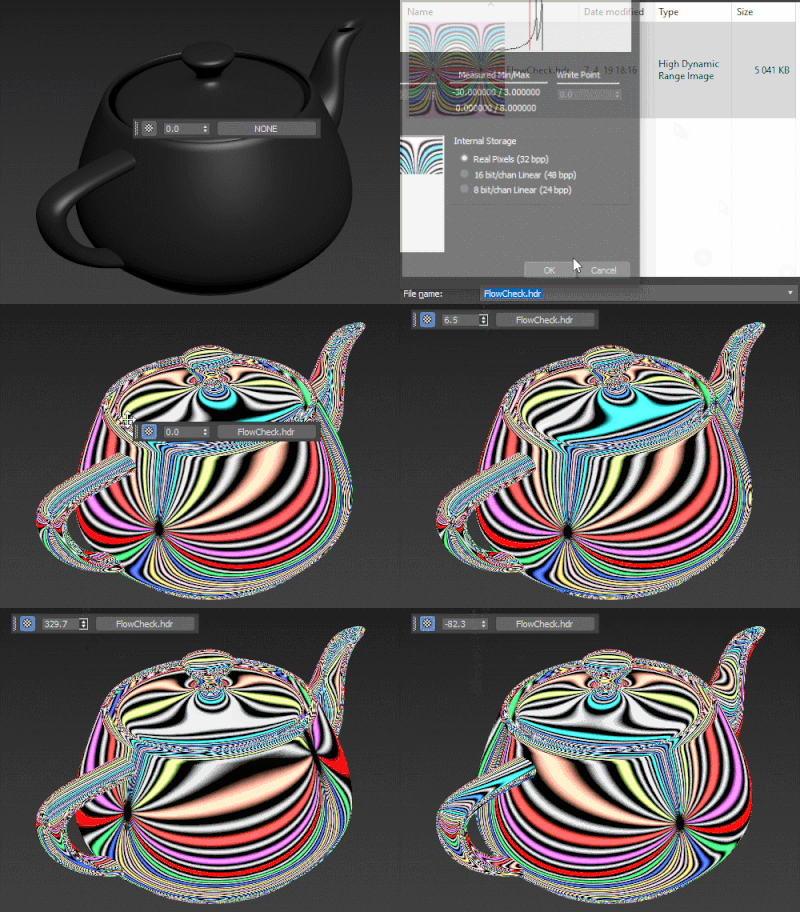
Simple floating 'toolbar' example where you can quickly toggle reflection override for the current viewport (any custom picked hdri map will work) and set its rotation. Since it's just a viewport override, all the materials applied to the objects will be left untouched. Comes in handy for example when checking for shading errors.

Vray HDRI Light

1 vote

A new tool useful for those who often use VrayDome Light with a VrayHDRI texmap pluged-in. You simply locate the HDR map on your computer, and the script generate a VrayDome light with your HDR file. The HDR is also display in the viewport and you can rotate it by rotating the VrayDome light. There is an additional parameter on the VrayDome light that allows you to enabled or disabled the HDR in the viewport.


ESR Hdr Rig

3 votes

Hi friends.Hdr rig is one click solution for hdr lighting in Vray and Max.You only select the hdri that you want and click.So script creates dome light contains hdr image which is in a vray hdr material.And also instance it to the environment background.it also uses constraints for linking hdr and vray sun.I wrote it for my everyday works.It's free.Use at your own risk.Hope you like it!


Environment Lighting HDR Studio (MR)

3 votes

 NEW VERSION 0.9

This Script allows to insert a Environment map HDR in the scene and simluate a virtual set for rendering "white". Also useful in the preparation of illuminated images in HDRi.

New features (work in progress):

Change Log v.0.9

Vray HDRI Viewer

2 votes

Vray HDRI Viewer is a simple and quick way of getting your HDRI's into your scene. Please note that for every HDRI the viewer requires an equivalent jpg file sized at 1000x500. I will be releasing a photoshop action to make this a little easier.

To intstal, use the maxscript menu > run script. You will then find it in "Catagory > shawvfx"

ZOA Path Editor

39 votes

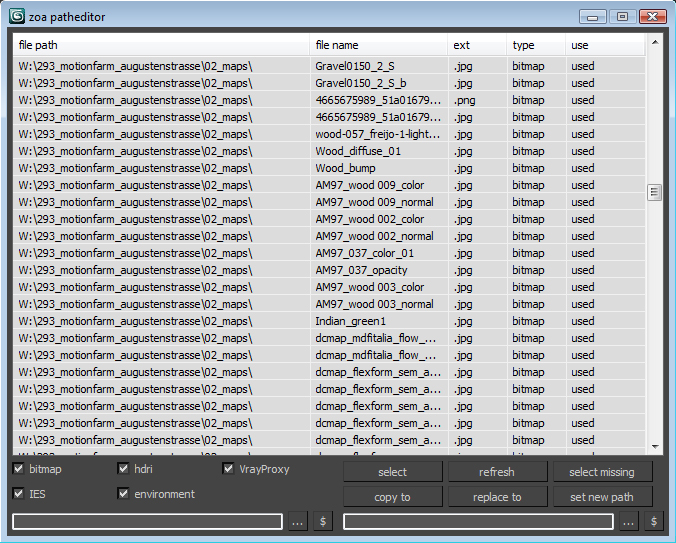
Simple Path relinker application for maps, ies, hdri corona proxy and vrayproxy objects. Features are: path text replacing and copy functions. The two text fields below each section are for "original" and for "future" paths. $ stand for string. Use it to copy a map path of a selected map to the desired text field.

User interface for the maps section. Others look the same.

Project Manager

597 votes

After a long stretch of development, Project Manager 4 is officially out — the biggest release in the product's history, and now with full 3ds Max 2027 support.
The headline is AI Asset Classification.
Your library gets sorted automatically — by object type, material, and style — no manual tagging.

Project Manager 4 — What's New Since v3

Changelog · 3ds Max 2016–2027

AI-Powered Asset Classification

  • Automatic categorisation of 3D models by object type, material, form, and style — no manual tagging required
  • Runs entirely on your machine — no cloud, no subscription, your assets never leave your computer
  • GPU-accelerated background processing at low priority — won't interfere with rendering or active work
  • Reclassify specific folders or categories on demand — no need to reprocess the entire library
  • Scale across a team: multiple workstations share the same database and classify in parallel

Colour Tools

  • Find assets by colour — pick from a palette and instantly see matching models or textures
  • Perceptual colour similarity search — finds visually related assets, not just exact hex matches
  • Find Similar by Colour in the right-click menu for models and textures

Find Similar

  • Find similar by content — AI matches 3D models by style, shape, and visual look
  • Find similar by colour palette — matches assets to a reference image or mood board by dominant colour proportions

Smarter Search & Filtering

  • Multi-keyword search: "Chair, Glass" finds a file named Chair.max described as "glass"
  • Category filter correctly includes all subcategories — filtering Furniture also returns Furniture → Chairs → Dining
  • Combine category and material filters: find glass-and-metal tables, or wooden ones, in one click
  • Categorised / Uncategorised quick filters — see which assets still need attention

Gallery & 3D File Browsing

  • Three gallery tabs for .max files: Models, Materials, and External Links
  • Drag materials directly from the gallery into your open 3ds Max scene
  • 3D viewport preview for FBX, 3DS, OBJ, and other formats — inspect geometry before importing
  • Edit external links inline — fix or replace missing textures without opening the .max file
  • Zoom & Pan for images — inspect textures at full resolution inside Project Manager

Migration & Compatibility

  • v3 and v4 share the same database format — point v4 at your existing library and go; no rebuild required
  • Run v3 and v4 side by side on the same team; supported from 3ds Max 2016 through 2027

Performance & Other Fixes

  • Significantly improved overall performance — faster navigation, filtering, search, and file/folder operations
  • Live sync in shared database mode — changes by colleagues appear automatically without reloading
More about new features   Project Manager version 4
 

zwischendrin.com HDRI Scene Setup

39 votes

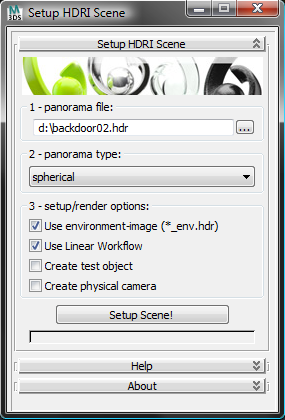
This tool creates a scene setup for HDRIs downloaded from www.zwischendrin.com and adds a test object (with materials), a camera and uses linear workflow if you like to.

interface screenshot 01