Tagged 'maxscript'

DarkScintilla: Maxscript Editor dark scheme

43 votes

A dark color scheme for the Maxscript Editor, inspired by dark schemes available for other IDEs

As i was doing more and more max scripting lately, the urge to do something with the eye hurting Maxscript Editor colors escalated. So i sat down today and had a walkthrough on the various options Scintilla (Maxscript Editors core) provides.


Object ID Toolkit

2 votes

This tools makes it easier for users to manager Object ID’s for various assets in a scene. It also gives users the ability to quickly and easily generate render elements based on the ID’s used in their current scene.

FEATURES

Connect Edges

1 vote

Just a simple modifier to connect edges selected with the previous "edit poly" "editable poly" or "poly select" modifier. Currently I tested my script on 3dsmax 2020, I will try to test it on older version of 3ds max and update this page if I can. If you have any question or any requirement, don't hesitate to ask me or to contact me. I will be happy to answer you.

Memento

1 vote

New MaxScript. Simple and handy as aways. Free.
It's very useful for my use. You can quickly save and recall up to 5 groups of selections. You can increment memories adding objects to them (Which is SO useful in some situations (to help in the process of organizing big and messy scenes)...
Hide and Un-Hide from Memory buttons. Isolate groups, etc.

BTW, the video says QuickSelect, but i changed the script name to Memento.;)

Refresh Icons

0 votes

Macroscript for making a button that refreshes button icons using colorMan.reinitIcons(). That's basically the entire script right there. :)

Dynamic Text

4 votes

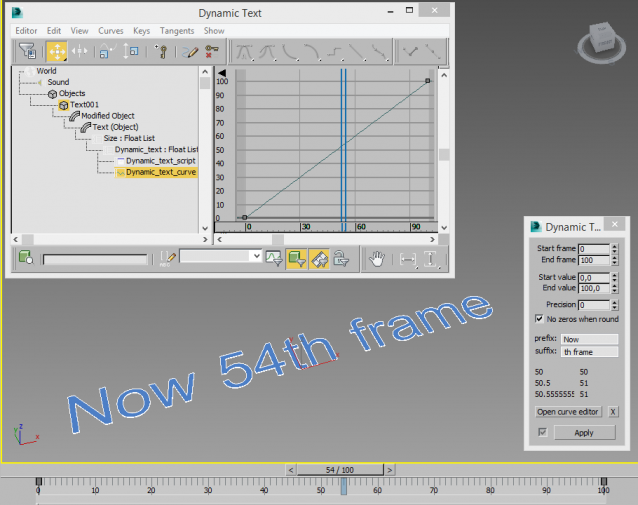
Creates a animatable text that changes depending on time. You can use curve editor for changing dependence.

Useful for creating animated infographic labels and tags.

Batch Detach Selected Polygons

1 vote

This script will help the user to detach a large number of polygons into individual objects in one click.

The script will be available if one object only is selected, and this Object has to be from the geometry family.

Note: The script doesn't work on Editable Patch objects

Mesh Insert

5 votes

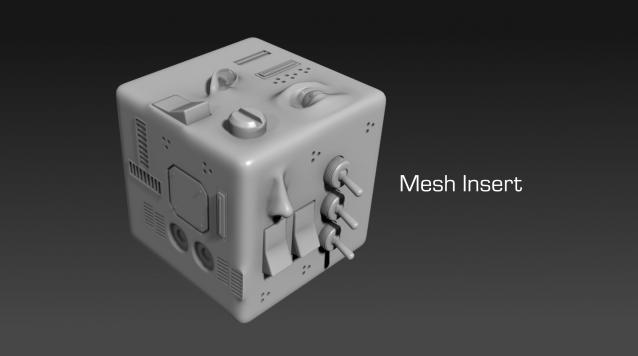
Mesh Insert is a new 3dsmax plugin inspired from Polystein for Modo ( http://pushingpoints.com/v2/the-pushing-points-polystein-kit-for-modo/ ). It speeds up your modeling process by replacing face selections by an asset from your library.

Features :

3DS Max - Match Materials and Mapping - Plugin

3 votes

This script will help the user match the material of a source object to a target object
First, you need to select the source object then click the script, now start picking your target objects
When you finish picking just right-click, or press Enter, and the picked Objects will have the same material as the source
Object plus any UVW Map modifier or Unwrap UVW modifier applied to it.

3DS Max - Remove Objects From Isolate Mode

1 vote

This little script will help the user in removing objects from the isolate mode.
After selecting one or more objects and choosing isolate, sometimes you want to remove one or more objects from the isolated objects group. So select one or more objects that you want to remove and click the script.
Another benefit is that when the script is grayed out and not available, the user will know
That 3DS Max is not in the Isolate Mode

Syndicate content