Tagged 'Proxy'

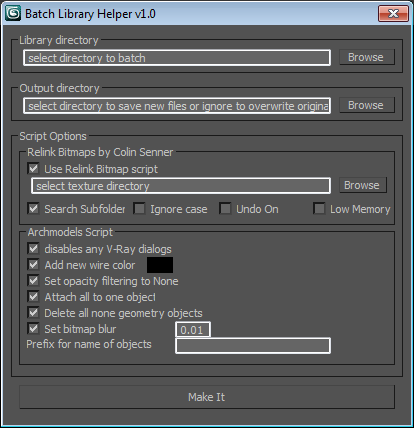
Batch Library Helper v1.0.1

0 votes


Proxif - Vray proxy "fixer"

1 vote

This is very simple script I did for "fixing" proxies in 3ds max 2014 and up.
When working with a lot of proxies in 3ds Max 2014, viewport gets very very buggy. The problem is when "preview from file" in VRayProxys display option is checked. So this script finds all the proxies in the scene and changes then to "preview from file (faces)" which seems to fix this viewport problem!
Script will not make any changes if some proxies are grouped.

HQ Proxy Tools

0 votes

HQ Proxy Tools is a free 3dsMax script that helps you to adjust some settings of proxy objects. This script supports Vray render and Corona render.

Highlight features:

MAKE INSTANCES SIMILAR PROXIES: proxies have the same .vrmesh file or .cgeo file will be made instances. It will save memory and render faster.

INSTANCES TO VRAY/CORONA PROXIES: convert objects to vray/corona proxy and maintain their instances (The original proxy export from Vray will convert objects to proxies but also make them unique objects, which will increase your file size and render slower)

Gtools_Proxy_Display

19 votes

Lets you change the display of selected vrayproxy’s

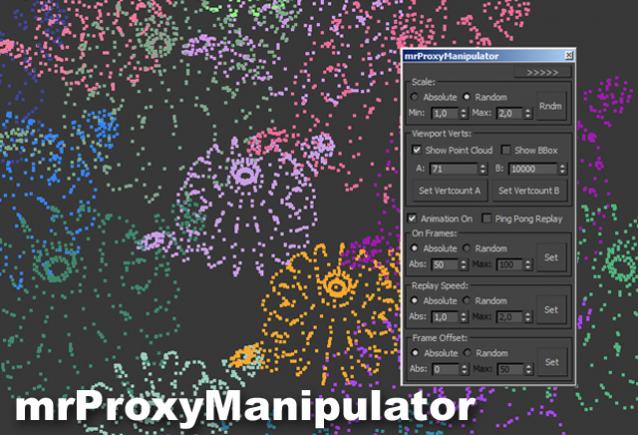
mental ray Proxy Manipulator

3 votes


Working with mental ray proxies can be very tedious. As they are used for vegetation alot, the need for variation is there, to make it look believable. This script gives you options to vary scale and all animations aspects of all selected mr proxies. It also has a minimized version where you can quickly change the viewport resolution of your proxies, helping to speed up the viewport alot.

Tutorial video:

Harry's Proxy Creator

1 vote

This script is very similar to a script Jason Schleifer wrote from Maya, it allows you to split a predefined object into several segments based on the transforms of special cutter objects, these segments can then be linked back into a skeleton hierarchy. The advantage of displaying segmented geometry in the viewport rather than the skinned mesh is that you get faster playback speeds.

When you evaluate this script it create a new "Category" in the "Customize User Interface" window called "Harry's Proxy Creator" where you'll find the tool

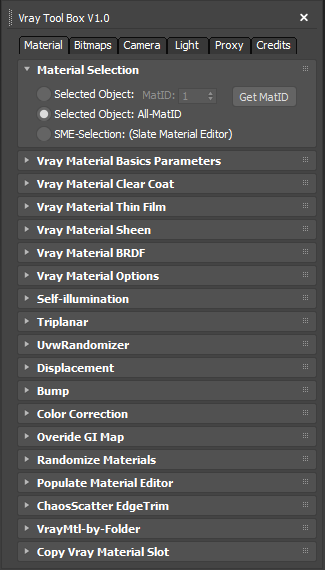
Vray ToolBox

6 votes

It is a Vray version of my script "Corona Automator" It has a lot of features for materials, bitmaps ,cameras, lights and proxies.

Its main goal is to automate property tweaking, and save time on repetitive tasks.

for now the material part is focused on Vray Materials , it won't work on other kind of materials like fastSSS or other materials.

MR_Proxy_BakeAll

27 votes

This scripts enable you to change selected objects(with animation) to mr_Proxy objects.
And you can change some parameters of selected objects all at once.
Caution: If you wanna use property "AnimOffset", you have to apply Skin modifier or
other deformation modifier to an object, whose animation is just drived by linked hierarchy.

How to use: Just put this script to \3ds max root\ui\macroscripts\. Then, start up 3ds max,
and go to "Customize"->"Customize User Interface". You can find this script in a category "DSTRUEVISION".

miauu's Drag&Drop Pro

1 vote

GTVFX-SCA_VRproxiesReplaceWithMesh

2 votes

Brings in the geometry mesh of the VRay Proxy at the same position and with the same hierarchy as the proxy container.

Syndicate content