Tagged 'import'

Paste from SketchUp (free)

3 votes


A small script that helps you copy objects in SketchUp, and paste them directly in 3dsMax, with the origin and texture preserved. It will make your SU>MAX workflow a lot faster, especially for people who like to model on SketchUp.

HOW TO INSTALL

Script Box

3 votes

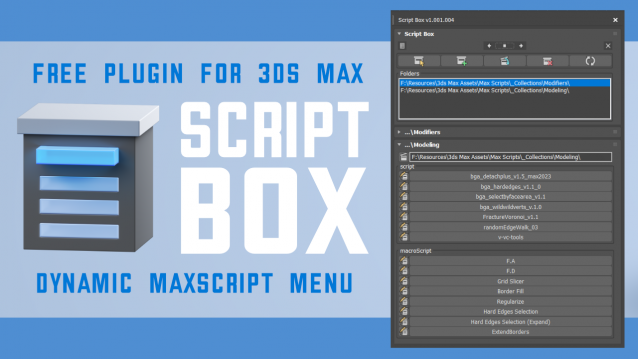
Script Box optimizes your scripting workflow by creating a dynamic dialog menu for Maxscript files.

Simplify installation and execution of Maxscripts by selecting any folder and get a menu that can launch external MaxScripts without adding custom buttons. Freely organize and integrate macroScripts, plugins, utilies and regular scripts inside 3ds max without going through a set of complicated steps.

The current version is free with no limitations, offering the same functionality as the paid version. Future updates are exclusive to paid users.

Main Features

  • Dynamic dialog menu 
  • Execute MaxScripts from any folder
  • Multi-threaded file loading
  • Organized by macroScript, plugin, utility and regular scripts
  • Configure buttons and minimize UI
  • Custom tooltips with aditional information
  • Create, archive and open MaxScripts
  • Dock, resize, and collapse dialogs
  • Launch on start-up

KMLparser

3 votes

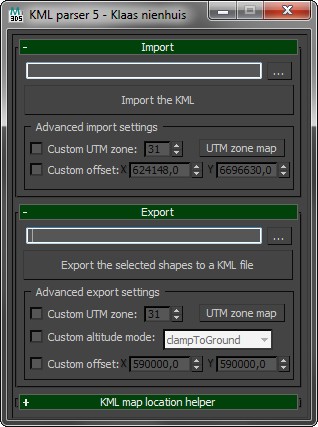
Import and export shapes from and to Google Earth. Use the KML file format to exchange geo-referenced shapes and keep the correct locations on the globe.

Check out the blog for more information. I've also written a tutorial.

Textures2materials

3 votes

poster

Textures2materials is a very handy plugin which can turn multiple textures into materials at once (into multi-material or into multiple material slots). It also checks if your textures have a bump versions and load them as bump. "Must have" plugin for any 3D designer.

Content Browser

2 votes

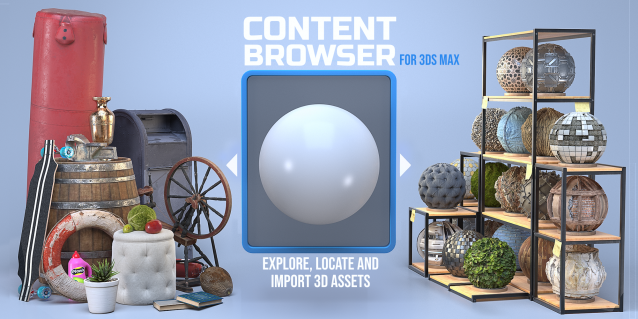
The Content Browser helps you quickly browse and import 3D assets on your computer.

Load any folder accessible on your machine and the Content Browser will find any materials, hdri’s, models, and max files. It will group, organize and display these files as assets, recognizing previews, LODs, mapping channels, resolutions and other important information automatically. 

It simplifies the importing and merging process for 3d models, max files, material creation and hdri environment maps by allowing you to directly browse, filter and drag all of your 3D assets from sources like MegaScans, PolyHaven, gameTextures, Poliigon, Arroway into 3ds max viewport or material editor. 

Main Features

  • Load any folder and find 3D models, max files, materials and hdri’s.
  • Show grouped files as assets, group matching assets and find preview images.
  • Drag and Drop asset into the 3ds max viewport or the Slate Material Editor
  • Import assets to Slate and Compact Material Editors
  • Default Merge and Import 3d files and max scenes, with automatic relinking filepaths
  • Choose LODs/resolution/variations and Import multiple assets at once
  • Folder hierarchy, File list and Preview Gallery

3dmax Vray To Unreal Engine Converter and Vertex Color Baker

1 vote


This script can convert Vray to Unreal engine Materials and geomerty, Bake AO/GI/CustomShader to vertex Color/alpha or to texture. Also you can place All scene objects in Unreal like in 3ds max Scene in one click.

Material Manager

1 vote

Material Manager gives users a one-click solution for saving out materials and also reapplying them. Users can choose to save the selected objects materials, or the entire scenes materials.

Batch Import Convert

1 vote

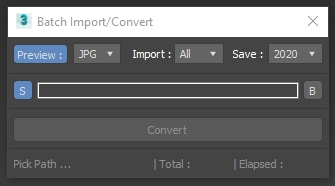
3DSMax Script for Importing Selected Type Files from Folder +Subfolders and Save them as Max Files +Version ,

with Option to Grab Viewport Preview .

NOTES :

I/O Morpher

1 vote

Exports or imports morpher data to or from a morpher.

Useful for copying morpher information from one file to another or from one head to another.

miauu's Folder Bookmarks

1 vote

Syndicate content