3ds Max | All

Voluminance MCG

14 votes

Voluminance calculates the amount of light each vertex receives taking into account the distance traveled inside a mesh. A longer distance traveled inside means more of the light got absorbed resulting in a darker vertex color.

To view the result in the viewport enable the 'VertexColor channel display" in the object's properties dialog. For rendering you can you use the vertexcolor-map to drive material parameters.

mzp builder

-2 votes

When working with large scripts in 3dsMax it's very practical to split the project up in multiple files. When done correctly this loosely resembles an object-oriented approach. Something that maxscript doesn't really support. While working with multiple files is easier than with a single large one, publishing them is more work. This script helps with that.

Biped Resizer

3 votes

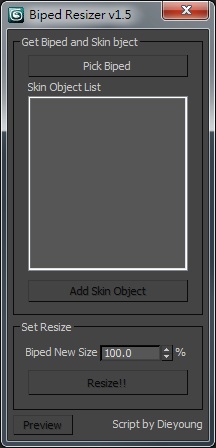
Script for quick resizing Character rigging with Biped and Skin.

biped_resizer_v1.0

Just drag and drop in your viewport.

VersionControl

11 votes

VersionControl integrates the Perforce version control system into the Max UI. As an artist uses the standard Max file Open/Save routines VersionControl checks the file against the source archive and checks the scene and

Poly Flow

22 votes

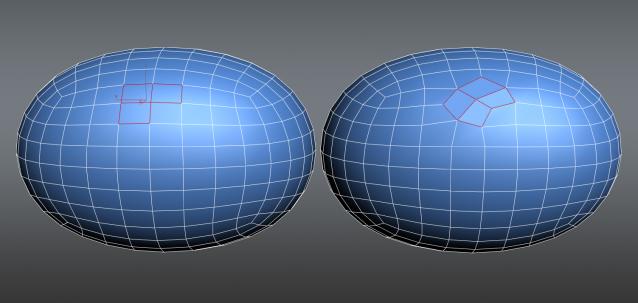
Poly Flow is a set of scripts designed to help the modeler with the everyday boring task of rearranging edges. It makes predictable changes to the topology giving you want you want.

LSSpiroGraph

15 votes

LSSpirograph was written as a tool to create interesting paths for particle emitters to follow. It was designed as an aid to special fx creation for Soul Forge. The script takes input - either from a drop down list of predetermined shapes - or from the sliders on the UI - and then creates two dimensional spline shapes - much like real SpiroGraphs do.

Disperse

0 votes

Disperse is a freehand 3d painting tool and object replacer that will free up your artistic creativity to allow you to paint complex scenes as easy as digitally painting in a 2D software program.

By adding any 3d geometry, point cache or proxies you can paint unrestricted anywhere in your scene without the need to select base geometry. The paintbrush gizmo gives visual feedback on object direction, size of distribution and orientation.

Auto Snap Mode

3 votes

This is a simple (free) script that detects viewport changes. It will automatically set the current snap mode to 3D snaps when the current viewport is perspective, camera, etc; it will switch to either 2D/2.5D if the current viewport is set to standard orthographic projections.

The function only changes the current snap mode if:

1: Snaps are On
2: Either the target snap mode is 2/2.5 and the current snap mode is 3D OR the target snap mode is 3D and it isn't currently set to 3D. (In other words, for top/left/front the mode won't change if it is 2 or 2.5--it uses the current 2 or 2.5.)

free memory v1

2 votes

A simple script for cleaning 3ds max data and free up memory.

*Terms of use:

The use of the script is an "As is". The author assumes no liability with regard to any kind of damage (hardware and software) caused by the use of this script. Are not responsible for any damage or cancellation or modification of the work, files, crash and or any problem in 3dsMax or computer. So if you installed the script,you accept the above conditions and declines any my responsibility.

Break and Form v2.0

13 votes

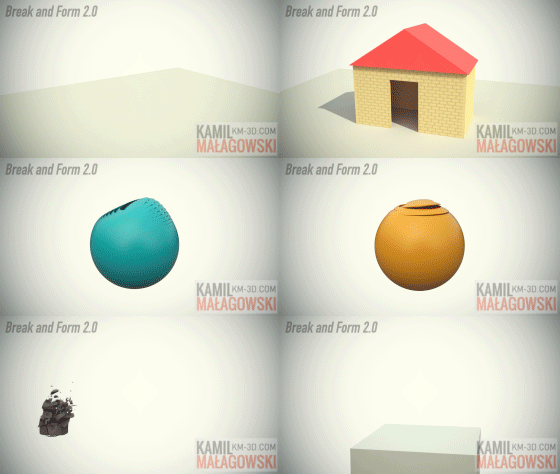
This script allows you to break an object into pieces by detaching its polygons or slicing it into chunks
(with or without volume preservation) and form this object again by manipulating the position, scale and rotation of
each piece. You can also make dispersion of your object by making the frames go backwards. Instead of object pieces
you can also work with elements - any mesh object you want.
The 2.0 version is much more powerful than the 1.0 version, watch the video and look what it can do.

Syndicate content