3ds Max | All

MCG PMesh

1 vote

While this may not be quite so polished, it may get you out of a tight spot if you just MUST apply some modifier to Particles...hence they have to be turned to mesh.

Sorry, Max 2018 ONLY.

Installation:

https://knowledge.autodesk.com/support/3ds-max/learn-explore/caas/CloudH...

(or drag n drop...whatever)

Then can be found as PMesh in modifier dropdown list)

MCG Deformbination

MCG Renderable Points

2 votes

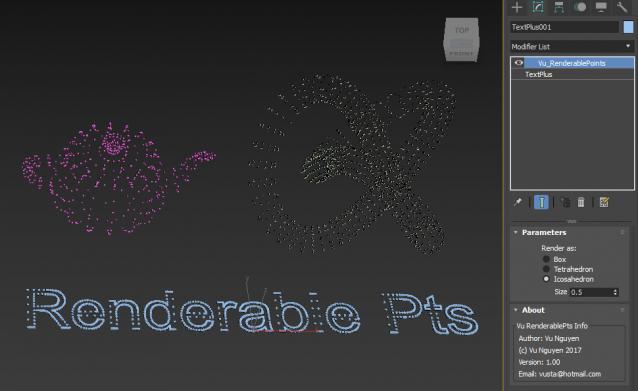
No the question isn't WHY...but rather WHY NOT all these years. Since there's RenderableSpline, why not Points ?

Installation: https://knowledge.autodesk.com/support/3ds-max/learn-explore/caas/CloudH...

Then can be found in Modifier dropdown list. It will work on Mesh/Splines, even if your mesh consists of all isolated verts...there's no requirements for proper 'polys'.

Move selected object with keyboard

1 vote

awsd poster

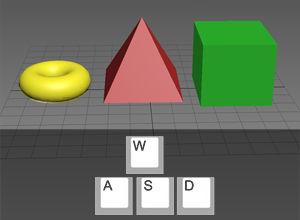
A little free plug-in which allows you to move selected objects with A,W,S,D keys. If it will be useful for someone, I will improve it.

Molecule

15 votes

Main Interface


Smooth Edges

23 votes

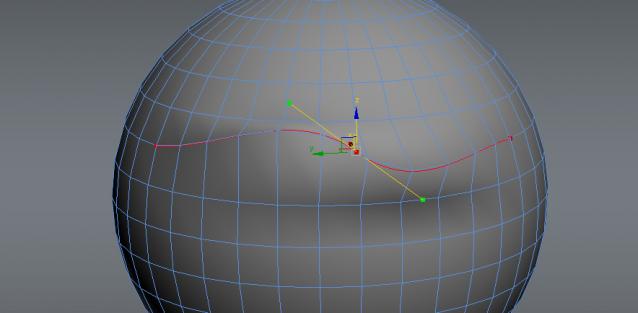
Smooth Edges is the first and only 3DS Max script that gives you the freedom and control to shape your models the way you want.

Here are some of the benefits you get:

•Never again be forced to move vertices one be one

•Create smooth curves and surfaces

•Have greater control over your mesh

•Model at lighting speed

•Align edges from different meshes to another

•Model at greater precision

Place Objects according to normal

3 votes

This script will place objects according to the normal of the face you place them on.
You can add multiple objects in a list and let the script random pick one of those, or disable the random button and choose yourself.

Script features:

- Add multiple objects to a list and start placing them.
- Place them with the first click, then move your mouse to rotate the object and click again to confirm.
- Cancel placement at any time.
- Random select objects from the list.
- Add a Z-Offset to the objects.
- Place objects according to the normal they are placed on.

Spline 2 NURBS Curve Converter

11 votes

"Converts Spline shapes into NURBS curves - in addition it connects all NURBS curve segments into one curve.
Updated for 3ds max 4/5"

NURBS 2 Spline

15 votes

Converts NURBS curves in Spline Shapes.

Make Grey

0 votes

This script will take all selected objects and make them grey by default.

I get fed up with going into the colour picker to turn objects grey as I work through a blockout. I made this so that I could do it with a single click.

The script will work as a button in the toolbar once setup.

Installation:

This script takes all selected objects and makes their wireframe and base colour grey if no materials are applied.

To add it to your Max, drag the .ms file into the 3Dsmax viewport.

Syndicate content