Tagged 'pivot'

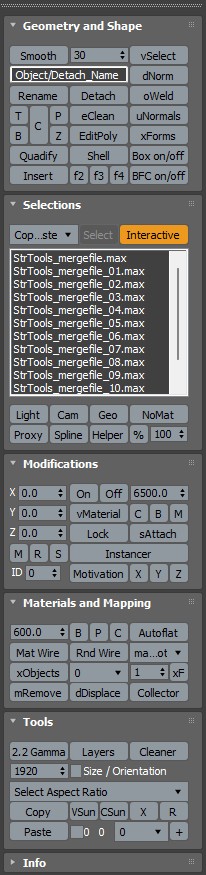
StrTools

14 votes

Quick tools in one place. Dockbar!

Universal Transform

4 votes

Universal Transform has Alot of Featuers for Moving Rotating Scaling Randomizing Scattering Objects and Working with Pivot and Working Pivot and More .

The Script has 5 Modes (Move, Rotate, Scale, Pivot, Random) . and 3 Type of Auto Switching to Switch Between Them (to not Get Confussed) .

The 3 Auto Modes is (Auto T, Auto D, and The MacroScript (Universal Transform - Auto Switch)) .

- it has 3 Options :

1- By Spinners or (Type-in) .

Urgaffels script pack 01

11 votes

Small pack of scripts created by me to speed up tasks while creating environments for games. Contains the following scripts...

Visual Pivot Placer

38 votes

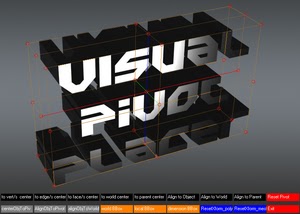
The image above says all. :)

Places the pivot of the selected object/s in one of the red colored circle.

For Editable Poly object/s you can place the pivot in the center of selected vert/s. edge/s, face/s.

Click with LMB on one of the red circle will tread all selected objects as one and the pivots of all objects will be in the same place.

Wickerfilms | Easy Pivot

3 votes

Preview for Easy Pivot


Hey whats up guys!

I'd like to present to you my new script called : "Easy Pivot"

Working Pivot Placer

0 votes

Simple 3dsMax Script for Placing the Working Pivot on Surface or By 1 , 2 or 3 Points .

"Coordinates Shortcuts.ms" this file Contains 3 Macro Scripts , for Fast Coordinate Switching .

  • Coordinate Center Cycle : Cycling the 3 Types of Coordinate Center .

  • Coordinate System Cycle : Cycling the Coordinate System Between [View/Local/Working Pivot]

  • Coordinate System-Pick : Pick Object to be used as Coordinate System .

Zero-Center Pivot Unimover

3 votes

v2.17 Fixed bug of pivot point to knot of shape when command panel pull out of 3dsmax

Editable_Poly,
Edit_Poly,
Editable_Mesh,
Edit_Mesh,
Splines


"More Video - Ещё видео"

Syndicate content