Tagged 'viewport'

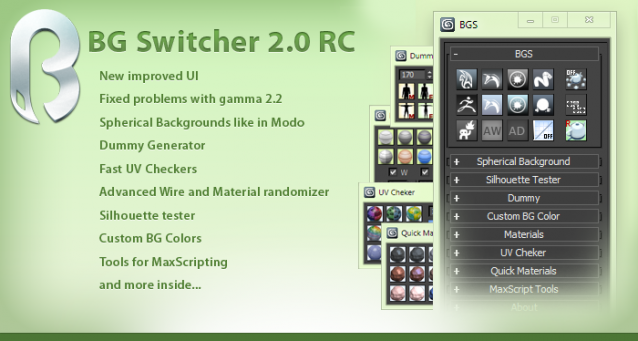
BG Switcher

153 votes

boneStretch

71 votes

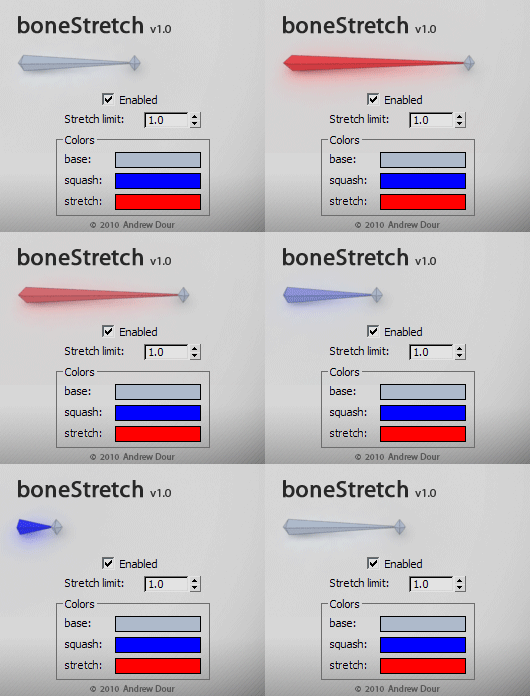
This tool will change the color of bones based on their squash/stretch amount, providing the user with feedback if they have gone beyond a desired threshold. It will live update as you move around and animate in the viewport.

Turn Viewport Maps On/Off

70 votes

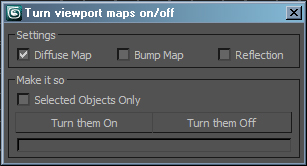
This is a very simple script for turning Bitmaps on and off in the view port. It has been very popular in the studio that I work at work so I though I would upload it. Its funny how the simple ones are the ones that every one likes. Anyways it will let you turn view port maps on or off, it works with Standard and V-Ray materials. It also handles multi sub materials with no troubles, you can also choose to display Bump or Reflection maps. If you have any troubles or ideas for new features please let me know.

ScriptSpotter

201 votes


This is a little tool to get the scripspot rss feed directly in max, displayed on the viewport. It of course only shows max related stuff, updates every 7 minutes and thats about it for descriptions.
have phun

UIMod

52 votes

UImod is a new UI for modifiers that is displayed in overlay of your active viewport in 3ds Max.

You can make a button from the modifierstack of your selection. This will save all the modifiers on this object and all the values of the properties of the modifiers. You can see this in the video where I change some checkboxes and values of modifiers.

Right clicking on the button gives you the properties of the button. You can change the name and folor of the button. More options will be coming soon.

 

ViewsMan

23 votes

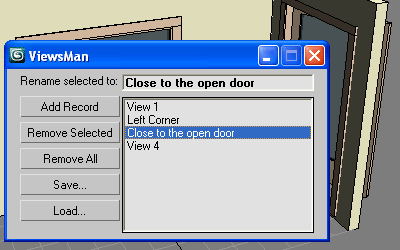
Save and restore unlimited views.
You can save views in one scene and load them in another scene.
Double click in the list to restore the saved view.

ViewsMan

The idea come from AutoCAD where you can save up to 5 views. Im not sure (never see) how exactly this feature works in AutoCAD, I just read about this in the ScriptSpot.com, and I hope this tool is useful anyway ;-)

Grab Viewport Plus

56 votes

Grab Viewport Plus

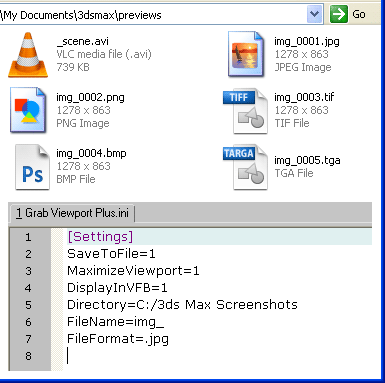
A requested script that add a few options to the standard Max screenshot tool:
   incremental save in given folder and prefix name,
+ forced toggle to Expert mode and maximize Viewport.

ViewPort Preview

64 votes

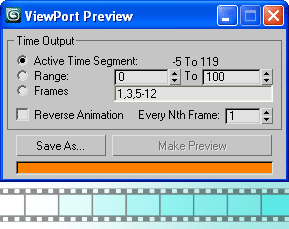
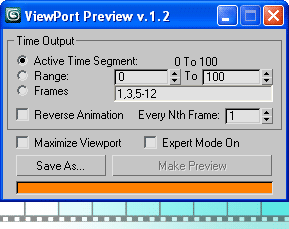
Capture Viewport animation to any output video/image format that 3ds Max support, with an access to the I/O bitmap setup (quality and compression settings), with a few (similar to the renderer) timing options.

Viewport PreviewViewport Preview 1.2

Update

    - version 1.4 change log:

  • Now custom-built sequence support negative ranges
  • You can use interval (space sign) in custom-built sequence

Viewport Switcher

23 votes


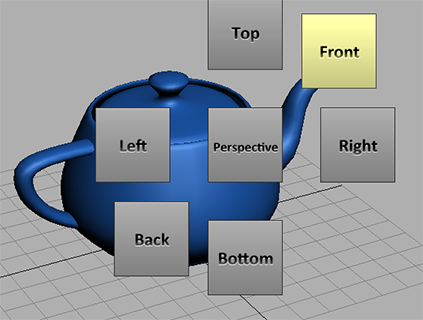
Assign the macroscript to a hotkey. Space bar for example. A menu will appear around your cursor that allows you to quickly switch to different views.

For the installation simply drag and drop the mzp file to the viewport. Go to Customize/Customize User Interface/ Keyboard. And under the group Norman3D select Viewport Swtich and assign it to a hotkey.


EDIT: Fixed an issue in the script that would cause an error on 3dsMax 2010

showNodeLabels

40 votes

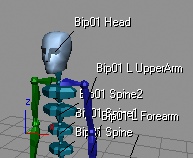
Example for viewport labelsThis macroscript allows you to turn on text labels for specific scene nodes, so you can permanently see the node names in the viewport, even if they currently are not selected. This is for the viewport only (the labels will not render) and the label will follow the bounding box of your nodes, whether you animate them, or change their geometry in any other way.