Tagged '3dsmax'

3DS Max Plugin Rename Modifiers

0 votes

In this video i will present you with two small scripts i created. one of them will reset the modifiers names to their default names. The second one will add the default names to the custom ones.
this is useful in case you have objects with many modifiers applied to them and these modifiers have custom names.

You can check my demo video on YouTube: https://youtu.be/ijK_BhxBAf8

Reindeer

1 vote

Reindeer 2018 Released!

The friendly node based Render Manager and Scene Automator for 3dsMax just got an update.


Easily create multiple versions of your renders using the all new Selector workflow. Perfect for product configurators and much more. Reindeer 2018 introduces new nodes, more script templates, Redshift support, VRay VFB support, more callback options, and more. With Reindeer it's all just one push of a button. Keep it simple or build advanced setups, it's your choice. Reindeer let's you automate the boring stuff so you can focus on what matters, Animation, Shading and Lighting.

What's New?
Selectors


Spiros

1 vote

Spiros 3dsmax script - banner

Perfect beautiful curly shapes!


Description

Spiros is a 3dsMax script for creating beautiful spirals, helices, curls and torus knot splines, with mathematical precision.
Make ornaments, decorations, ironwork designs, jewelry, cloth accessories, symbols from ancient cultures, tentacles, paths for animation / distribution / deformation, and a lot more.


OutFiler file browser

8 votes

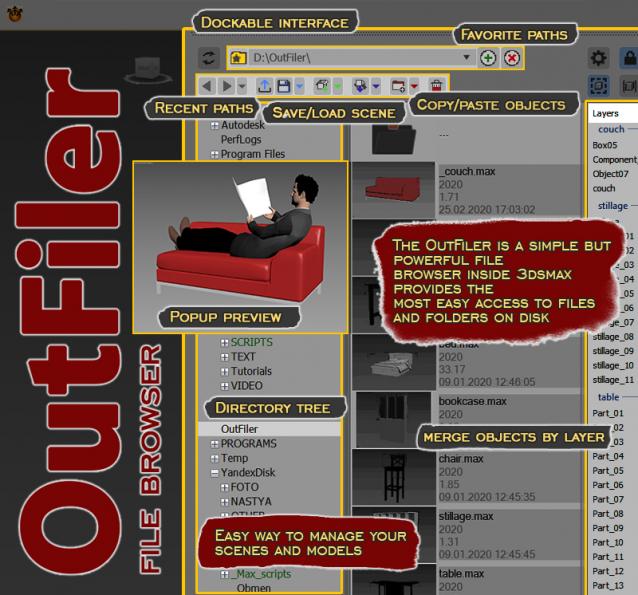
The OutFiler is a simple but powerful file browser inside 3dsmax that completely replaces standard save/load/save selected/merge/import/export dialogs. I believe folder tree much more comfortable and transparent.

The OutFilers provides the ability to quickly find the necessary folders, save the history of movements along them with back/next buttons and recent list and the favorite paths for quick access to working scenes.

Mesh Insert

5 votes

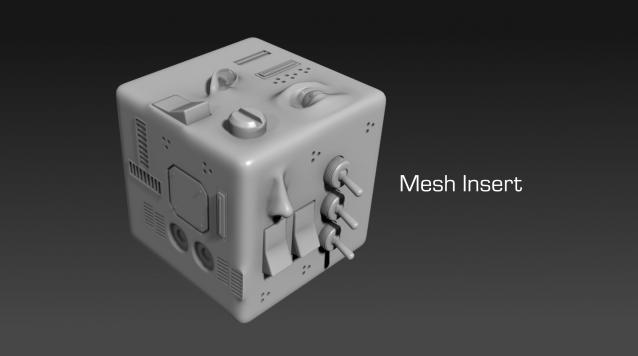
Mesh Insert is a new 3dsmax plugin inspired from Polystein for Modo ( http://pushingpoints.com/v2/the-pushing-points-polystein-kit-for-modo/ ). It speeds up your modeling process by replacing face selections by an asset from your library.

Features :

Easy Spring Controller Tool

1 vote

I made this script last year , but Now i made it more usable for everyone as (Spring Controller Tool)
features:
1) Add Spring Controller to hierarchy of bones,Objects or etc...
2) Add Spring To Selection Objects (its Require The Object Hierarchy Links)
3) Add A Modifier Controller For Each Spring Controller
4) Change The Spring Values One By One
5) Change Spring Values Of Massive Group Of Objects In Hierarchy At Once , Using Offset
6) 2 Default Presets To Change Spring Values Quikly
7) Run Timeline After Every Change To Spring Value (For Catch Spring And Play Fast After)

PipeSystem

2 votes

Pipe System

A 3dsMax-Tool written in MaxScript


2017 April 03 - Tommy Dräger

Helix

4 votes

功能介绍:

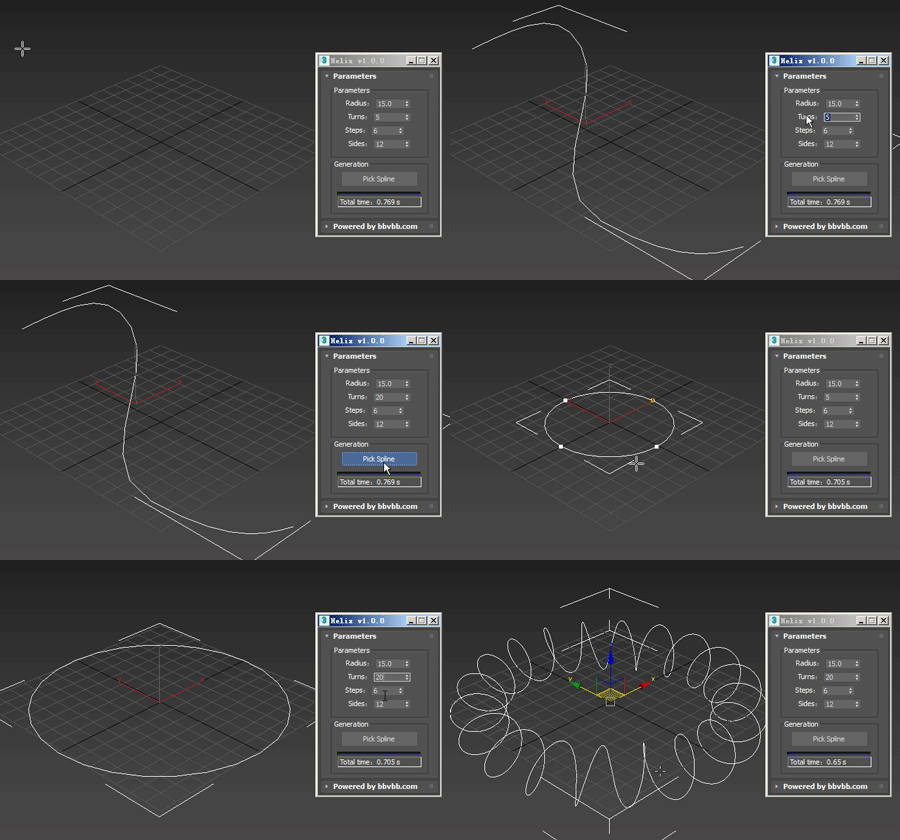
Helix for 3dsMax,是一款由#沐风课堂#用MAXScript脚本语言开发的3dsMax建模小工具,可以将任意弯曲形状的样条线一键转化为延该样条线路径上的螺旋样条线。

MAXScript for build helix spline.

Usage method: 

1 run Helix-1.0.0-en_US.mse.

2 create a spline in the Max view.

3 Click the "Pick Spline" button, and then pick the Spline. 

Hose

3 votes

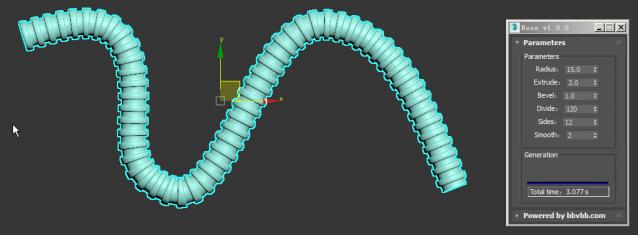
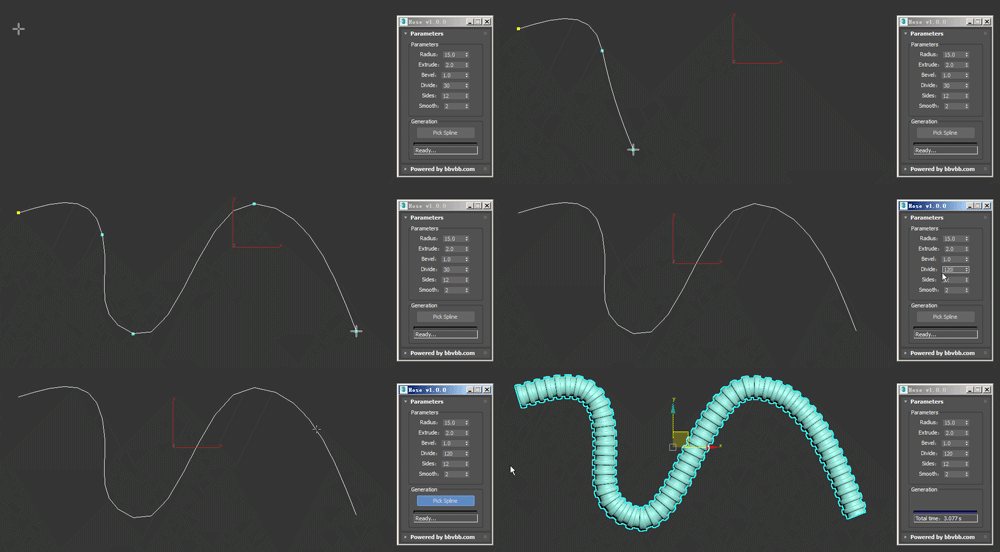
MAXScript for build hose model.

Usage method: 

1 run Hose-1.0.0-en_US.mse.

2 create a spline in the Max view.

3 Click the "Pick Spline" button, and then pick the Spline. 

Lights Switch

0 votes

This is a small macro script I created that will search for all the lights in a 3ds max scene and will turn OFF any light that is ON. In case all lights are OFF clicking on the Button will turn them all back ON. I created this script for myself to avoid going through all the lights and turn them off in case I wanna do some tests using one or few selected lights. I know there is a light lister but it's not that practical. this script can be placed as a button on the toolbar, it's always there.
you can see a demo here: https://youtu.be/lIawffhcyVw?list=PLHpTMy1QrXbhXK3KP_Ov3XwElNlfy3hQ4