Tagged 'map'

Quick Z-Depth (mental ray)

1 vote

With this useful and simple script, you can create a non-destructive quick map Z-Depth in mental ray.

rollout Quick Z-depth

Enjoy!!


Halftone Lines Gradient

10 votes

Just for fun - create gradient ramp which goes from thin lines to thick so that it can be mapped for example to a falloff map (Shadow/Light falloff pictured).

Bitmap Paths

24 votes


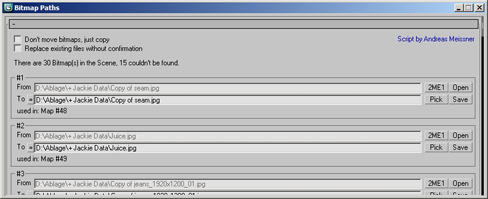
Adjust your bitmap paths ... hope it helps :D

Content Browser

2 votes

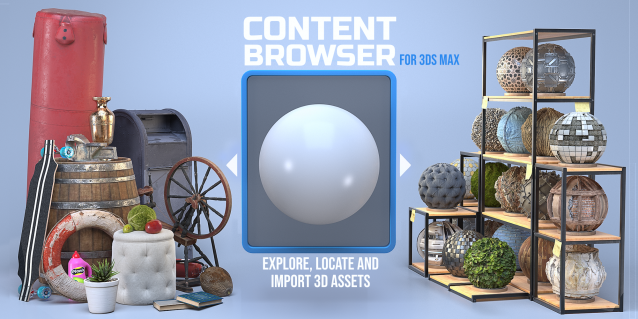
The Content Browser helps you quickly browse and import 3D assets on your computer.

Load any folder accessible on your machine and the Content Browser will find any materials, hdri’s, models, and max files. It will group, organize and display these files as assets, recognizing previews, LODs, mapping channels, resolutions and other important information automatically. 

It simplifies the importing and merging process for 3d models, max files, material creation and hdri environment maps by allowing you to directly browse, filter and drag all of your 3D assets from sources like MegaScans, PolyHaven, gameTextures, Poliigon, Arroway into 3ds max viewport or material editor. 

Main Features

  • Load any folder and find 3D models, max files, materials and hdri’s.
  • Show grouped files as assets, group matching assets and find preview images.
  • Drag and Drop asset into the 3ds max viewport or the Slate Material Editor
  • Import assets to Slate and Compact Material Editors
  • Default Merge and Import 3d files and max scenes, with automatic relinking filepaths
  • Choose LODs/resolution/variations and Import multiple assets at once
  • Folder hierarchy, File list and Preview Gallery

VrayColorTool

13 votes

The vrayColorTool will insert vraycolormaps into every available textureslot in the diffusechannel of a material. The new vraycolormap will hold the appropriate colorvalue. This wil enable artists to convert materials to a gamma-oriented workflow. The script will also remove the vraycolormaps if needed.

VertexMapDisplayer

7 votes

Toggles or turns on or off the vertex map viewport display for all scene or selected objects.

Tutorial:
Select a bunch of objects that already have vertex maps. Run the UI version of the script. Choose "Selected". Hit Do. It will toggle the vertex map display in the viewport on or off.

Check_Bitmap_N-th_power_2

12 votes

Created by: feilang

This can check all of the bitmaps in your scene if their sizes can be divided end by 2.

Usually, game developers may like this.

Mass Image Populate

17 votes

A Max Script to populate selected objects with a series of sequential images.


MapController

14 votes

Simple script that changes some basic material parameters for selected objects. Works with Standard and Vray Materials.

on/off Amount paramers for diffuse, opacity, reflection, refraction, bump, displacement, selfillumination.

PSD to JPG

14 votes

hi, this simple script converts PSD maps to JPG and saves them in the same path of original one and replaces old path with jpg one..
I hope it be useful