Tagged 'utility'

Set Random Camera

7 votes

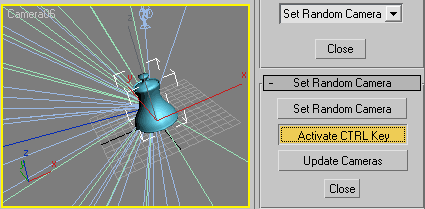
Set Random Camera is a utility that does exactly what its title says. Set Random Camera

FilePathFinder Pro & Light versions

410 votes

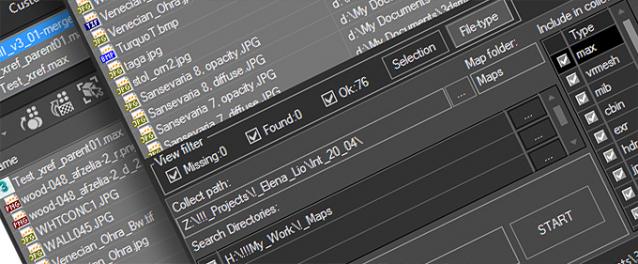
Using the FilePathFinder you can be sure that you have complete control over external links into your scenes.

Asset tracking features include support for XREF files and easy linking with external files.

Using the FilePathFinder (and Batch Render&Relink), you can search for missing assets and relink external files.

In addition, files that are linked to selected objects are displayed in Interactive Mode, and bitmap textures can be toggled and placed within the Material Editor.

Also with this tool, you can easily make an archive a 3ds Max scene.

Note that FilePathFinder supports the highest number of asset types of any plug-in.


The Batch Render&Relink tool helps manage your asset files into the 3D model and material libraries in Batch Mode.

BR&R is capable of rendering thumbnails for 3D models, materials, and IES photometric files.

Batch Mode makes for an easy way to gather and compile many assets at once.


The new version of FilePathFinder is released with support to 3ds Max 2026

and many new features that improve managing scene assets

FilePathFinder Pro version 4.17.01

  • Adds support to 3Ds Max 2026
  • Play IFL, and animated GIFs directly in the list view
  • Play IFL and animated GIFs in the external Asset Viewer
  • Ability to change selected assets directly from the Asset Viewer using keyboard shortcuts
  • Adds an ability to include/exclude search directories by filename
  • More accurate material/texture placement in SME
  • Drops support to light theme
  • Fixes an issue with including/excluding search directories by filename
  • Fixes an issue with searching, relinking, collecting, and archiving the content of IFL files
  • Fixes an issue with relink assets in batch mode for Demo version [Batch Render&Relink]
  • Fixes an issue with renaming external scene links with status #Found
  • Fixes some issues with relink assets using exclude directories
  • Fixes a bug with relinking assets in huge scenes
  • Fixes a bug when using the tool together with Materials Manager and Models Manager
  • Some other optimizations, fixes and speed improvements

AutoBack File Loader Zorb

52 votes

*v1.31 - Bug fixes, removed error on opening on some max versions
*v1.30 - Now supports displaying 133 different date formats!! (Use the "Change Date Format" option in the right click menu)
*v1.21 - Updated for 2010 and added thumbnail support!

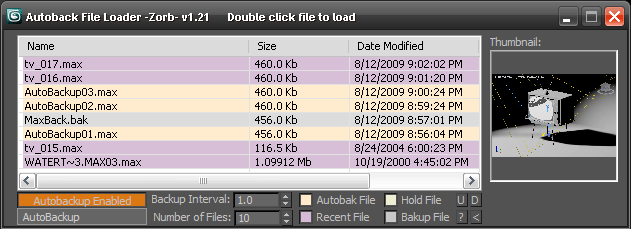
Tired of navigating to the autoback dir, selecting view as detail then sorting by date to find your latest autobak file. then comparing it to your last good saved file? This script will make it easy for you. Brings up a list of max files in your autobak dir, max hold files and your last opened file, sortable by date, size and name. Double clicking will load the file, right clicking will give you a delete option.Sort settings and files displayed are saved between sessions

Unzip to your Max root dir, will be available in macroscripts under "Zorb Tools", or run it as a script from the scrips directory

pX LocoRandomizer

41 votes

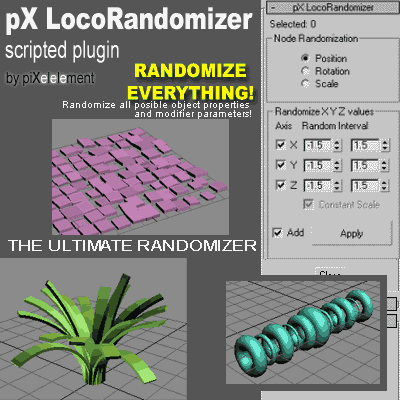
Randomize multiple object properties is something useful, but the randomizer I found in the internet they always randomize only position/rotation/scale.
Then I was working creating this plugin to randomize every property or parameter from multiple objects.


pXTreeMotion

53 votes

This is a scripted utility plugin to animate a hierarchy or set of hierarchies with only ONE CLICK!, to simulate smooth and soft tree and plants natural movement.


px3DDisplacer

37 votes

I give this scripted plugin for FREE at TurboSquid.com


Tertium Organum CollectoREX

25 votes

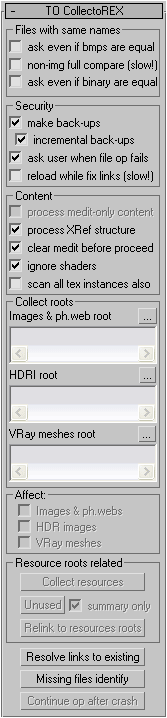
TOCollectoREX is utility replacing and supplementing standard Resource Collector.

**IMPORTANT**
After more than 10 years I've finally decided to turn collectorex from internal utility to a public open source project. In the beginning it was paid utility, now it's completely free and not binded to hardware. Please feel free to edit code and commit here, use it as you like, distribute it freely, I just don't allow to sell my software as your own. That's it.

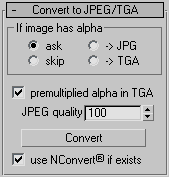
It allows gather all scene resources together, put them in specified place, find where all missing files are used (exactly in which objects). It can find which files in specified place are no longer used by scene. It also allows convert bitmaps to jpg, etc.
Utility supports XRefs of all types and processes all scenes linked to current.
Unlike all other such scripts, it really finds all resources (images, HDR-images, Vray meshes, IES-files, shaders), not only some bitmaps (Relink Bitmaps, Resource Collector). Below there is full description.
Interface:
IA_Utilities_Ver1.1

13 votes

IA_Utilities_Wire-consists of 4 maps that can be plugged into any shader network, for wiring numeric, boolean, and RGB color values.IA_Utilities_Instance-consists of 4 maps that also can be plugged into any shader network, for containing multiple instanced texture-maps. Each map has user labels within it, to label the use of each instance or wire.

Some uses for this are-

CAD Cleaner

12 votes

A utility script to weld vertices and clean up smoothing in imported/converted CAD models. Works on Editable_Mesh objects in selection. Does not work on objects with an Edit_Mesh or Edit_Poly modifier applied. I use this to do a first-pass quick cleanup on imported SolidEdge models; it helps eliminate duplicate faces and odd smoothing groups.

Incremental Transform

14 votes

A script to move or rotate an object set of ObjName[_###] Will work on multiple ObjNames, but provides confirmation request for mis-matched object base names. Objects are sorted in alphanumeric name order for incremental transformation, i.e., obj_001 +10 deg., obj_002 +20 deg, obj_003 +30 deg...

Axis-space selectable. Not very elegant, but seems to work OK.