Tagged 'Scripts'

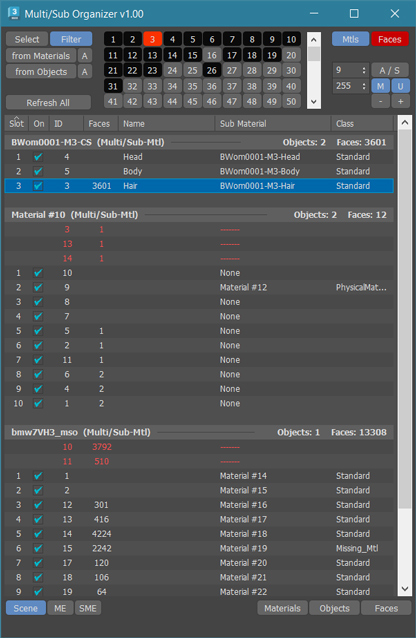
MultiSub Organizer

3 votes

MultiSub Organizer is an advanced tool designed to organize large Multi/Sub-Object materials alongside their linked Face IDs within EditPoly or EditMesh

Key Features:

Synchronized ID Updates:
- Apply a new ID to both the material and the linked Face IDs simultaneously, ensuring your geometry and shaders stay perfectly in sync.

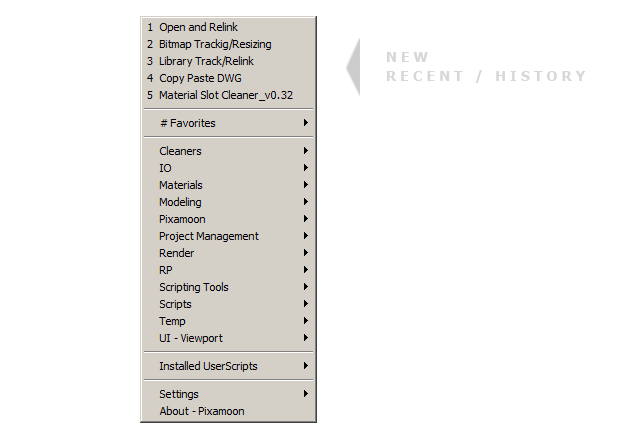
Favorite Scripts

32 votes

.
v1.39
New: Recent / History of last picked scripts (only Full version)
.
.

Automatic Scripts Menu for .ms and .mse scripts.
.
From Office Network location, Local or Dropbox ( same scripts on every machine and all max versions )

Inner Chamfer

4 votes


Inner Chamfer (maxscript) is the tool for creating chamfers in the inner corner topology of Editable Poly objects. 3ds Max’s vertex Chamfer works only for outer corners, so this tool complements it by making it possible to create chamfers in inner corners.

Update: 1.1.0

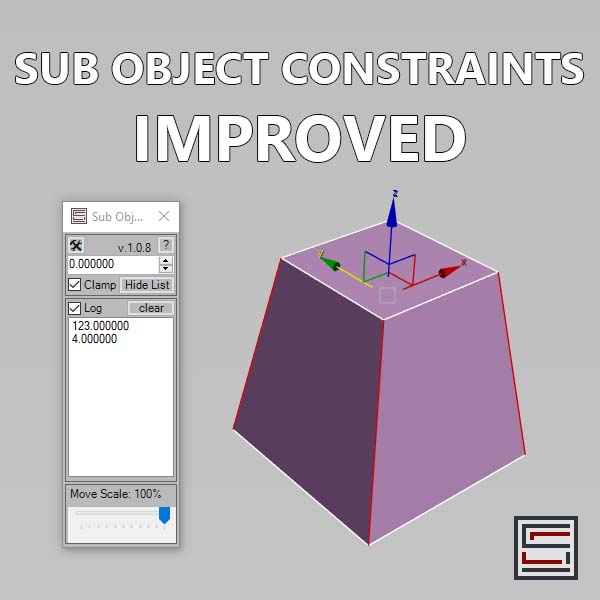
Sub Object Constraints Improved

2 votes

Description: Slide verts & faces along edge paths. Similar to the standard constraints, but works in both directions.

PixPatch AI

0 votes

PixPatch AI: Fix Renders Instantly inside 3ds Max

Stop wasting precious time on minor re-renders or tedious Photoshop fixes.PixPatch AI connects 3ds Max directly to Google's world-class Gemini AI, allowing you to modify, enhance, and fix your renders in real-time without ever leaving your viewport. Whether you need to add people, swap materials, or fix a small glitch, PixPatch AI handles the heavy lifting directly from your Frame Buffer.

MatSnap AI

0 votes


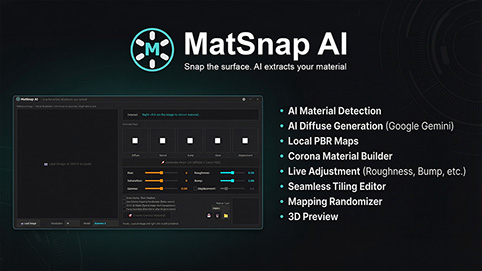
MatSnap AI - AI Material Generator


MatSnap AI is an AI-powered script for 3ds Max that turns screenshots, photos, and text prompts into fully seamless, high-resolution PBR materials in seconds. It bridges the gap between AI texture generation and 3ds Max, allowing you to create production-ready materials without ever leaving your workflow or searching through texture libraries.


V-Ray to Standard Converter (Materials & HDRI Maps)

0 votes

V-Ray to Standard Converter is a lightweight scene-migration script that strips V-Ray dependencies out of a 3ds Max file in a single pass. It scans the scene for every VRayHDRI map and VRayMtl material, then replaces them with their native 3ds Max equivalents — BitmapTexture and Standard material — while preserving names, file paths, and the most common texture slot assignments.

Master Scene Cleanup (Empty Nodes, Zombie Tracks & Memory Flush)

0 votes

Master Scene Cleanup is a single-dialog utility that bundles four common 3ds Max scene-maintenance tasks into one toolbar button. Bloated .max files, mysterious slowdowns, and inflated save times are often caused by leftover empty geometry, dormant Track View managers ("zombie tracks"), and unflushed memory — this script targets all of them in one pass, with checkboxes so you can pick exactly which operations to run.
What it cleans:

One-Step Copy & Relink (Bitmap Path Manager)

0 votes

One-Step Copy & Relink is a workflow utility that consolidates two tedious texture-management tasks into a single operation. It scans your scene for all bitmap-based maps — standard BitmapTexture, VRayBitmap, and VRayHDRI — then copies the source files to a destination folder of your choice while simultaneously relinking the materials to a different target folder using a new file extension.

Corona Elements to Photoshop Automator

0 votes

Corona Elements to Photoshop Automator (Drag and Drop MZP installer/uninstaller).

This tool automates the process of saving all Corona Render elements and stacking them as layers in Photoshop immediately after a render finishes. Drag and drop the MZP into 3DSMax viewport, it will launch an install/uninstall window. Installs to Main UI -> 'Custom Tools' in the Customise User Interface.

Syndicate content