Tagged 'batch'

Milyan's object cleaner

1 vote

Content Browser

2 votes

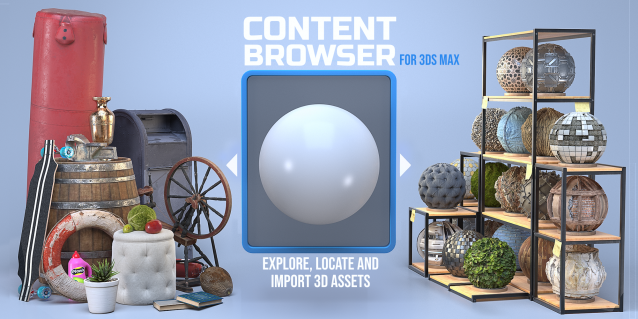
The Content Browser helps you quickly browse and import 3D assets on your computer.

Load any folder accessible on your machine and the Content Browser will find any materials, hdri’s, models, and max files. It will group, organize and display these files as assets, recognizing previews, LODs, mapping channels, resolutions and other important information automatically. 

It simplifies the importing and merging process for 3d models, max files, material creation and hdri environment maps by allowing you to directly browse, filter and drag all of your 3D assets from sources like MegaScans, PolyHaven, gameTextures, Poliigon, Arroway into 3ds max viewport or material editor. 

Main Features

  • Load any folder and find 3D models, max files, materials and hdri’s.
  • Show grouped files as assets, group matching assets and find preview images.
  • Drag and Drop asset into the 3ds max viewport or the Slate Material Editor
  • Import assets to Slate and Compact Material Editors
  • Default Merge and Import 3d files and max scenes, with automatic relinking filepaths
  • Choose LODs/resolution/variations and Import multiple assets at once
  • Folder hierarchy, File list and Preview Gallery

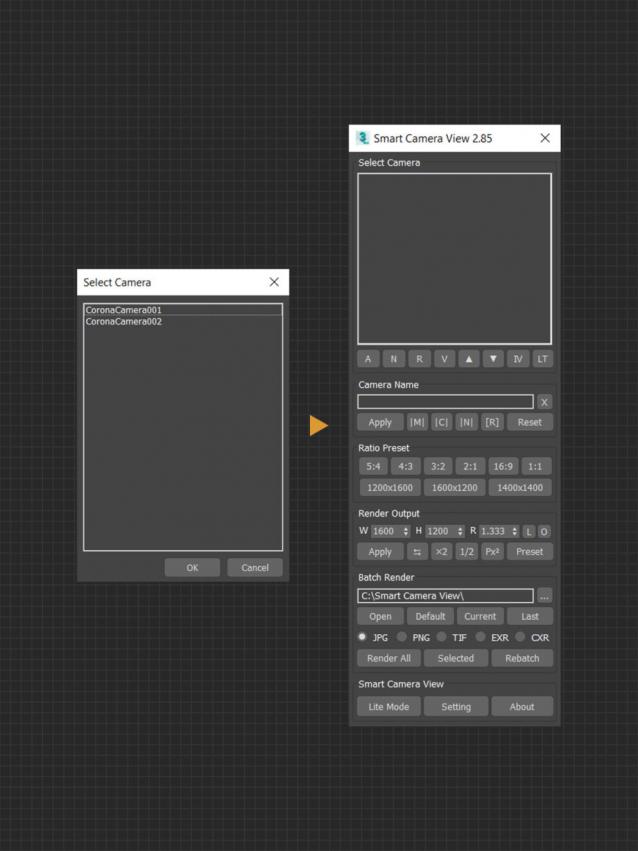
Smart Camera View 2

0 votes

Smart Camera View 2.99 — FINAL UPDATE FOR VERSION 2

A major upgrade from Smart Camera View 1 (fomerly known as D95 Camera View), with many important additional features. This script is intended to replace the default Camera View (C) in 3dsMax with some cool functions. It will save you a lot of time when setting camera, especially in scenes that has multiple cameras with different aspect ratios.

CHANGELOG (LASTED VERSION)

2.99 | 10/01/2022

Batch Step files Import

1 vote

Batch Import/Export Step files to fbx/obj

Shockwave 3D Batch Export

10 votes

This script batch exports Shockwave 3D Files

Render to Texture Selected

0 votes

poster

Batch render to texture script ready for game engines. Bakes all selected objects or groups with one click, saves baked UV textures into a directory, and replaces materials on the objects! If you select a group, it attaches all group members together and bakes it as a single object. Each selected object will have its own texture as well as a group. Output standard material will have a white diffuse color (necessary for some game engines such as Unity3D).

==== CHANGELOG ====
v2.0
-Fixed an issue with V-Ray

360 MultiCubeMap BatchRender

0 votes

360 MultiCubeMap BatchRender is a script for Generate a 6-cameraRig and render individual Cubemaps automatically with Full VRAY Support including Render Elements.

It can be very useful to render several cubemaps in 360 in one single scene. Both Single frame or animation.

Supports VRAY only.

 Update 1.5.0

FIX Equilateral Render
ADD Project Name Folder
ADD File Render Extension - JPEG / Tiff / PNG / EXR / TGA

 Update 1.3.2

renderStacks

4 votes

Render Pass Manager for 3dsMax

We offer a free non-commercial version.

It is a render pass/generic task manager for 3dsMax. If you have used RPManager, LPass Manager, Prism, StateSet, Scene State. It is something like that. But, it is aiming to be a lot smarter, faster and more stable.

EBatcher/Econverter

2 votes

EBatcher is a max file cleaner, assets collector, Corona converter with legacy materials support that enhances your file’s performance. It can clean up your files and save them to previous versions in batch mode. EBatcher also provides a controllable subdirectory environment and has the ability to collect your assets and rename it to a desired folder.

Each license of this script can be activated on one computer only (With many max versions* and instances as you want) and this license covers ver 1.++ and it’s minor updates below ver 2.00.
Change log:

Spline to Stylized Hair

3 votes

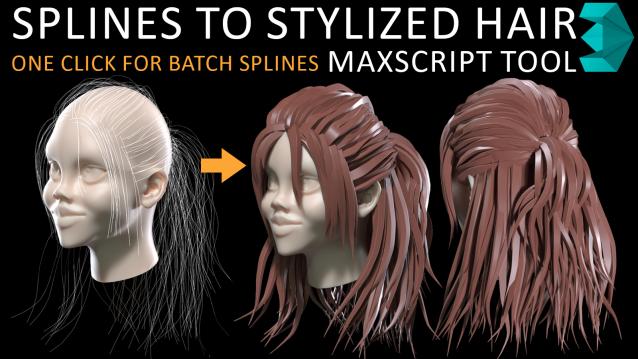
in my hairstyle workflow i tried to turn each spline to stylized hairs but there was limitations such as lack of ability to deform a hair mesh along to all individual spline at once so i have made this MAXSCRIPT tool for helping myself turn a batch of splines to stylized hairs in one click. also there is multiple parameters for tweak hair segments ,thickness and rotation. i decided to publish this as a useful and time saving product 

Syndicate content