Tagged '3ds max'

Harry's Proxy Creator

1 vote

This script is very similar to a script Jason Schleifer wrote from Maya, it allows you to split a predefined object into several segments based on the transforms of special cutter objects, these segments can then be linked back into a skeleton hierarchy. The advantage of displaying segmented geometry in the viewport rather than the skinned mesh is that you get faster playback speeds.

When you evaluate this script it create a new "Category" in the "Customize User Interface" window called "Harry's Proxy Creator" where you'll find the tool

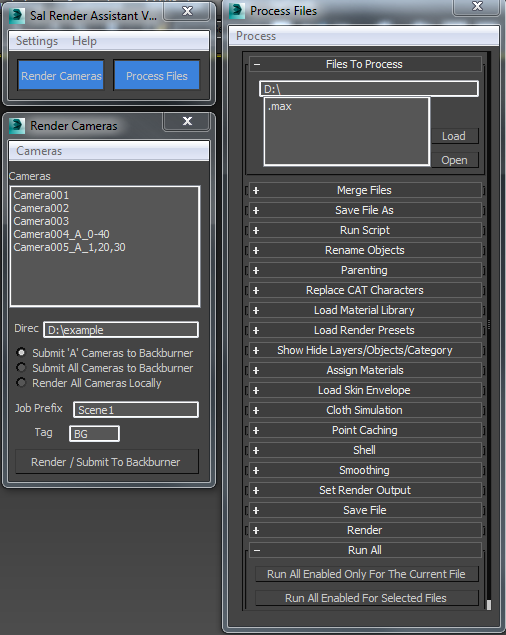
Sal Render Assistant

3 votes

SalRenderAssistant

drop the mcr file to 3ds Max then put the mse file in the script startup then restart 3ds max

for more help

Sal Render Assistant Docs

Grow

0 votes

with this script you can create a stem and put as much as you will various of leaf or flower or any other object that you want on it and it will grow.
Very useful and powerful for creating ads.

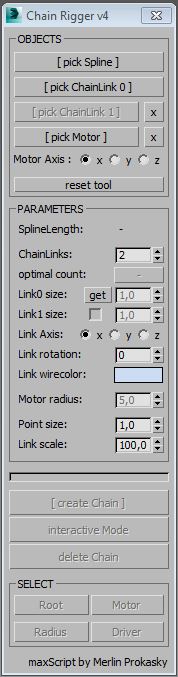
Chain Rigger

7 votes

Description:

Tool for creating a rigged chain along a spline.

Functions:

* create a chain of 1 or 2 different chain segments along a spline
* spline can be animated or linked and the chain will follow
* when spline is closed chain drive can be animated by an objects X-Rotation
* chain drive speed can be ajusted by a radius (of the rotation motor-object)

Manual:

Please watch video tutorial below.

* create a spline and 1 or 2 chain elements
* run script and select objects

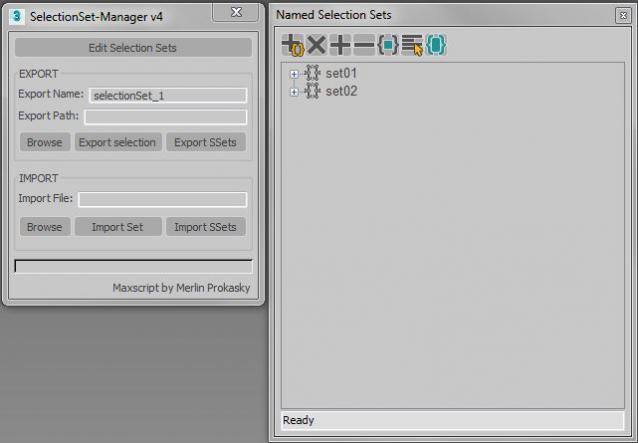
Selectionset Manager

4 votes

Tool for exporting and importing selection sets

Simple tool to transfer selection set between Max files.
Selection sets depend on the naming of scene objects.

Functions:

*export of actual selected objects as selection set
*export of all selection sets in scene
*import of exported SelectionSet files (.txt)
*import several files (.txt)

Manual:
Export:
*set name of export file
*paste or browse export path, otherwise it will choose the actual Max folder

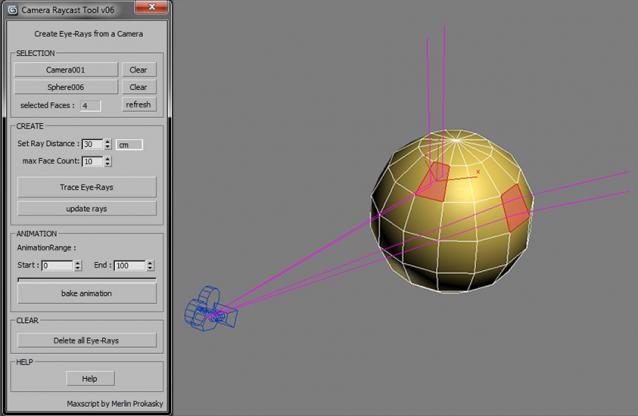
C-Ray - Camera Raycast Tool

3 votes

Tool for creating eye-rays for a camera

Easy and fast way to make raytracing visible. You can see what will be reflected on the selected face BEFORE you've ever pressed the render button.
This is very usefull at the lighting process to place lights and reflectors.
Sometimes you will be surprised were the rays trace to.

Functionality:

The tool creates rays (splines), which are traced from the camera over the selected faces of an object.

Create Vray Camera from Perspective View

6 votes

This is a script that will allow you to create a Max Standard Target Camera (Ctrl+C) at the click of a button. More importantly it will allow you to create a VRay Phycical Camera from prespect view at the touch of a button. No more having to align your Vray-camera with the standard Max Camera. You can also choose which camera to display in the selected viewport from a drop-down list


TP autojoint script

1 vote

Script for placing cebas TP joint helpers(Shape collision only) between objects.

It's a fast and "dirty" way to make lot of joint helpers with auto linking to objects.

The good idea is to check distance between objects BEFORE press button "Place joints".

In other case it can freeze and create a thousand of joints.

Require a "TP easy joint script" to work with joint properties after approval placing.
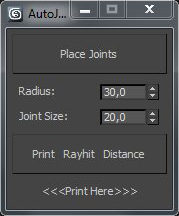
 
.

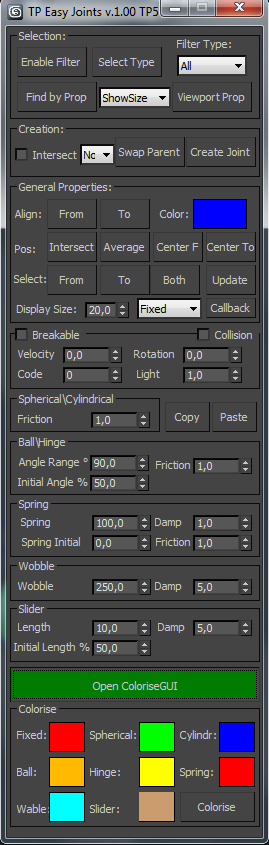
TP easy joint

3 votes

Script for easy creation cebas Thinking Particles joints between two objects and tweak their properties.

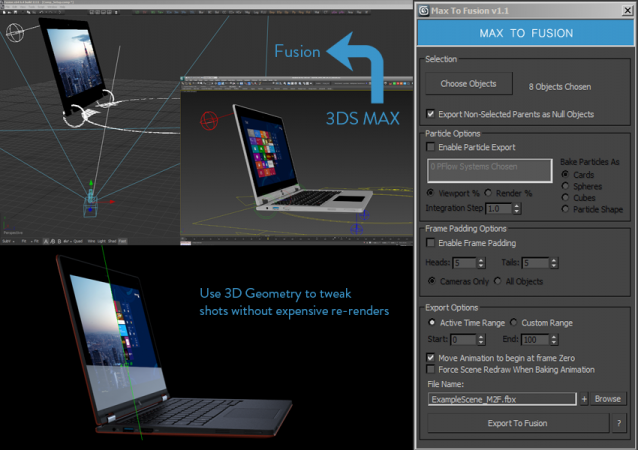
Max to Fusion

4 votes

Bake selected scene objects and export an FBX file which can be loaded into Eyeon Fusion to assist with compositing. Offers greater control and flexibility than the standard FBX exporter.


UPDATE LOG

v1.1

New Features suggested by Colin James at Blur Studios