ScriptSpot is a diverse online community of artists and developers who come together to find and share scripts that empower their creativity with 3ds Max. Our users come from all parts of the world and work in everything from visual effects to gaming, architecture, students or hobbyists.
Submitted by Chris Harvey on Fri, 2006-10-20 20:45
6
votes
This script takes each roof piece - determines it's direction - and applies a UVW map modifier based on its direction. There is one instance of the the UVW Map modifier for each direction - so modifying the Gizmo size should be simplified.
Submitted by Carl van Heezik on Fri, 2006-10-20 20:45
10
votes
uvHelpV2 is a tool for 3dsmax designed to minimize distortion in UV maps. The program is written in max script by Carl van Heezik. The script is available for free to promote MicroCAN. Contact MicroCAN for the development of scripts and plugins.
Submitted by Andrew Oakley on Fri, 2006-10-20 20:45
3
votes
"UVTools is an independant floating window that allows quick and easy manipulation of editable mesh texture coordinates. This version allows the artist to copy and paste a tri or quads UV coordinates to other tri or quads. Copying and pasting UV coordinates is not limited to the same model. Copying and pasting can be performed between one or more individual objects.
Submitted by Antero Pedras on Fri, 2006-10-20 20:45
8
votes
This is a simple script that adds to the selected objects a UVW map modifier and moves the UVW gizmo (on this case a box gizmo) randomly on each object. It's useful for example when you have many wood doors and want to give them different texture coordinates.
A great update to the toolset that ships with the max 5 unwrap modifier that fixes the features that didn't work and adds many new ones to complete the set.
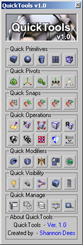
A collection of useful maxscripts and max features combined into one tool window. Most of the scripts I wrote myself. Some I did not write - but included as I use them regularly and find them to be extremely efficient work flow enhancers - furthermore I found no need to reinvent already solid wheels. Full credit is given to all script's authors both in the code comments and on the about page - however if for some reason I have neglected to give proper credit please let me know and I will rectify any and all such oversights. Furthermore - should anyone be unhappy that these are included I can remove them from the public release version. Finally any tools not categorized by those first descriptions are just standard max affairs to which I have given more convenient access - or are standard max affairs that have been slightly altered to suit certain production needs.