Tagged 'layer'

Layer Preset Manager

0 votes

Updated 2025/11/16

Layer Preset Manager for 3ds Max: a game-changer for artists. This tool streamlines the process of creating, customizing, editing, and reusing layers with ease. Featuring tokens for keyword definition that can be tailored with specific values for layer generation. Check out the video below for a demo of its capabilities.

Changelog

v0.0.1

- initial release

v0.0.2

- Improved visuals of tokens in editor

Layer Tools - Multi Move to Layer

2 votes

This Script Consists of 3 Small Scripts for Moving Objects Between Layers and The Fourth for Adding Toolbar Button.

Installing :

Drop the file to Max Viewport or Run it from Scripting Menu/Run Script - after Droping you can Find it in  .

- from Customize Menu/Custom User Interface /Toolbar/Category _Layer Tools_


- Drag the One with Icon to Any Toolbar .

How it Works :

LOL – Lost Object Layerer

0 votes

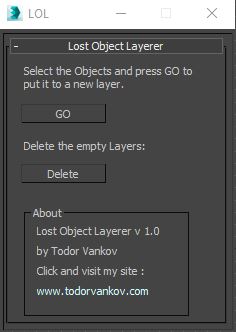
This script move the selected objects in a new layer, if your object are not listed in the layer Manager. If you have some problem with your max version please text me.

Script category: “#todorScripts”.

You can see an example here, how to install my script per Drag and Drop:

Material Layer Interface MLI

142 votes

3 new versions and reduced prices: MLI Light 2.0, MLI 2.0, MLI Pro 2.0

With the Material Layer Interface (MLI) you can create Material Layers and passes in 3D Studio Max and it’s easy to handle them!

mli_banner

Just create the layers and pick the objects. Assign materials to the objects and feel free to use different renderer or render settings for every single layer.

miauu's LayerColorizer – color-coded layers for 3ds Max

1 vote


miauu's Layer Colorizer allows you to assign custom background and text colors to any layer in the Layer or Scene Explorer.

You can also apply the same color to all child objects of a colorized layer for better visual organization.

You can save your preferred colors in a Color Palettes and reuse them anytime.

MPManager (Matte Pass Manager)

51 votes

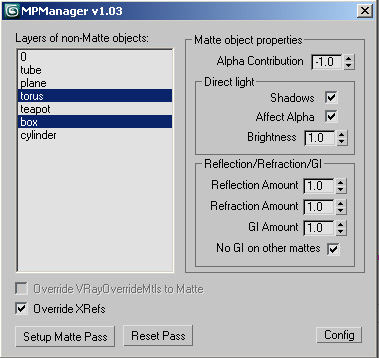
This script creates Matte Passes by layers, and works with xrefs!

Nested Layer Manager 2 For 3ds Max

44 votes

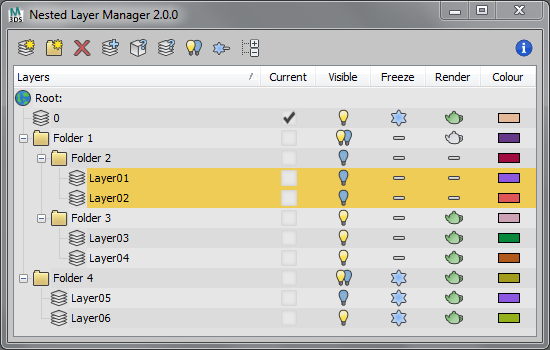
Nested Layer Manager 2 provides the ability to nest layers in 3ds Max. This script is small, fast and allows layers to be nested in an unlimited number of folders. It has complete 2 way communication with the default layer manager; If anything is altered in either, both layer managers are updated. This allows people without this script installed to still see the normal layer organisation present in the file.

Nested Layer Manager has a free 30 day trial.

OutFiler file browser

8 votes

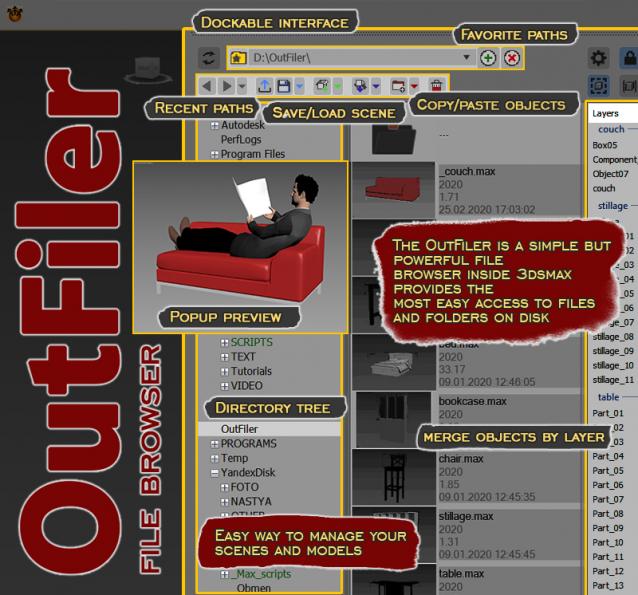
The OutFiler is a simple but powerful file browser inside 3dsmax that completely replaces standard save/load/save selected/merge/import/export dialogs. I believe folder tree much more comfortable and transparent.

The OutFilers provides the ability to quickly find the necessary folders, save the history of movements along them with back/next buttons and recent list and the favorite paths for quick access to working scenes.

Outliner

756 votes

 The Outliner 2.0 is a fast and easy to use scene management tool. It has a wide range of features, including selecting, hiding, freezing, linking and grouping objects in the "Hierarchy Mode". In the "Layer Mode" you can organize your scene by dragging&dropping objects from one layer to the other. What's more, the Outliner offers support for nested layers, to manage scenes more efficiently. The interface is nimble enough to keep it open constantly.

Power Masker

5 votes

The 3dsmax UI only allows you to set material effects ID up to 16 channels. The VRayMtl allows you to go beyond this using the effects ID override but other types of materials don't have any UI to adjust this. This tool using a backdoor into 3dsmax to set the effects ID beyond the 16 limit imposed by the UI.

This means you can create masks for every material in your scene. Using this tool you can either assign effects IDs by hand or just press to automatically create them and their mask render elements.

Syndicate content