Tagged 'layer'

Layer Tools - Multi Move to Layer

2 votes

This Script Consists of 3 Small Scripts for Moving Objects Between Layers and The Fourth for Adding Toolbar Button.

Installing :

Drop the file to Max Viewport or Run it from Scripting Menu/Run Script - after Droping you can Find it in  .

- from Customize Menu/Custom User Interface /Toolbar/Category _Layer Tools_


- Drag the One with Icon to Any Toolbar .

How it Works :

hide object's layer by one click

30 votes

with this script you can hide object's layer by one click like in autocad, it scans your mouse position so you simply move your mouse over the object an clik to hide appertain layer also display currently "mouse over" objects name and layer in status bar

i hope you will like it :)

p.s. excuse my bad english

GTVFX-LIB_layerIsolate

1 vote


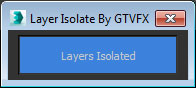
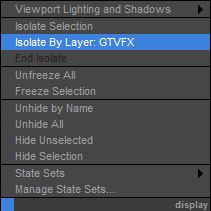
Adds an option to your display quad menu to isolate by layer.

Works with your object selection. Hides all layers that none of the objects in your selection belong to.


Quick Manager

0 votes

This is simple script for renaming and managing objects on the go.

To install script Just
1. Unzip "Quick Manager v1.0.rar"
2. Keep "MyLibrary.mat" to that folder if you are going to keep that folder.
If you are going to delete that folder, then put "MyLibrary.mat" to following location - "C:\Program Files\Autodesk\3ds Max 2017\materiallibraries"
1. run "Quick_Manager_1.0.ms" from MAXScipt-Run Script.
2. Then go to Customize-Customize User Interface.
3. Find "Quick_Manager" Under "Sharad Tools"
4. Assign Shortcut for it.

Script will Renames objects

LOL – Lost Object Layerer

0 votes

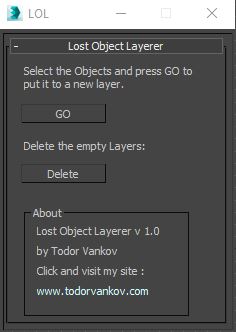
This script move the selected objects in a new layer, if your object are not listed in the layer Manager. If you have some problem with your max version please text me.

Script category: “#todorScripts”.

You can see an example here, how to install my script per Drag and Drop:

Layer Preset Manager

0 votes

Updated 2025/11/16

Layer Preset Manager for 3ds Max: a game-changer for artists. This tool streamlines the process of creating, customizing, editing, and reusing layers with ease. Featuring tokens for keyword definition that can be tailored with specific values for layer generation. Check out the video below for a demo of its capabilities.

Changelog

v0.0.1

- initial release

v0.0.2

- Improved visuals of tokens in editor

miauu's LayerColorizer – color-coded layers for 3ds Max

1 vote


miauu's Layer Colorizer allows you to assign custom background and text colors to any layer in the Layer or Scene Explorer.

You can also apply the same color to all child objects of a colorized layer for better visual organization.

You can save your preferred colors in a Color Palettes and reuse them anytime.

Syndicate content