Tagged 'maxscript'

Maxscript basics #1

16 votes

Quick series for beginners wanting to jump into maxscript

Maxscript basics #2 - loops, strings etc.

20 votes

Another introductory basic maxscript tutorial

Maxscript basics #3 - building a scripted GUI

19 votes

Quick tutorial demonstrating how to build a GUI in maxscript

MaxScript Navigator

6 votes

This tool simply helps organize, run, and edit your maxScripts more quickly. Quickly create a menu of your favorite scripts. Then place this menu anywhere you choose in the max. To change the currently selected name in the list. Just type in the top text box and press enter. Note that the .ms file name remains unchanged if you do this.

See my site for installation details

MaxScriptManager

46 votes

MaxScriptManager

Installing scripts for 3dsMax has never been easier!

MaxScriptManager is a tool that will help you keep track of installed scripts, help you install new ones in a number of different ways, get notified if updates are available and even apply updates automatically. Developers can create script repositores so that users can access their script without leaving 3dsMax.

Memento

1 vote

New MaxScript. Simple and handy as aways. Free.
It's very useful for my use. You can quickly save and recall up to 5 groups of selections. You can increment memories adding objects to them (Which is SO useful in some situations (to help in the process of organizing big and messy scenes)...
Hide and Un-Hide from Memory buttons. Isolate groups, etc.

BTW, the video says QuickSelect, but i changed the script name to Memento.;)

Mesh Insert

5 votes

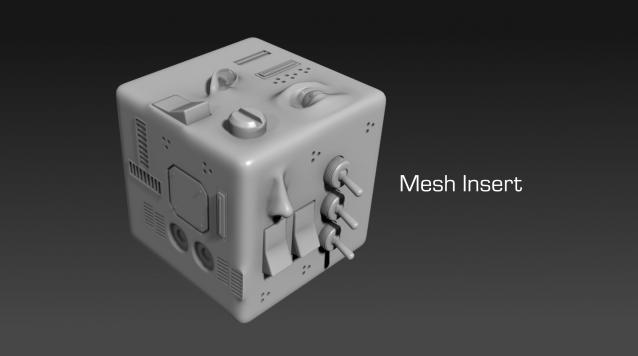
Mesh Insert is a new 3dsmax plugin inspired from Polystein for Modo ( http://pushingpoints.com/v2/the-pushing-points-polystein-kit-for-modo/ ). It speeds up your modeling process by replacing face selections by an asset from your library.

Features :

Model: Same Named Copies

0 votes

Title: "Model: Same Named Copies"

Description:
-- This script creates multiple copies with same object name
-- This script works on all geometry types but it may also work on other types like lights, helpers, etc.

How to use this script:
-- First select a single object
-- Set the relative position with respect to this object in "Enter relative positions" options
-- In "No. of copies" option set the number of copies required
-- Then, press "Create copies" button

Here's the screenshot of the script -

Modifiers Clipboard

5 votes

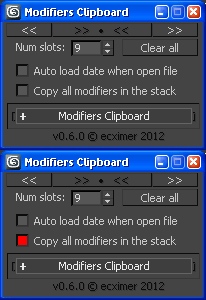
Clipboard for modifiers.

!!! UPDATE !!!

Syndicate content