Tagged 'vertex'

VTrack

2 votes

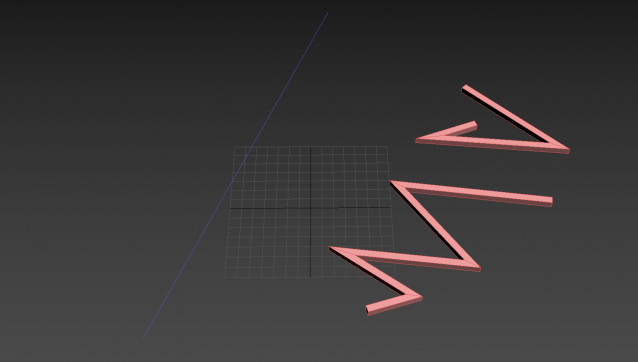
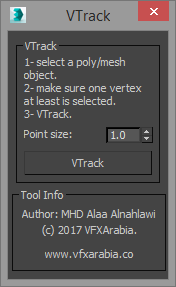
If you work in vfx field then you will appreciate this tool, VTrack is a vertices tracking scripted tool that allows you to track a selected vertex or an averaged vertices position of a deformed mesh (Alembic or point cached) and create a point helper with a backed animation of the tracked position.

You can use it later as a source for your effect ( blood burst, explosion... you name it) or you can turn on that point animation trajectory so you can visualize the animation path of that area in the mesh.

VECmap tools

8 votes


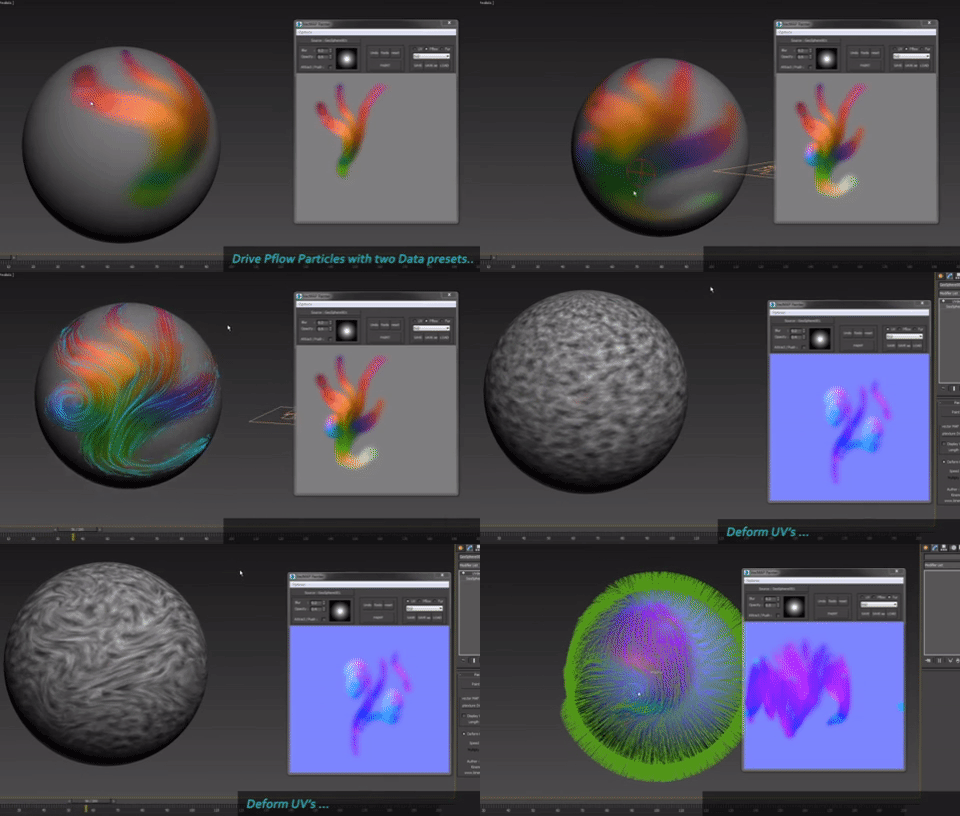
VECmap tools is a new toolset to paint and use vector maps inside 3dsmax.

These tools allow you to paint vector maps directly on your meshes, and use them to drive particles, UV or mesh deformations, Vray Fur and probably other things.

We've created it for our latest client work. We wanted to share it with you because it's very usefull and opens a whole new world, specially for particles.


Override -Selection Mode- & -Convert Selection- in EditablePoly/UnwrapUVW

19 votes

This script override selection mode in EditablePoly/UnwrapUVW AND allow to Convert subobject selection to an another in EditablePoly and Unwrap

Hit 1 or 2/3/4/5 ==> go in vertex/edge/..() mode
Re-hit 1 or 2/3/4/5 ==> go in object mode and you can select another object!
I have added a line, with "Max modify mode", like this, if your are not in "modify panel" when you select an object and hit 1 to set vertex mode, the script go automatically in the panel "modify"

Install:
Go in Customize User Interface, Group "Main UI", Category "zOffTy Tools" and set
1 for epoly_vertex

Moving an Egg on 3 axes

12 votes

Hi, this is our work made for a school project, it's an easy way to move an egg with the help of a dummy.

Its rotation is actually based on another script made by Cuneyt Ozdas and the positioning is made by getting the lowest vertex on the object (egg) and adding it to the distance where a ray(previously made) collide.

I hope you understand how it works. Just take the scene example and run the script, it'll work wonders! :D (I attach a word document though, just in case :P).

Greetings,
IPMULSA

Special Thanks:
Mander
TenshiYuna
LizQuiroz

Shape Vertex Aligner

2 votes

3dsMax Script for aligning shape vertices by 2 or 4 points

  • By 2 Points each vertex will be aligned depending on its segment direction.

  • By 4 Points - the first 2 Points will determine the direction.

  • with Alt Execute the vertex will be aligned perpendicularly.

Bake Verts Animation

14 votes

Might work for one vertice, if not I'll put up another which works for just one as well.
There are probably already a dozen scripts like this up here, but this is one I wrote just to track a dummy to each vertice I specify. Lots of reasons to use it, track an object to some point cache animation etc.

SplineTools

2 votes

Simple tools for working with splines in 3dsMax.

These tools includes:

  • -Selection filtering *Select only closed *Select only open 
  • -Clean up *Convert to spline and perform overlapping points weld.
  • -Close all *Close all splines
  • -Set points to corner/smooth/bezier/bezierCorner *Sub-object level sensitive
  • -Select by length *Select and sort splines by input length
  • -Sort *Detach open splines
  • -Explode *Explode shape object to splines (not segments)
  • -VArranger *Arrange selected splines by input z values and optionaly create a surface. Used to create terrain from drawing.

SplineTools_ScriptSpot_V.2.0

SubSpline

1 vote

SubSpline 3dsmax script - banner

Total Control of Spline Subobjects


Description

SubSpline is an Advanced Subobject Selector & Material IDs Editor for spline shapes in Autodesk 3dsMax.

Easily expose on screen the vertex numbers and material IDs for all your selected shapes, with a simple toggle button.

Average / Copy Border vertex Normals

2 votes

By Marc Robert / Trebor777 ([email protected])

Tool to fix seams between 2 objects by averaging or copying the normals from one another's borders.

The user needs to select the same number of vertices on both mesh with an EditPoly modifier named "VertSelect". It's created automatically when the meshes are picked if they don't already have them.

The tool will compute the closest vertices from each other and uses those normals.

Connect Always

14 votes

By default, Max has two separate commands for Connecting Edges and Connecting Vertices. You had to have two menus for both of them.With Connect Always, you just have to select the vertices/edges and hit "Connect Always"

Here is the code if you dont want to download:-

macroscript Connect_always
Category: "Butt tools" buttonText: "Connect Always"
(
$.EditablePoly.ConnectVertices ()
$.EditablePoly.ConnectEdges ()
)

The category and buttontext is needed if you want to put it in a menu or quad.

[CREDIT}