Tagged 'vertex'

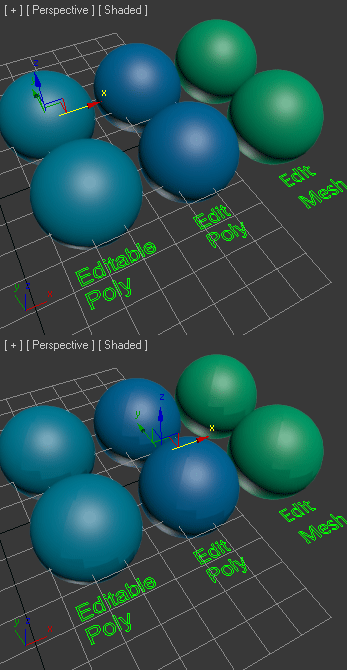
UWeld

12 votes

v2.02 Fixed bugs


The script welds automatically all vertices of border.
Этот инструмент автоматически спаивает вершины краёв.

Spline FFD

19 votes

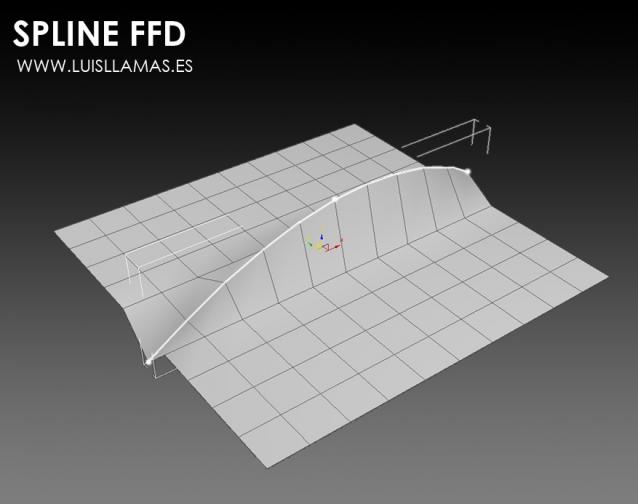
Spline FFD is a tool that allows you to move multiple vertices at once, moving the points of a spline.

New 1.1: Added mode that preserves the original distance between vertex.

With Spline FFD you can select a number of points on a mesh and creates a spline that passes through these points. By moving the points of the spline, the original mesh vertices move properly.

LiveMeasure

14 votes

Measure and show edges length, segments length and faces area in real time. Work with Splines, Editable_Poly and  Editable_mesh objects and Edit_Poly modifier.
--        In Polygon/Element sub-object level will show the selected faces area in generic units only.
--        In Edge/Border sub-object level will show the length of selected edges in user defined units.

Frodo's Magic Scripts Pack

74 votes

NEW UPDATE TO v4.4 RELEASED!!

Hi,
this is a small package of my latest scripts, i hope you'll find them usefull.

Includes:
Camera lister - usefull for fast navigation and selection of scene cameras
Autobackup check - you'll never forget to turn autoback on
Speed meter - measures speed of selected object
Grider - slices object by grid
Center & Reset - resets xform and centers pivot
Aligh spline to Z - flattens spline in Z direction
Object ID - assigns random g-buffer ID to whole scene

Macro Snippets

26 votes

Show Vert Nums
Quick Z Direction
Distance to Clipboard
Angle to Clipboard

Step Gap Vert/Edge/Poly Ring (like modo selection)

73 votes

Modo selections style in 3ds max. Assign a hotkey(or button), select 2 verts/edges/faces woth desired gap between them and start pressing your hotkey. :)

Instalation: Drag-n-drop StepGapVEPRingLR.mzp and StepGapVEPRingLR.mzp in 3ds max. Go to Customize - Customize User Interface. Under "miauu" category you will find "Step Gap VEP Ring Left-Right" and "Step Gap VEP Ring Right-Left"

Big thanks to Anubis for his help.

Moving an Egg on 3 axes

12 votes

Hi, this is our work made for a school project, it's an easy way to move an egg with the help of a dummy.

Its rotation is actually based on another script made by Cuneyt Ozdas and the positioning is made by getting the lowest vertex on the object (egg) and adding it to the distance where a ray(previously made) collide.

I hope you understand how it works. Just take the scene example and run the script, it'll work wonders! :D (I attach a word document though, just in case :P).

Greetings,
IPMULSA

Special Thanks:
Mander
TenshiYuna
LizQuiroz

Override -Selection Mode- & -Convert Selection- in EditablePoly/UnwrapUVW

19 votes

This script override selection mode in EditablePoly/UnwrapUVW AND allow to Convert subobject selection to an another in EditablePoly and Unwrap

Hit 1 or 2/3/4/5 ==> go in vertex/edge/..() mode
Re-hit 1 or 2/3/4/5 ==> go in object mode and you can select another object!
I have added a line, with "Max modify mode", like this, if your are not in "modify panel" when you select an object and hit 1 to set vertex mode, the script go automatically in the panel "modify"

Install:
Go in Customize User Interface, Group "Main UI", Category "zOffTy Tools" and set
1 for epoly_vertex


LOD Creator

64 votes

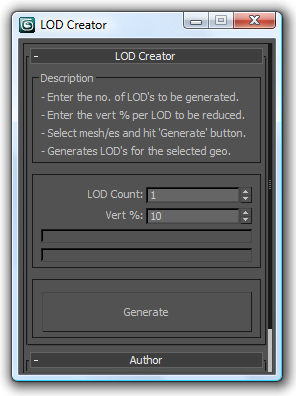
Here's my version of LOD creation script, it uses multiRes modifier. It works on multiple geometry and retains the geo type. It retains the skin modifier too, so you can run on a skinned character as well. Feel free to use this script and lemme know if you want me to add any feature to it or if it has any bugs.

Skip Every N-th

61 votes

Skip every vert/edge/face. In Loop mode, you can skip edges and polygons. In Ring mode you can skip vertices,edges and polygons. To make poly loop select 3 faces(the middle one is starting face), check PolyLoop checkbox, set "Skip V-E-P" spinner to value greater then 2 and start skiping. You can't skip one face, only 2 or more. Ring mode does not have this limitation. "For Steps" spinner works only with edges. If you want to skip every 2 edges five times, set "Skip" spinner to 2 and "For Steps" spinner to 5. Instalation: Drag-n-drop SkipEveryNthVEPRingLoop.mzp to 3ds max.