Tagged 'export'

Mass exporting of selected objects in 3dsmax

35 votes

'

V1_6:
Update to support 3dsmax 2018

New Features
-- Settings in the util are stored in a ini file, so they are kept when you quit the util
-- I added a reset ini button so you can go back to the default settings
-- A simple button that selects all visible objects
-- I also made the outputPath button show the current outputPath..

My first version of this script was created to simplify the process of exporting many objects from one 3dsmax scene into separate obj files.

IE Tool

0 votes

This tool allow the user to import/merge and export/save a lot of objects and files at once!
This is a comercial tool.
Get this tool here:
https://gum.co/rmJuE

3dmax Vray To Unreal Engine Converter and Vertex Color Baker

1 vote


This script can convert Vray to Unreal engine Materials and geomerty, Bake AO/GI/CustomShader to vertex Color/alpha or to texture. Also you can place All scene objects in Unreal like in 3ds max Scene in one click.

Biped (.bip) Animation Batch Retargeting & FBX export

4 votes

This script was made to retarget animations so that changes could be made to the biped's proportions throughout production.

I made this for making my life easier between Max and Unity (though it could be used in any max-based pipeline). Unfortunately Unity has no native retargeting, unless your team is using Mecanim.

Max to Fusion

4 votes

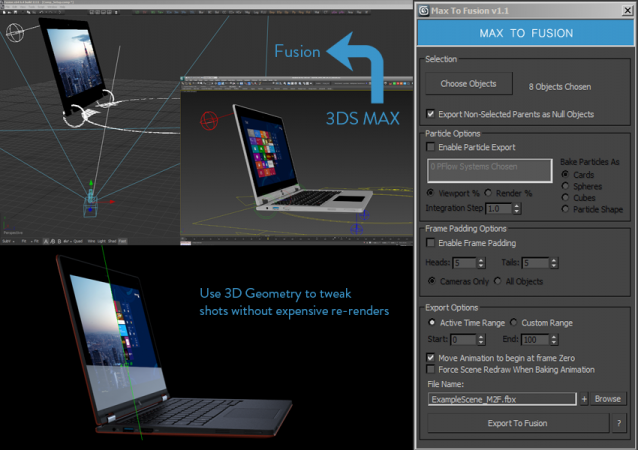
Bake selected scene objects and export an FBX file which can be loaded into Eyeon Fusion to assist with compositing. Offers greater control and flexibility than the standard FBX exporter.


UPDATE LOG

v1.1

New Features suggested by Colin James at Blur Studios

Milyan's object cleaner

1 vote

ExtendedXporter

0 votes


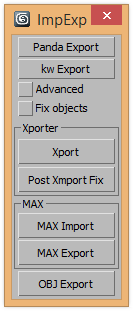
v1.7 Added support kw-exporter

Works with two plugins Panda Directx Exporter and Xporter and kw-exporter


Augment plugin for 3dsMax

1 vote

Augment is an augmented reality mobile app that lets you visualize your 3D models in real time, real size, in your direct environment.

You just need to upload your models on the web platform: http://manager.augmentedev.com/#/login, and they will be synchronized on your mobile device with the Augment mobile app.

There is also a plugin for 3ds Max to export your 3D models directly to Augment and visualize them straight away in augmented reality, with nice Mental Ray and V-Ray texture baking.

You can download it here: http://augmentedev.com/help/3ds-max/#exporting-with-the-plugin

After Effects transforms exporter

7 votes

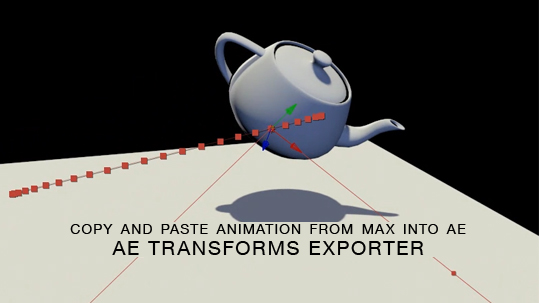
Here is a free tool for copying animation from 3ds Max into After Effects via the clipboard, and the native AE clipboard data. You will be able to copy and paste keyframe data for position, rotation and scale from 3ds Max onto objects in AE.

3DS Max to Nuke FAG

1 vote

I did this script to easily send geometry and cameras to nuke.

Warning: Use the script only for export. Save your project before and after return.

Syndicate content