Tagged 'export'

Cryengine 3 export preparation

0 votes

This script is specific for use with Cryengine 3. So if you don't intend to use this with Cryengine 3, this script will not work and be of no use for you.

It creates all the appropriate layers for the lods and main object, creates the dummy and linking the mesh to the dummy. Creating the proper material, submaterials (4 by default) for the model and the proxies, assigning the crytek shader and the physicalize (no draw) to the proxies.

Left for you is assigning the proper IDs manually to the correct submaterials (if needed).

KMLparser

3 votes

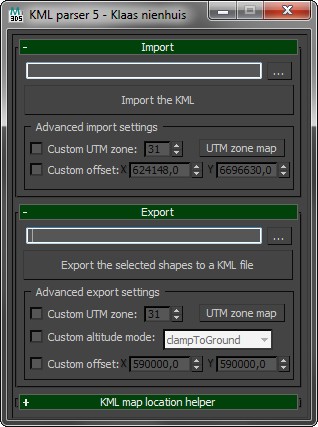
Import and export shapes from and to Google Earth. Use the KML file format to exchange geo-referenced shapes and keep the correct locations on the globe.

Check out the blog for more information. I've also written a tutorial.

Export Prep

7 votes

New with the second version, added JEEWiz exporter (see below), added
option to break up export prep steps, and added an effect pivot mode
button.

"Apply Above" button: resets the Xform, collapses the
modifier stack, places the objects pivot, based on settings, (default
xyz minimum extent of object), moves the object (default moves it to
the origin), for every object in selection.

Check List, button opens a file with were you can store exporting notes, and trouble shooting tips.

UDK FBXporter

2 votes

This is a script the keeps track of "ExportSets" for UDK. It stores what object should be exported, and with what settings. It greatly speeds up the process of exporting to FBX for UDK, as you don't have to select anything and there's no export dialog anymore!
Right now it only supports Static Meshes and SkeletalMeshes, I might add animation in the future.

This is a macroscript that appears in the "FBX Export Sets" category. It should already have an icon if you place it on a toolbar.

Obj Sequence Export

9 votes

This script allows to export obj sequences

Bip2root

1 vote

Copies horizontal position of the biped onto the root object and links the biped to the root.

Two useful uses for this script:

  1. Use it to create a root for your biped (using the Static Root option) - so you can place your biped with animation anywhere in the scene without adding extra keyframes. Simply move the root instead of the biped itself.
  2. Some game engines require a moving root to calculate biped's position in the game environment space. With a moving root the biped itself actually stays in place and only the root moves.

MASS File Exporter

7 votes

MASS Batch EXPORTER

Maxscript to Batch Export Files to selected Format from a set of 3dsmax files.

Proxy Edit

19 votes

This is a script that enables editing of VRayProxy objects instantly in the scene they are currently.

It is easy to use:

1. Drop the .ms file in the viewport to run the script. A dialog appears.

2. Click the Pick proxy button and select a proxy from the scene. It becomes a editable mesh with material applied.

3. You can change geometry, uvw mapping, apply modifiers etc.

Fixes UVW mapping imported in 3ds max from maya

38 votes

hi all

this was done for a very certain task...
i'm working with team mates who work in maya platform while most of the work is done by 3ds max and it plugins..and i work on both but better at 3ds max..

If you ever tried to export an FBX file from maya to max you will suffer from two or three basic things,
1: all materials are phong with high specular
2: some maps were defined in maya in som way that max understands them as maps with map channel != 1,then the need a uvw mapping
3: some faces problems
-----
fixing these in a very big scene could be very painful

maxFX scene

48 votes

SINCE I HAVE NO PLANS OF DEVELOPING THIS SCRIPT FURTHER THE SOURCE IS PROVIDED UNENCRYPTED "AS IS" FOR DOWNLOAD HERE:
http://www.ntashev.com/resources/Scripts/raw_scripts/

Anyone who has enough knowledge in MaxScript is encouraged to update it and, hopefully, share it with the community :)

Syndicate content