3ds Max | All

Subdivision Reversion

106 votes

Subdivision Reversion will recreate the subdivision levels of an already subdivided mesh with 100% precision maintaining the UVs.
It's wide variety of subdision algoritms help artist get the right look and feel on their models.

Sculpt - Fast Attach

0 votes

Sculpt is our Poly Tools Utility Plugins for 3ds Max. Within the last update, we have upgraded our old functions + added brand new functions.

One of these features is the Attach Objects. Sculpt has different ways that you can attach your Objects from attching by material or even attaching by similar objects. The most attractive feature to our new attach is how fast it is. Where some objects would take over 30 minutes to attach everything via max, ours takes only 15 seconds (12000% increase in speed). If you don't believe me, then watch the small video below.

Scribe - Fixing Overlapping Splines

0 votes

Scribe is our Spline Tools plugin for 3ds Max. With our newest update V1.10, we have updated all old functions + added brand new functions aswell.

Profile shape

11 votes

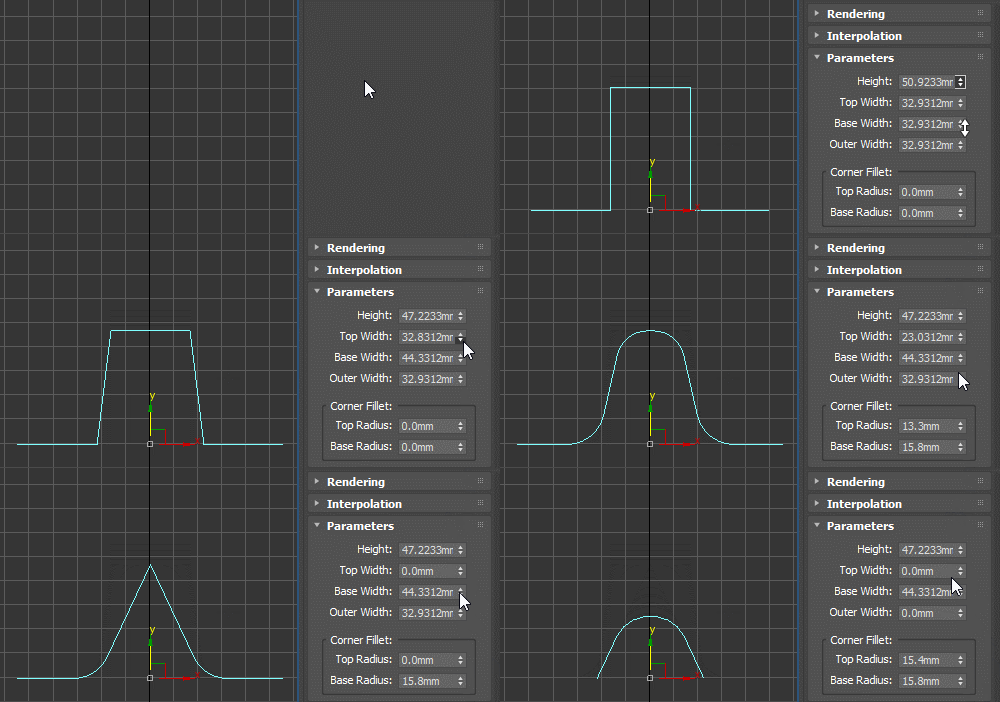
Profile spline primitive to be used with classic Bevel Profile or Shell modifier as the edge profile shape, as a sweep profile and for other similar use cases. Can be rotated, flipped and reversed as needed (for example for Shell, you should use the X Direction).

Place Rivets

1 vote

Place Rivets is a max script for populating geometry object on a given surface along a driven spline.

Char Key All

12 votes

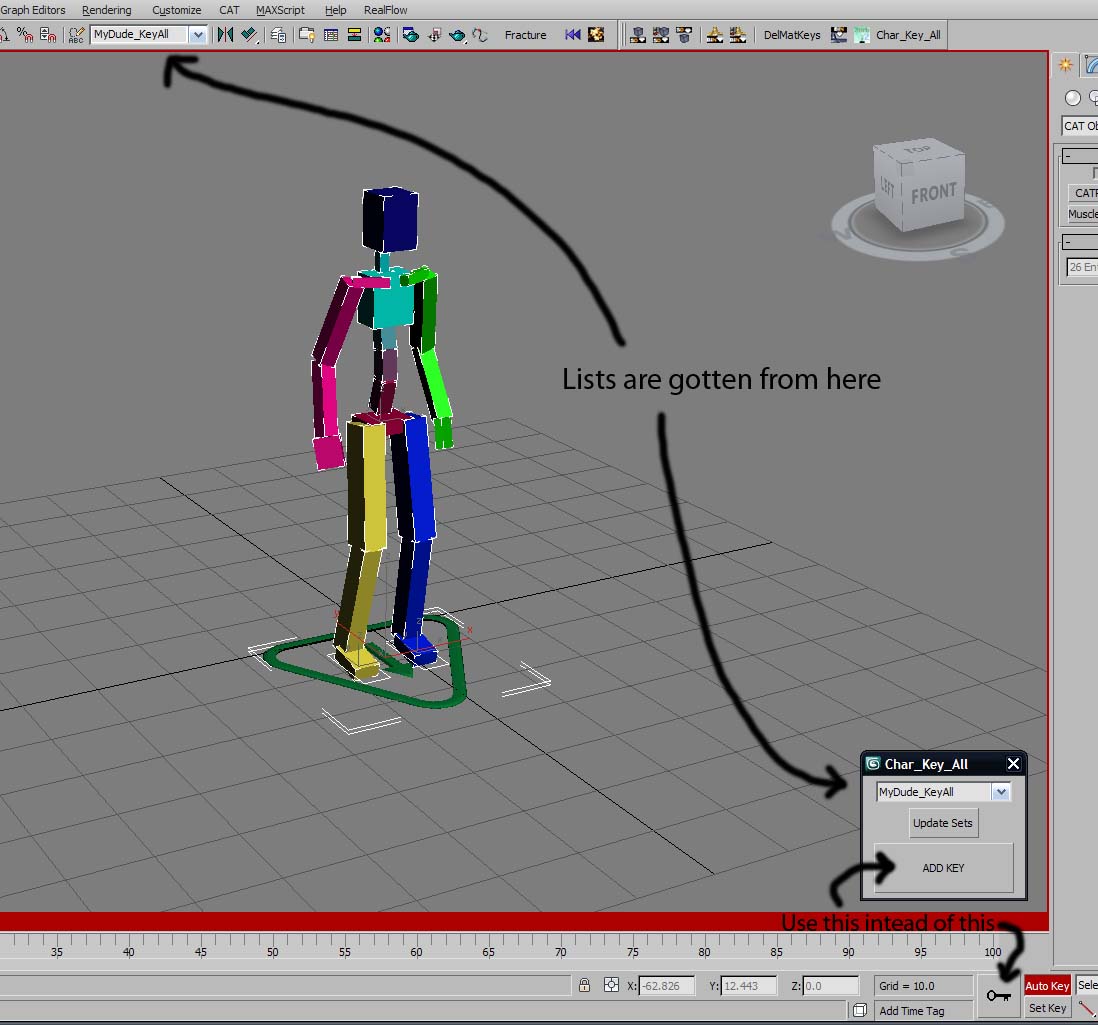
A very simple script that hopefully will help animators with their workflow.
01) Define a Named Selection Set with all your character's bones, controllers, IKTargets (eg.CAT Platform), etc...etc...whatever you need to animate your character.
02) run Char_Key_All script, the panel will pop up at the bottom near the big Key
button
03) Select the char that you are animating from drop down list.

Photoshop tool. Open image maps in photoshop

30 votes

Hello,

This is an update for an oldie but a goodie,


This is an oldie but a goody. Put simply, it is a script that will open 3ds Max material maps in photoshop. I use it in my quad menu. If photoshop isn’t open, then it will open it for you. The previous version used a hard old school search for image maps used
in your materials, before opening them in photoshop. This version uses
the max class dependencies to get all bitmaps used in a material.

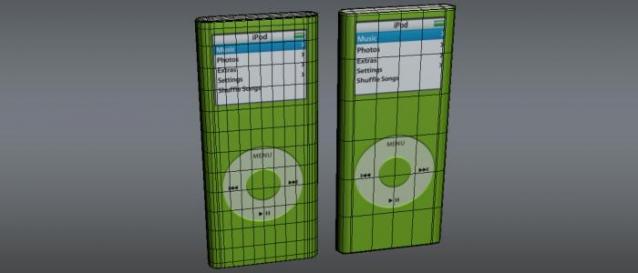
MatIDTools

4 votes

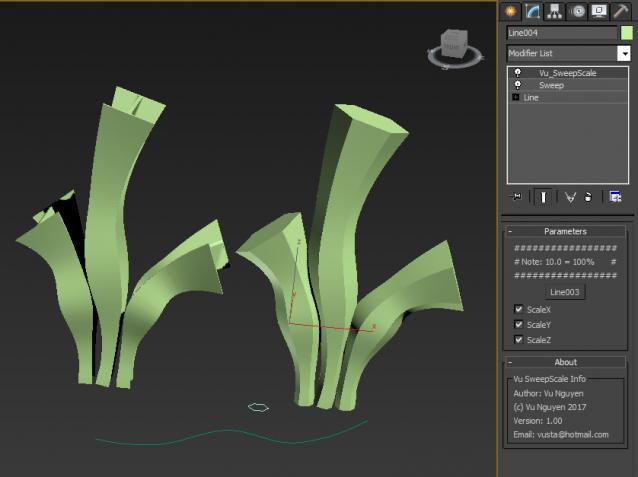
MCG Sweep Scale

6 votes

You can use a Sweep to loft on multi-curve spline....but you lose the Scale functionality of the normal Loft. Enter this....MCG Sweep Scale.

Installation:

https://knowledge.autodesk.com/support/3ds-max/learn-explore/caas/CloudH...

Then can be found in modifier list (naturally, you should add a Sweep first)


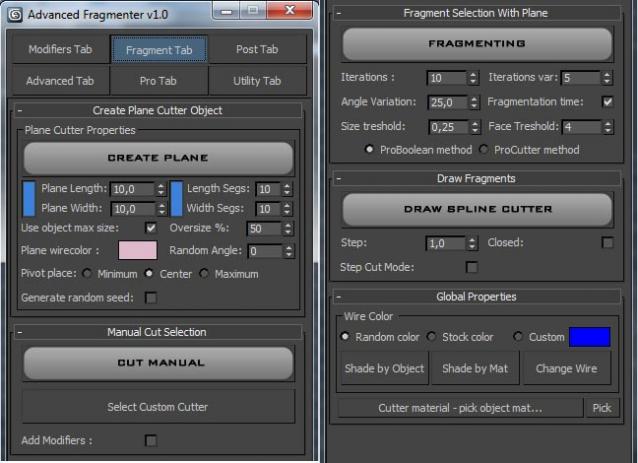
Advanced Fragmenter

20 votes

Script for artistic fragmenting and flexible control of cutter object.

Syndicate content