3ds Max | All

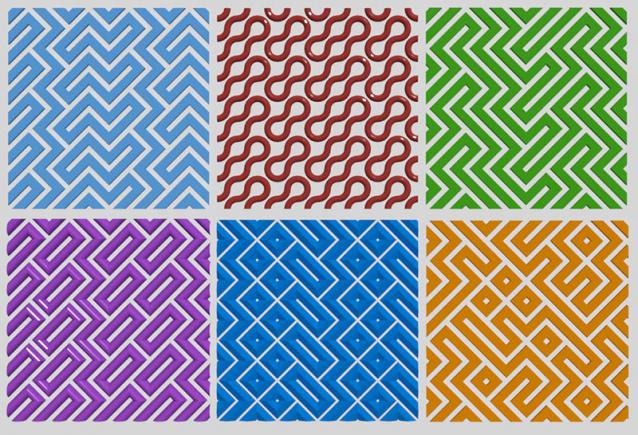
Wavy pattern

3 votes

Tool for creating patterned grids
Wavy pattern

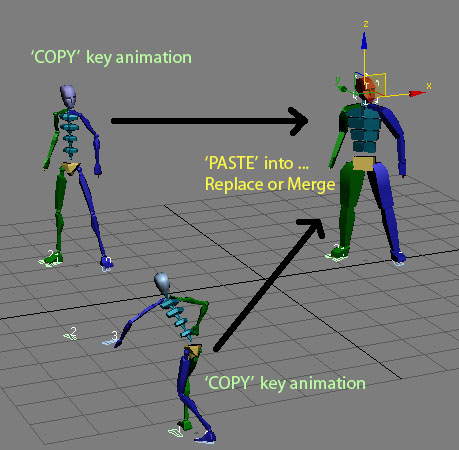
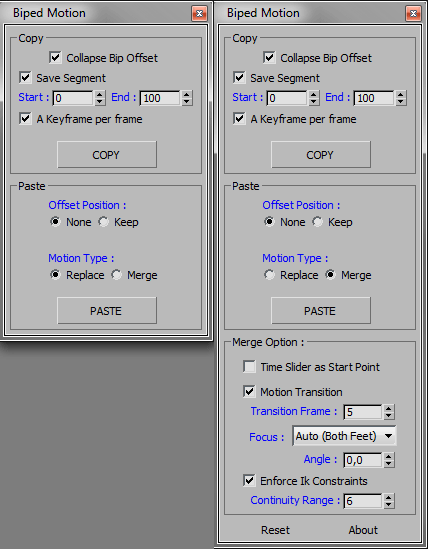
Copy \ Paste Biped animation

63 votes

Quick copy and paste Biped animation to another biped from one instance of max and paste them into another.

History:
Copy/Paste Biped Animation V 1.0
- Main idea Tools.
- macroscript file.

Updated :
Copy/Paste Biped Animation V 2.0
- Added some option for copy or paste.
- Added paste replace or merge bip motion as option.

Brushify

3 votes

Brushify is a new scripted modifier that will let you clean up geometry to export as a brush (world geometry) for the Source Game Engine. Primarily, this modifier is for Wall Worm users who are making levels for the Source Engine inside 3ds Max.

With this modifier you can quickly:

• Snap All Vertices to the World Grid
• Cap Holes
• Set Cap Material ID
• Turn Concave Polys to Convex Polys (if they are Quad Polys)
• Weld Vertices
• Break Non-Planar Polygons
• Smooth by threshold

Deviate Verts

1 vote

Deviate Verts is a free scripted geometry plugin for 3ds Max 2016+. This plugin is similar to a Noise Modifier except it has options to enforce vertices to get offset similarly per face.

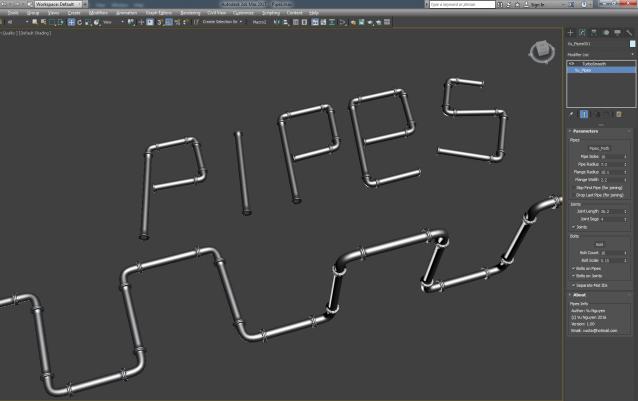
MCG Pipes

4 votes


Installation: Scripting, Install Max Creation Graph...

Creates industrial pipes on a spline path. $5 USD, you know the drill, email me, [email protected]

Works with multi-curves.

Llama Tools

2 votes

Llama Tools was used as a basic tool for artists who worked in the university project Inanis and Horo, developed in the new HAvok engine, Project Anarchy with 3ds Max 2014: http://www.inanisandhoro.com/

Features:

------------ VERSION 2.0 -------------------------------------

- New style
- Fix and improve a lot of features
- All scripts encrypted (I learned recently ^^ )
- Reset Object for one or multiple objects (Mesh and Pivots)
- Reset Only Mesh
- Center pivot
- Pivot to z=0 (move the pivot to local z=0)
- Move to [0,0,0]

Distance Linker

22 votes

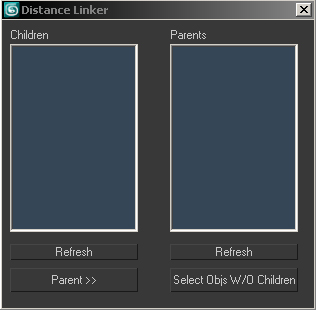
Compares two sets of objects, linking objects in "child" set to the nearest object in the "parent" set... pretty simple!

1. Select set to be children and run script or press refresh children.
2. Select set to be parents and press refresh parents
3. Press "Parent"

*4. You can also press "select objs w/o children" to select any objects left in the parent list with no children (can happen if it's far enough away that it's not the closest to any object in the child set.)

DistanceLinker

Tentacles

97 votes

Create procedural tentacle animation with one click. Select the parent bone, generate the script and have fun.


video demonstration***not updated

--
***Loop function added (thanks Zoran for the idea) 21.04.09
***Bug fix for 64bitVersions
reverse animation option 17.02.09
***Installer update

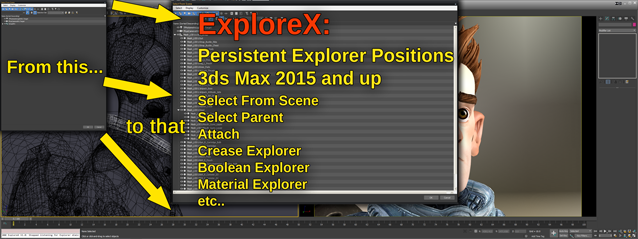
ExploreX

3 votes

SUMMARY:
"Select From Scene" and other 3ds Max Explorer based dialogs introduced over the last few years, tend to always open on top/left screen positions. They simply do not remember any user set positions. This script fixes that using it's own database to save and restore those dialog's positions. This works across 3ds Max sessions..

Bake vertex position from modifier stack

30 votes

I was wondering on how I could achieve a footstep-like effect on a mesh without some fancy softbody/physics/plugin-action, and I came up with this script. It basically bakes the vertex position from the modifierstack on each frame to a keyframed editable_poly object. It keyframes only the modified part of the mesh, and does not change it back, hence the "track-effect". See the example image:

example


Syndicate content