Tagged 'Scripts'

egzVRayMaterials

7 votes

A collection of scripted material plugins that extend the VRay material. These materials replace the user interface with one specifically optimized for each material. In addtion there are things going on beneath the surface to make sure settings that affect each other do so in the correct way.

Track Crawler v1.0

17 votes

TrackCrawler v1.0

TrackCrawlerUI

This script works with 3dsmax2009 (with creative extentions) or 3dsmax2010 since they included soundtrax (as ProSound).

There is an older version of the script that works with previous versions but the SoundTrax plug-in is required.

It can be found here: http://www.scriptspot.com/3ds-max/lip-sync-helper-v0-33


Functionality:

resetState

5 votes

Here is my first script I am shareing with you. I was always wandering why max when applying lots of modifiers and collapsing them produces mesh with some various errors. Then I found out the way for fixing some of them using the simpliest method you can imagine. Just create simple box object, convert it into polygonal mesh, attach your object with errors to the box and delete the subobject representing old box. That's it. Very easy ,very handy but requires few steps what is time consuming of course. And now its a time for resetState 1.00 to do its job.

Geo Spline Helper

-5 votes

This is a geo spline I've create for 3ds max. Right now it displays a pop up dialog when the script is run, from there you can create a geo spline. I'm working on making it a scripted spline plugin. That will allow users to create it similar to when you create a circle or rectangle spline. If anyone knows how to go about doing that feel free to modify the script and then upload here to script spot.
Thanks
John "Joker" Martini

c & c's are welcome!

GetSelectedMaterial

13 votes

This script easily gets the material(s) and loads them into the material editor.

With multiple objects selected it will load them all into the editor.

I suggest keybinding this to CTRL-SHIFT-G for speeding up your workflow instead of using a toolbar icon!

Translated Bounding Box

36 votes

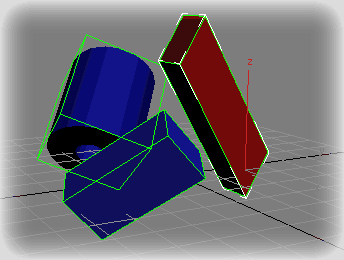
Create Box or Dummy (if CTRL key pressed) for each selected objects
using their bounding box in coordinate system matrix3
TBBox

Voronoi Cells

26 votes

Simple script that divides a box (bounding volume) in the specified number of Voronoi cells.

Pflow Particle Count in Viewport Switcher

18 votes

A simple script to adjust the pflow viewport particle count in all/selected particle flow sources.
It will change every pflow source or only selected sources viewport particle quantity multiplier either by the spinner or preset buttons. oh and dockable too...


Fume & Flow Floater

15 votes

Fume & Flow Floater
This floater is a way to hopefully unclutter the workflow with Particle Flow, Space Warps, and FumeFX. It is designed so you can work in expert mode to free up some screen space. It has just about all you need to work with pflow and fume. The script contains a large and small version. The large is nice when you've got a nice 20"+ inch monitor the "mini" is better for smaller screen sizes.
Regular Size: Mini Dialog:

Roadkill Link

11 votes

Roadkill is an excellent, free app that makes unwrapping models a breeze. This script improves the workflow between 3DS max and Roadkill.

- Enables easy selection of roadkill cut edges.
- Automates exporting and importing to and from roadkill.

The script, instructions and a link to the Roadkill app can be found here:

https://sites.google.com/site/copypastepixel/roadkill-maxscript

UPDATE:
-16/4/2010 Fixed a bug in Max 2010 where the edges marked in Max were not the edges cut by Roadkill.

Syndicate content