Tagged 'Scripts'

Nuke2Max

8 votes

Here is a script in case you want to bring in your camera animation or .chan file from Nuke (back) to 3ds Max. Camera parameters like fov / focal length not yet supported.

Just run it via MAXScript -> Run Script. It will ask you for a .chan file and create a new camera that corresponds to your Nuke camera.

RenDir

12 votes

What this will do is load up every single max file in the directory of your current scene file, and render each of them. Useful if you have a bunch of max files you want to render overnight on a single PC. You can just copy all those files into any directory, and set them all up with the render settings you want.
And then run the script, it will read all the max files in the present dir, and load them one at a time, and render each out.

Virtual GI v.0.3b

16 votes

This is the version 0.3b of the Virtual Global Illumination (VGI) script, and allows to simulate the Global Illumination outside.
Simply, a light sphere is created about to an object selected to simulate the bounce of the ray in the object.
VGI is very useful to preview some short animations in "Virtual GI" using not only the render Scanline but Mental Ray engine with very short times for the rendering! Optimum to illuminate integer scenes outdoor with a hot and suffused light.

Hierarchy State

31 votes

Hierarchy State

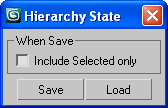
Good for backup/restore scene objects hierarchy

SketchXtrude 0.95 beta

14 votes

SketchXtrude 0.95 beta allows for freehand face extrusions within 3dsmax much like modo's sketchXtrude. You can twist and taper extrusions using keyboard combinations and the onscreen rollout.

many thanks again to Bobo, that align face function you posted is quite a gem ;).
ImageHost.org

Smart Include/Exclude Lights

9 votes

Includes or excludes objects from lights - just select lightsand objects you want to affect and click include or excludeand the selected objects will be included or excluded fromthe selected lights

Preview Render Force Values

8 votes

Hi,

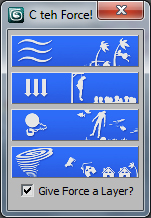
I have written a simple script which allows you to create a standard force (wind,gravity,drag,vortex),in which it is linked to viewport indicators of key paremeters happening within the force.
This enables you when making a preview render, to compare different paremeters across each render. Just select helper enabled in the render preview window.
It also places the indicators in a layer of its own so you can turn them off and on.

Fetch Selected

33 votes

Fetch Selected

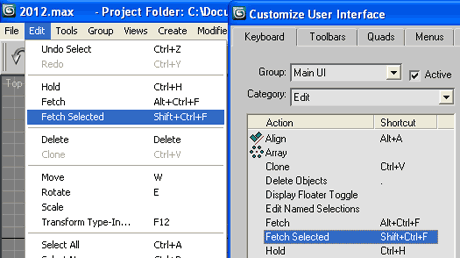
Good for large scenes where Hold/Fetch is more stable than Undo/Redo
Brief feedback printed to the Listener

Stereo camera

8 votes

Select More Target

11 votes

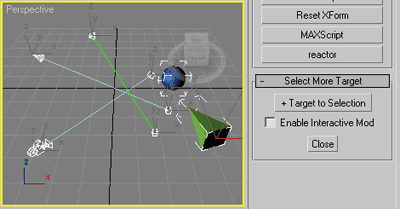
Slim (self explained) selection assistant.

SMT

Commonly useful when select target lights, cameras or tape helpers,
or any objects with (older) Look_At transform controller applied
and you wish to select their targets as well.

Syndicate content