Tagged '3dsmax'

3DS Max Plugin - Multiple Sections

1 vote

In this video, I will present you with a new plugin I created for 3DS Max that allows the user to create multiple 2D sections on the 3 axes. The script has many options to control this operation, like the number of sections, the spacing between sections, offsetting the start of the operation, flipping the axis so that, for example, if you choose the Z axis, flipping means the creation of the sections will begin from top to bottom, also you have the option to Weld the vertices.

Telegram Notifications

2 votes

Info

A script for 3Ds Max that allows you to send messages to Telegram using a special bot.

It is possible to send a message about the completion of the rendering process with sending the rendered image.

This is convenient when you need to move away from the workplace, drink coffee or take a break from work. A message in Telegram will notify you when you need to go to the computer. You can also see the render result in the notification!


Duplicurver

2 votes

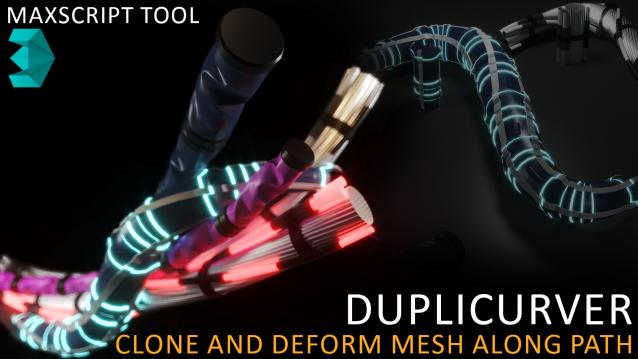
Duplicurver is a game-changing Maxscript tool that brings the power and versatility of ZBrush's IMM (Insert Multi Mesh) Curve brush directly to Autodesk 3ds Max. This tool serves as a highly beneficial asset for artists and 3D professionals, allowing them to replicate and deform meshes along a path with unprecedented ease and efficiency.

3DS Max Plugin Update - Lights Switch V2.0

1 vote

This is an update for the plugin I wrote 6 years ago, called Lights Switch.
The reason behind the update was an e-mail from a user who had a small issue with a scene full of Cororna lights, where the script managed to turn all lights OFF, but for some reason failed to turn them ON again.
After inspecting the script, I recognized the bug and fixed it.

Basically, the script, when clicked, will go through all lights in the scene, and if any light is ON it will turn it OFF. On the other hand, if the script sees that all lights are OFF it will turn them all ON again.


Proxy Textures

1 vote

Proxy Textures 3dsMax plugin - banner

Quickly optimize your textures for viewport performance and fast rendering!


Description

Proxy Textures is a 3dsMax plugin to automatically create low resolution versions of your textures, to speed up your work on heavily loaded scenes.

Spline Combiner

1 vote

Spline Combiner 3dsmax script - banner

Boolean Splines + Shape Cutter + Intersections Detection


Q-Proxies

1 vote

Q-Proxies 3dsmax plugin - banner

Instant Proxy Meshes for Scene Optimization


Description

Automatically create multiple proxy objects that replace your high-poly meshes to speed up your work on heavy scenes.

Align Multiple Objects

2 votes

Align Multiple Objects - 3dsmax script

Description

StairGenerator

3 votes

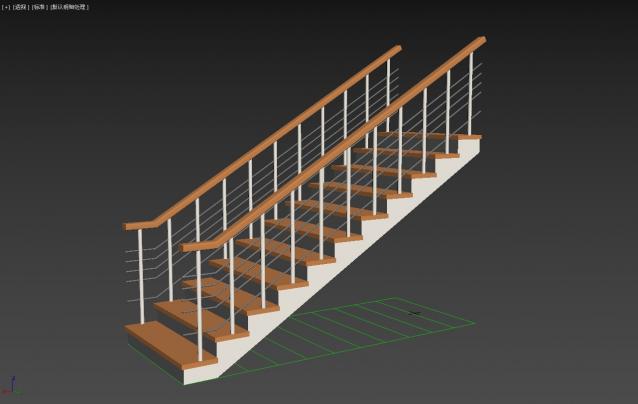
One-click generation of stairs

BlockRender

1 vote


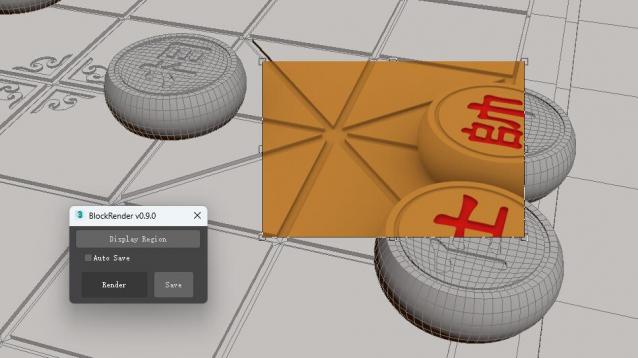
The BlockRender one click region rendering plug-in, allows you to customize region rendering and view the results directly in the viewport, and save the rendered image automatically or manually.


[Main Functions]

--Customize region rendering and view results directly in viewports

--Automatic and manual image saving

sorry!I don't know where the script of the plug-in is. It will be uploaded later.

Syndicate content