Tagged 'utility'

FumeFx FreezeFrame

3 votes

FumeFx FreezeFrame is a very simple script for work with “still simulation” like clouds, nebula, ecc...The script have only 2 buttons:

update 1.0

-Freeze/unfreeze button: to set the out-of-range type to work statically
-Frame spinner: set the simulation frame(useful in lookdev step)

update 2.0 change log:

-Added a source list to manage multiple grids at same time
-More accurate workflow for freeze/unfreeze grids
-Added a status bar that display the source status
-Better code organization

let me know if there are some bug or some request.

Thanks

Share and Enjoy!

MB Collapse

30 votes

Macroscript (without user interface) that will accurately collapse (bake) any transformation (position, rotation, scale) into keyframes (one keyframe per frame for the current animation range). Unlike the built-in tools, this works for any kind of controller as well as for parented objects (which will be unlinked afterwards).

v0.3 update:

MassFX Util

1 vote

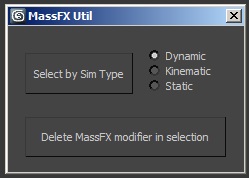
When working with MassFX, this script provides two functions:

- Select objects by simulation type (dynamic, cinematic, static)

- Delete the MassFX modifier in the selected objects

PureShot

21 votes

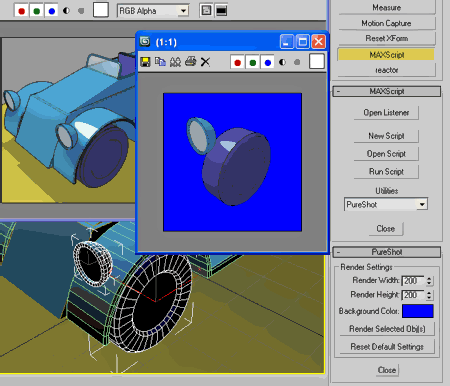
Quick render selected object(s) on pure background color
without mess renderer settings & while keep last rendered VFB intact.

PureShot

Related Object Finder

1 vote

This script allows you to find objects that related with your selected object.
For example, by modifiers, space warps etc...
You can find objects and select by the list. This script will help you recognize object relationship and dependency easily.

How to Use:
Select One object and press button. If the object have dependency to another objects, objects name will be listed up.
By selecting the name in list, you can select object in scene.

Script Box

3 votes

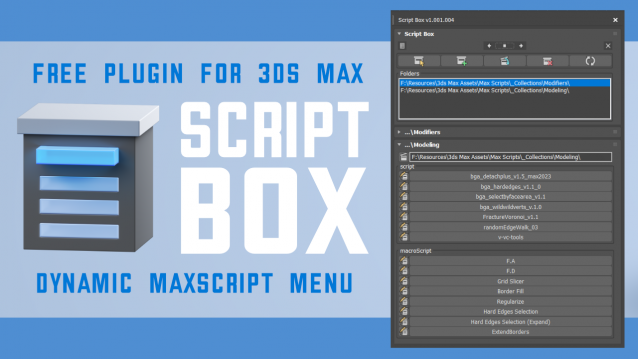
Script Box optimizes your scripting workflow by creating a dynamic dialog menu for Maxscript files.

Simplify installation and execution of Maxscripts by selecting any folder and get a menu that can launch external MaxScripts without adding custom buttons. Freely organize and integrate macroScripts, plugins, utilies and regular scripts inside 3ds max without going through a set of complicated steps.

The current version is free with no limitations, offering the same functionality as the paid version. Future updates are exclusive to paid users.

Main Features

  • Dynamic dialog menu 
  • Execute MaxScripts from any folder
  • Multi-threaded file loading
  • Organized by macroScript, plugin, utility and regular scripts
  • Configure buttons and minimize UI
  • Custom tooltips with aditional information
  • Create, archive and open MaxScripts
  • Dock, resize, and collapse dialogs
  • Launch on start-up

rdg::graphPaper

14 votes

A procedural graph paper texture. The essential part of this material
are both Gradient Ramps (horizontal and vertical) that define tiling
and line management. Colors are defined by the top mix or output map
(depending on material version).

SceneShutter

0 votes

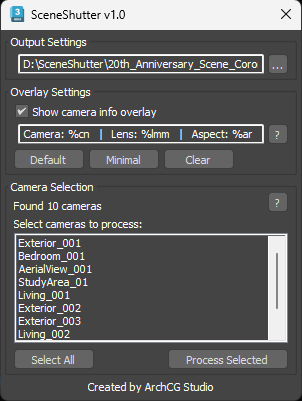
SceneShutter — Camera Viewport Export Tool for 3ds Max
Batch export clean, safe-frame camera previews with overlays and flexible aspect ratios — in seconds.

What is SceneShutter?
SceneShutter is a powerful yet lightweight tool for Autodesk 3ds Max that allows you to quickly export clean, safe-frame viewport previews from multiple cameras — without rendering.

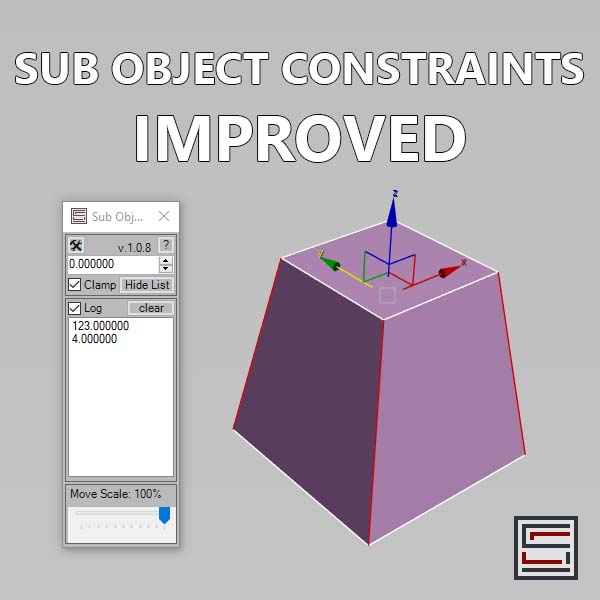
Sub Object Constraints Improved

2 votes

Description: Slide verts & faces along edge paths. Similar to the standard constraints, but works in both directions.

Incremental Transform

14 votes

A script to move or rotate an object set of ObjName[_###] Will work on multiple ObjNames, but provides confirmation request for mis-matched object base names. Objects are sorted in alphanumeric name order for incremental transformation, i.e., obj_001 +10 deg., obj_002 +20 deg, obj_003 +30 deg...

Axis-space selectable. Not very elegant, but seems to work OK.