Tagged '3ds max'

Face Pose Saver

1 vote

A 3ds Max script to save key positons of the face witch is controlled with sliders

Video link

GitHub link

ABOUT THE SCRIPT:
It's a tool for animators to save key face poses and speed up work. It's gets the position of the selected sliders and do a snapsot on the viewport and save as a button. First you have to set the "CHR" as the charachter name and set the path where the picurates begin saved.

Copy Paste - Objects/Materials/Modifiers

3 votes

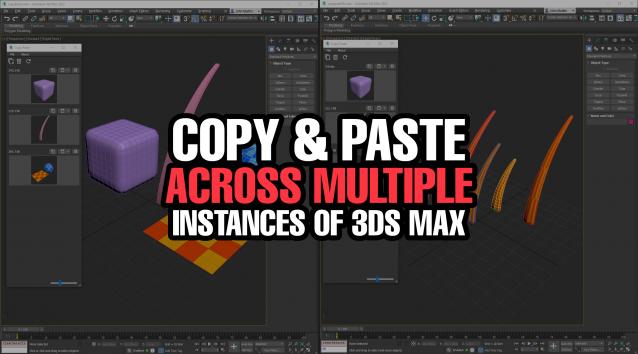
Copy Paste is a 3ds Max tool that allows teams or individuals to copy and paste objects, materials, or modifiers across multiple instances of 3ds Max. It supports sharing these copy/paste buffers in shared locations on the network or local on your computer. The tool helps to keep everyone up to date with real time updates anytime a new copy is created or modified.


Group to EditablePoly

4 votes

This script is intended to convert group into editable Poly (It keep editable mesh as editable mesh when an editable mesh is in the group).if you have multiple groups selected it will create multiple editable poly(or mesh) objects ( one object per group). It support nested groups (group within group).the script has no interface, it's just a button, here is the default icon , once installed you just need to have one or multiple groups selected and click the button and that's it, no fancy options.

Scripts Central

3 votes

Scripts Central

Scripts Central v1.0

Simple Pipe Spline

-13 votes

Simple Pipe is a spline plugin for 3ds Max 2015 or later. It gives users the ability to quickly create pipe like paths with variety of options. Users can also distribute custom geometry along the path at each pipe intersection.

Griffin - Character Generation tool for 3ds Max

2 votes

Griffin is a animation ready cartoon character creator tool for 3DS Max. It offers you dozens of parameters to create your own unique character fast and easly. And also you can buy extra clothes and items from Griffin Shop and use them on your character. So knowing nothing about modeling and rigging , you can create your rigged character with industry standard tools in a few minutes!
And also you can use it in your commercial or personal projects…

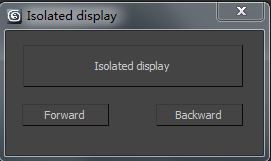
83pig's Isolated display

1 vote

Isolated display

Instructions:

1.Isolated display,Comes with 3dmax 'Select isolated' 'are different。

2.Select the isolated object, modify the model alone, then click once to select isolatedbutton. It can be repeatedly isolated objects.

CamMapMod - Camera Map replacer and updater

38 votes

This is my first script ever, so improvements are to be made.

Doing Camera Mapping ?

Ever wished to replace and update all the Camera Map modifiers you want in one single click ?

Bored of selecting your meshes one by one and then choose your camera again and again ?

The wait is over. Because this tool may save you some great time, which you can then spend to refine you Matte Painting skills !

Lock and Unlock objects and Cameras

1 vote

this is a very sipele one but usefull.
This script allow you to lock and unlock transforms for any object and camera in one click.

Menu 1 - "Lock All Trasform For Selection":

- Lock and unlock all transforms.

Menu 2 - "Separated Trasforms":

- Lock and unlock Separated Trasforms: Transform, Rotation, Scale.

Menu 3 - "Cameras In Scene":

- Lock and unlock all the transforms for all the cameras in the scene.

note: in menus 1 and 2, if you select a camera and lock or unlock it will apply on the target as well.

FumeFX ModernUI

0 votes

FumeFX ModernUI is a tool for 3ds Max that helps reducing repetitive tasks when simulating with FumeFX. It has a clear interface (therefore the name) and comes with an easy to use installer.