Tagged 'UVW'

SteamRoller

14 votes

Steamroller unwraps every objects in a selection using Max's built-in flatten function based on the specified parameters. Steamroller is mainly intended as a quick and dirty method of quickly unwrapping lightmap UVs on large sets of objects, similar to the automatic unwrap in Render to Texture.

Unwrap Pro

13 votes

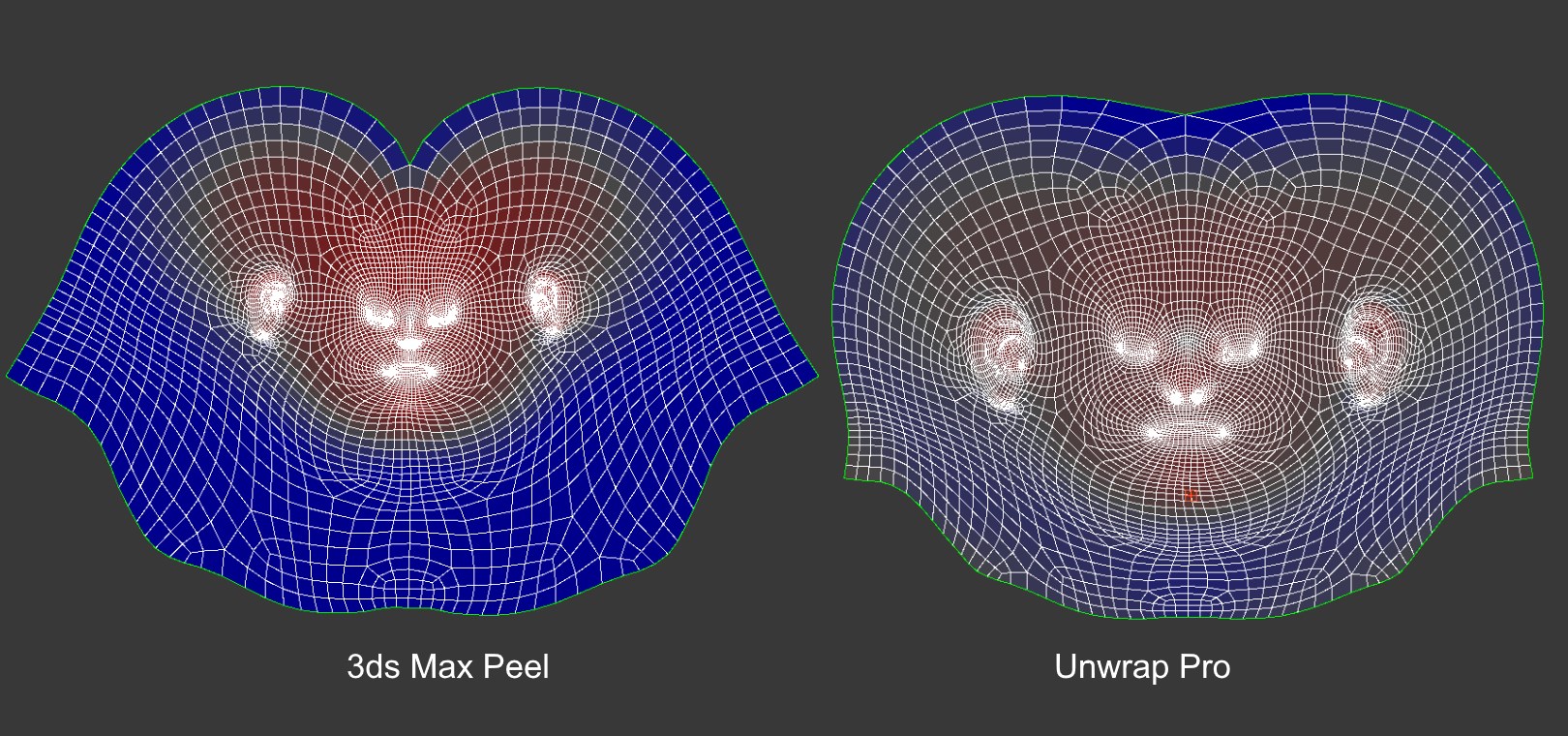
Unwrap Pro is a 3ds Max plugin which unwraps meshes while producing low distortion, overlap free, weighted density UVs unlike the 3ds Max Peel command which produces overlapping uvs with high area distortion. Get it from https://mariussilaghi.com/products/unwrap-pro

UVW to Poly

12 votes

Generates editable poly object from UVW chanel. Face and vertex indexes are the same as UVs.

morphMap

11 votes

morphMap is a tool to map low-res objects (as those used in video games). Works on meshes and polys. Now It's a multi-select tool: you can select several objects at the same time or you can select severals groups of faces of the same object.
The interface is left/right dockable.

There are 3 main modules :
+ the function 'morphMap' : the picture follows the mapped surface in one click. (The uvs will be like a square)
+ the function 'Face Map' : an advanced face mapping. The number of points in the face have no importance: that does work with all faces.

UnwrapAlignTools

11 votes

This script is actually three in one, for use in Unwrap UVW.

Align Selection Horizontally, Align Selection Vertically, and Collapse Selection to single point.

Update 1.1 added Undo

VertexMapCopy

11 votes

This macroscript let's you copy one UVW Channel to another - and also
from or to Vertex Color / Illumination / Alpha. You can also delete
channels. Along with the vertexmap plugin - it is possible to use more
'vertex colors' in max5 - cause you can paint them and apply most vc
tools on the normal vc channel then copy it to another channel and use

multi Objects Unwrap

11 votes

This script allows to unwrap (edit UVW coordinates) several objects at the same time.

UVW Transform

11 votes

This tool allows you to precisely move rotate and scale UVWs. I have found it useful for putting multiple UVs on one layout, Using non-square textures and when working with uvs that overlap.

Update 1.1 added Undo

[ 3dsMax <> UVLayout ] UVPipe mod by miauu

11 votes

This script will allow you to send the selected objects to UVLayout and get them back.

This is useful when you wants to have more than one object in the same UV square.

All editable poly objects from the selection(selected objects or groups) will be sent to UVlayout.

LoadBitmapInPhotoshop

10 votes

"If you have a bitmap viewed in the ME this will load it into Adobe Photoshop (if you have PS that is). Install by simply running the .mzp (rename if it downloads as .mzp.zip) - but to work you MUST have a shortcut to photoshop in your 3dsmax root directory - and the shortcut must be labelled 'Photoshp.exe' (note no 'o' in shop).

Syndicate content