Tagged 'VRay'

Raytrace Map Remover

12 votes

A simple script to remove the raytrace maps (Actually - replace them with empty bitmaps) from the scene's material library. This is for people using Vray/Mental ray as raytrace maps may (and will) slow down rendering times considerably

GTVFX-ANM_maxVRayCameraConverter

2 votes


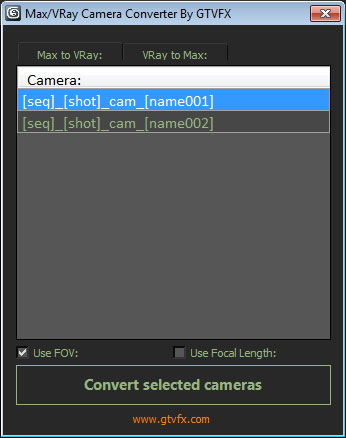
Converts Standard Max cameras into VRay Physical cameras or the other way around.

When converting to Vray camera there is the option to use either FOV for Focal-Length.


 Updates:

2014-02-09:

Updated UI. Fixed a bug when converting the focal length of VRay camers to FOV for standard cams the built-in function within Max was marginally off causing a mis-match between the origianl camera and the converted camera.

VrayIES Presets

5 votes

This is my own script, it help lighting with vray ies more easy and faster.

Key features:

- Quick assigned 30 nice IES to vray light.
- IES folder browser and quickly assign to vray light.
- Change VrayIES and Vraylight settings as a group or individually.
- Fast create VrayIES light use geometry shape.
- Create VrayPhysical Camera from Perpective view.

Hope you guys enjoy, I'm still using it and it help me alot!

Install: Extract & copy all file to Script folder. Run script VrayIES_Presets.ms or just drag and drop it to max viewport.

GTVFX-SCA_createLightSelectElements_ByLayer

1 vote


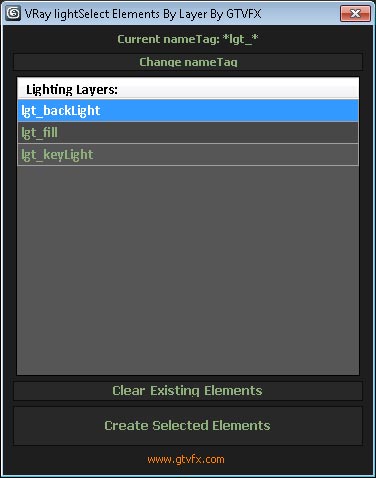
Manages the creation of VRay Light Select Elements based on a layer naming convention.

All lights on a layer will be included in that Light Select Element.

Layers are found by matching the pattern of the nameTag variable. You can change this variable if necessary for your pipeline by using the slender button at the top of the dialog.

Default nameTag = "*lgt_*"  (fe: lgt_sun, lgt_key, etc...)


 Updates:

GTVFX-ANM_cameraBaker

1 vote


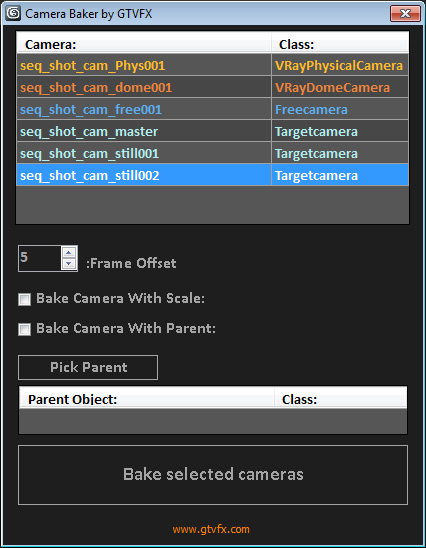
Bakes cameras per frame with optional transform, and optional frame range buffer.

By default this bakes the camera in World Space which is generally what you want. There is an option to bake the camera in Parent space if you check the box "Bake camera in selected objects space".


02/01/2014:

GTVFX-SCA_createLightSelectElements_perLight

2 votes

Creates a VRay Light Select Element for each light in your scene.

Elements are named with prefix of the nameTag variable. You can change this variable if necessary for your pipeline. To do so you will need to open the script and modify the variable within the struct.

Default nameTag = "lgt_"

GTVFX-SCA_RenderSettingsHelper

2 votes


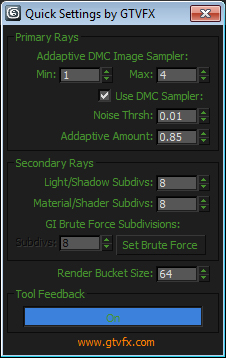
This tool exposes the main VRay settings that contribute to the quality of the final rendered image and puts them into one quickly accessible dialog.

I recomend using this in combination with the VRaySampleRate render element to fine tune your renders for speed and quality.


VrayExposureTool

17 votes

A tool for tuning the color mapping in V-ray. The script renders only once. After that it works like post effect so you have interactive update of the scene without need to render again. Works ONLY with linear color mapping, exponential and reinhard (not 100% correct)

1.43 Update:

  • Added "render" button, the script won't render at startup
  • Added option "show vfb"
  • Added option "Optimize render"

Include/Exclude Selected Objects From Lights

1 vote

Description:
Include/Exclude Selected Objects From Light

Directions:
1. Select objects
2. Run Script
3. Select lights you wish the objects to be exclude/included from
4. Right click when finished

Script Features:
-Applies selected objects to chosen light's exclude/include list
-Automatically deselects invalid objects
-Prints list of chosen lights

Let me know if anything can be improved or cleaned up!

Render exr files for Nuke (zips)

2 votes

This script will create exr files from vrimg files rendered with Vray; they are saved as zips, and half float for best compatibility when working in Nuke.

The way it works is very simple, it takes the frame saved as vrimg format saved by vray, and right after it creates a exr saved as zips and half-float, by running the tool included with vray vrimg2exr.exe; This is done with a callback script post rendered frame, so if is a sequence of frames, they will all get converted as they finish rendering.

Syndicate content