Tagged 'VRay'

Revit to Max Importer

2 votes


The Revit To Max script will instantly clean and organise the model for you, convert materials, and display textures. It also paths bitmaps to the FBM folder, all in one click!

This will save you HOURS and streamline your workflow with ease.


Available to buy at https://vizguy.com/revit-to-max-pro/

All these features run with a single click:

  • Detaches objects by material/object ID

SolidRocks

569 votes

SolidRocks V2.4 is out !!  Support for V-Ray 6 (hotfix 2) and  MAX 2013-2023 ! 

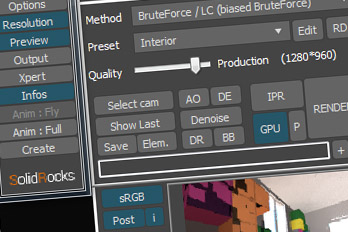
SolidRocks adjusts and optimise all needed Vray parameters to reach the best rendertime/quality ratio.

Learn Vray progressively, see in realtime changes made by SolidRocks when you change resolution/quality.

SolidRocks includes new tools for both VrayMasters and Beginners:

Easy Peasy 2

3 votes

Cheetah!

VRayProxy Animation Control

36 votes

For the new support for animated deforming meshes to VRayProxy object in VRay 1.50.SP2

How to control large numbers of proxy animated objects, randomly altering their values speed, frame offset and scale. Besides controlling all the parameters of VRay Proxy (display, playback, meshfile and selections)

Use with copies of proxies and work on selected objects.

One Click Albedo for Corona render and V-ray

6 votes

Script Description:

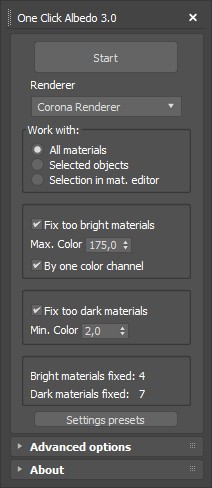
This script is made to automatically adjust the albedo of materials in the scene. Too high albedo may slow rendering process down and make the materials look unrealistic. Especially when an object with a high albedo occupies the most part of frame area. Corona Render developers recommend to keep albedo of your materials under RGB 180 (For diffuse color or texture).

Materializer

5 votes

poster

Materializer (materials equalizer) is the fastest way to create materials mixing different templates. It works like a sound equalizer but for materials!
Example: To make glossy wood press the 'Wood' button and then add a little bit of plastic.

Every time you hit 'Set' selected material will be updated without removing of maps.

Plugin works both with Compact and Slate material editors.

VRay Orthographic Rendering Camera Rig

68 votes

Simple VRay camera rig to produce orthographic renderings.

  • Front, Right, Left, and Rear Camera positions
  • Adjustable Rig - X, Y, Z, radius
  • Adjustable Camera Settings to fit object in VFB
  • Test Render button for preview

HQ Proxy Tools

0 votes

HQ Proxy Tools is a free 3dsMax script that helps you to adjust some settings of proxy objects. This script supports Vray render and Corona render.

Highlight features:

MAKE INSTANCES SIMILAR PROXIES: proxies have the same .vrmesh file or .cgeo file will be made instances. It will save memory and render faster.

INSTANCES TO VRAY/CORONA PROXIES: convert objects to vray/corona proxy and maintain their instances (The original proxy export from Vray will convert objects to proxies but also make them unique objects, which will increase your file size and render slower)

Textures2materials

3 votes

poster

Textures2materials is a very handy plugin which can turn multiple textures into materials at once (into multi-material or into multiple material slots). It also checks if your textures have a bump versions and load them as bump. "Must have" plugin for any 3D designer.

Dirtizer 2

2 votes

A very helpful plugin which can make your materials dirty in one click!
- You can control the level of dirtiness.
- You can make it dry or wet.
- Dirtizer supports Multi-materials (you can set random dirt to all materials at once)
- You can add your own textures of dirt. (Organize your textures in "Dirtizer" folder as you want)

Syndicate content