Tagged 'maxscript'

Helix

4 votes

功能介绍:

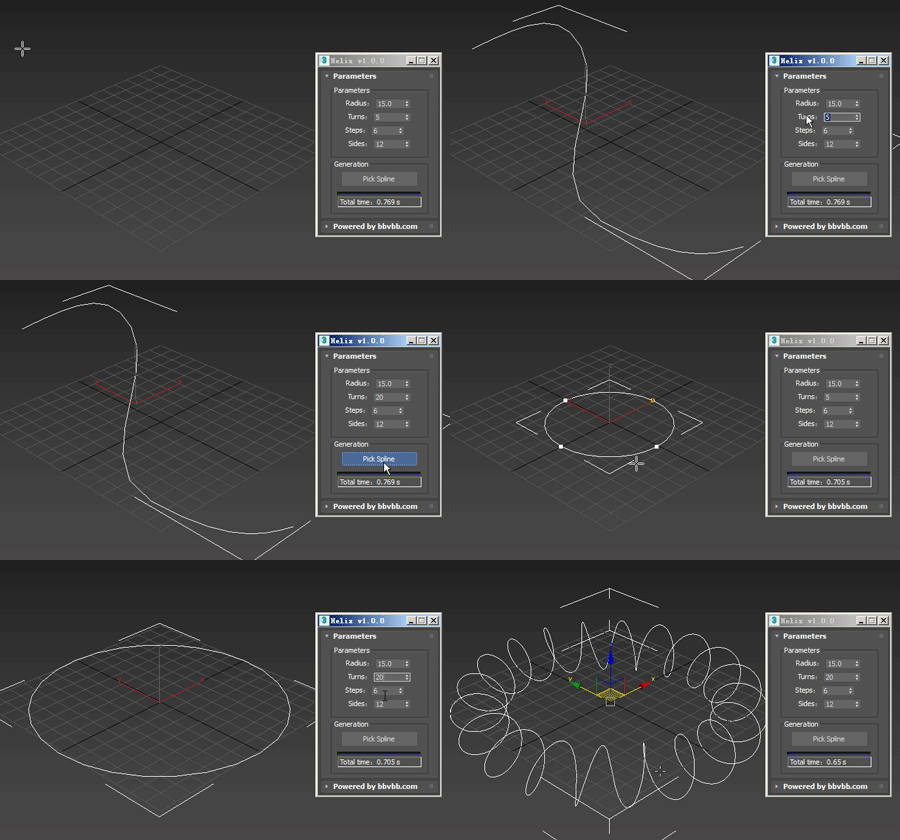
Helix for 3dsMax,是一款由#沐风课堂#用MAXScript脚本语言开发的3dsMax建模小工具,可以将任意弯曲形状的样条线一键转化为延该样条线路径上的螺旋样条线。

MAXScript for build helix spline.

Usage method: 

1 run Helix-1.0.0-en_US.mse.

2 create a spline in the Max view.

3 Click the "Pick Spline" button, and then pick the Spline. 

Object ID Toolkit

2 votes

This tools makes it easier for users to manager Object ID’s for various assets in a scene. It also gives users the ability to quickly and easily generate render elements based on the ID’s used in their current scene.

FEATURES

Relax Pro

3 votes

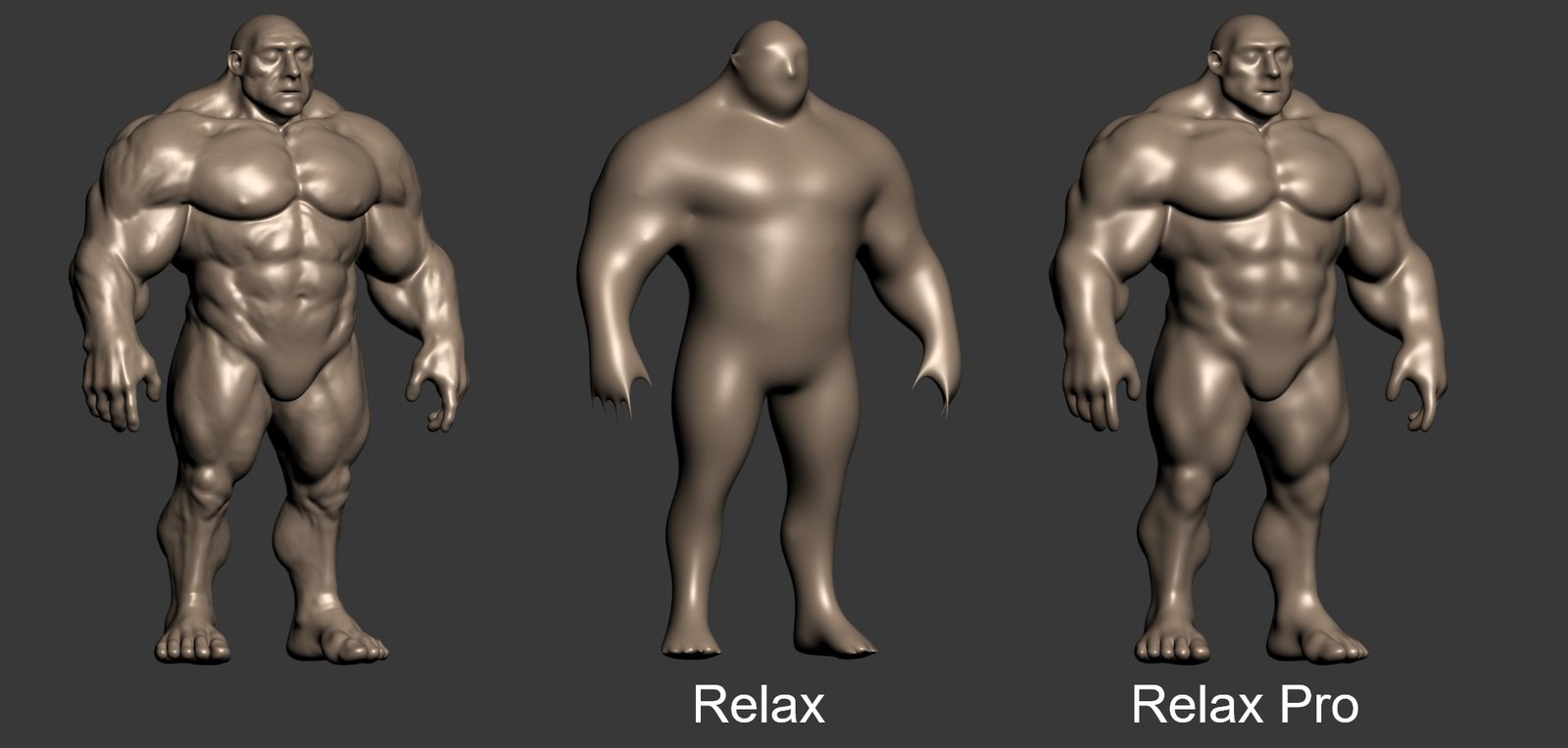
Relax Pro is a modifier for 3ds Max that smooths meshes while preserving their volume unlike the standard Relax which shrinks them a lot. You can set it to slide vertices over the surface so no volume loss happens. Get it from https://mariussilaghi.com/products/relax-pro

Script Box

3 votes

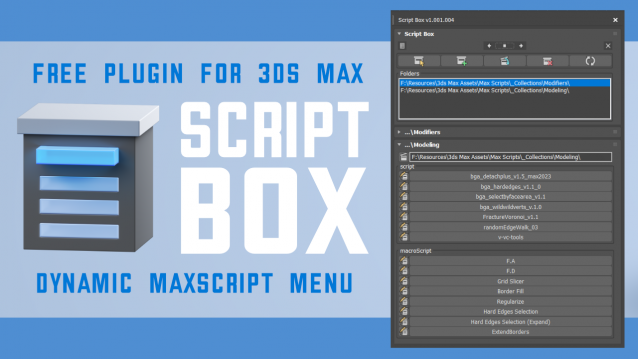
Script Box optimizes your scripting workflow by creating a dynamic dialog menu for Maxscript files.

Simplify installation and execution of Maxscripts by selecting any folder and get a menu that can launch external MaxScripts without adding custom buttons. Freely organize and integrate macroScripts, plugins, utilies and regular scripts inside 3ds max without going through a set of complicated steps.

The current version is free with no limitations, offering the same functionality as the paid version. Future updates are exclusive to paid users.

Main Features

  • Dynamic dialog menu 
  • Execute MaxScripts from any folder
  • Multi-threaded file loading
  • Organized by macroScript, plugin, utility and regular scripts
  • Configure buttons and minimize UI
  • Custom tooltips with aditional information
  • Create, archive and open MaxScripts
  • Dock, resize, and collapse dialogs
  • Launch on start-up

3DS MaxTrackBar Markers Script

3 votes

This script marks specific frames in an animation, adds a note to each marked frame and save the list as xml.
The script is quite useful when juggling scenes and need to keep track of requiered changes, or team members need to share info among them.
The list will not be saved with the scene, it needs to be saved externally as xml to be used when re-opening the scene.

TrackBarMarkers XML AE v2.1.6 :

  • New AfterEffects script which imports and exports xml.
  • Align to XYView

    3 votes

    v1.47 Added aligne just by axis X Y Z

    TP autojoint script

    1 vote

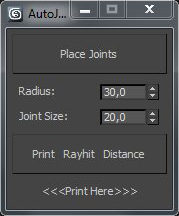
    Script for placing cebas TP joint helpers(Shape collision only) between objects.

    It's a fast and "dirty" way to make lot of joint helpers with auto linking to objects.

    The good idea is to check distance between objects BEFORE press button "Place joints".

    In other case it can freeze and create a thousand of joints.

    Require a "TP easy joint script" to work with joint properties after approval placing.

     
    .

    Slate - View Selected

    21 votes

    This free MaxScript instantly displays the material of the selected object (or objects) in a new view in the Slate Material Editor. Currently, Slate does not have a quick and easy way to do this. Slate View Selected allows you to create multiple views as well. You can close the script dialog box and the script will continue to run until you re-run the script where you can stop it. In the dialog box you can also set a "display max" so that if you select a large number of objects, Slate won't waste time collecting and displaying all the materials used by objects in the selection.

    Object info [free]

    2 votes

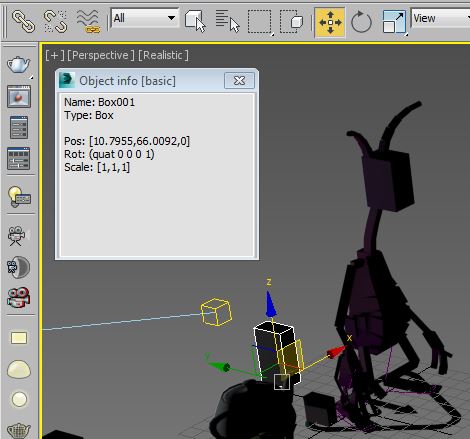
    A little free utility which shows information about selected objects. The field is editable so you can copy information to the clipboard.

    Maxscript basics #2 - loops, strings etc.

    20 votes

    Another introductory basic maxscript tutorial

    Syndicate content