Tagged 'maxscript'

Doom Spline Resizer - draw line with precise lenght

3 votes

This simple script will let you draw precise lines quickly almost as a CAD software!
It will Set the pivot to the first vertex of a shape object and align it to the first segment. A window will show up allowing to set the Lengh of a spline scaling from the first vertex.

You can find the mcr script in the Category:"_Scripts"
The .ms script will just load on RUN

USAGE:
For best use associate the script to a Key button (es. D that is free by default)
You can add a toolbar button found in "# Scripts" category
Use the key or press the toolbar button to start drawing a line

Dynamic Text

4 votes

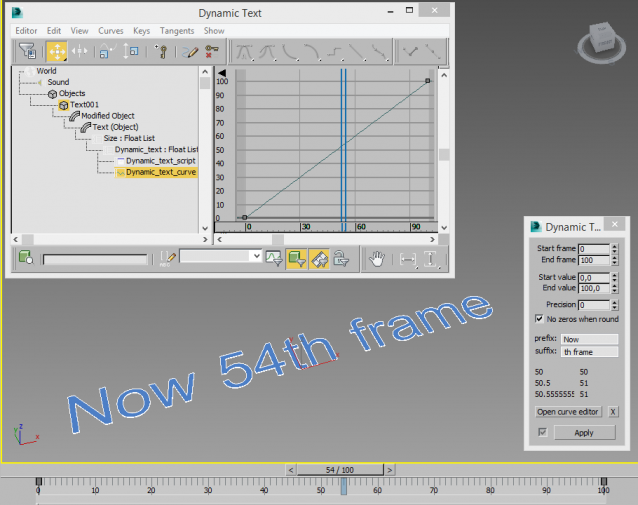
Creates a animatable text that changes depending on time. You can use curve editor for changing dependence.

Useful for creating animated infographic labels and tags.

Wirecolor Tools

0 votes

MZP Maker

0 votes


MZP Maker it's the perfect tool when you're in a hurry and just need to package your script.

Description:

StairGenerator

3 votes

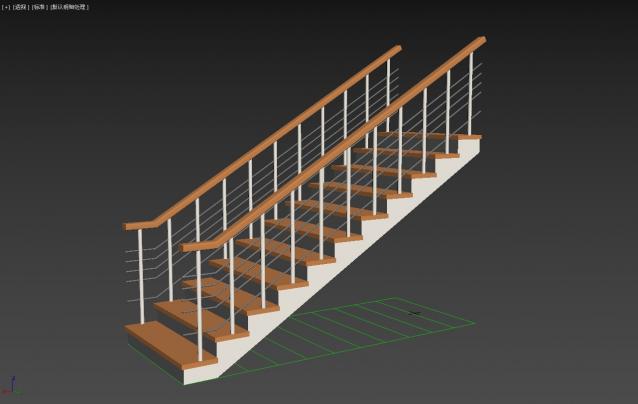
One-click generation of stairs

Delete UnRemovable Layer

2 votes

You might encounter a situation where you want to remove an empty layer that you created earlier, but the delete option is grayed out in the layer manager. and you are unable to remove that layer. After all you have to remember that 3Ds Max never allows you to delete a layer while it contains nodes or the default layer called “0”. But in some rare situations, even an empty layer that you created and then finished with, may not be deletable in 3Ds Max. This happens because of some unclassified nodes that come with your imported models from other programs. These nodes are not visible in the viewport or the layer manager. The only way to eliminate them is to select those nodes using MaxScript and delete them manually, so the layer’s delete option becomes available again.

MaxLINQ - LINQ functions for maxScripters

5 votes

MaxLINQ tool is intended to be a way to use inside maxscript language sweet predefined functions, similar to those in C# LINQ, through an easy lambda-style expressions syntax, concatenating functions after functions.

You can query arrays, strings, maxscript enumerables (objectSet, bitArray, groups, pathnames...) and DotNet IEnumerables.Moreover, it includes  specific functions for maxObjects.

It can be used both in your own scripts or directly in the 3dsMax Listener.

Some intuitive simple examples are:

maxLINQ

Harry's Proxy Creator

1 vote

This script is very similar to a script Jason Schleifer wrote from Maya, it allows you to split a predefined object into several segments based on the transforms of special cutter objects, these segments can then be linked back into a skeleton hierarchy. The advantage of displaying segmented geometry in the viewport rather than the skinned mesh is that you get faster playback speeds.

When you evaluate this script it create a new "Category" in the "Customize User Interface" window called "Harry's Proxy Creator" where you'll find the tool

ScriptBuilder

0 votes

This script is made after the *nix's MAKE utility. It helps you quickly "save-and-compile" multi-file maxscripts and make additional steps in building process such as closing windows, running compiled scripts, copying files etc. All this by pressing toolbar button! Enjoy!

Connect Edges

1 vote

Just a simple modifier to connect edges selected with the previous "edit poly" "editable poly" or "poly select" modifier. Currently I tested my script on 3dsmax 2020, I will try to test it on older version of 3ds max and update this page if I can. If you have any question or any requirement, don't hesitate to ask me or to contact me. I will be happy to answer you.

Syndicate content