Tagged 'maxscript'

Bitmap Collector

4 votes

This script was created in order to help artists with collecting and re-pathing bitmaps (textures) that are coming into the scene files from all over the places.

This tool will let you automatically re-name the bitmaps based on dynamic names as well as your defined static names. It will then copy all the bitmaps to a single directory of your choosing and automatically re-path the bitmaps in your scene, so that you don't have to manually do a thing.

Here's a quick video demonstrating how it works

Helix

4 votes

功能介绍:

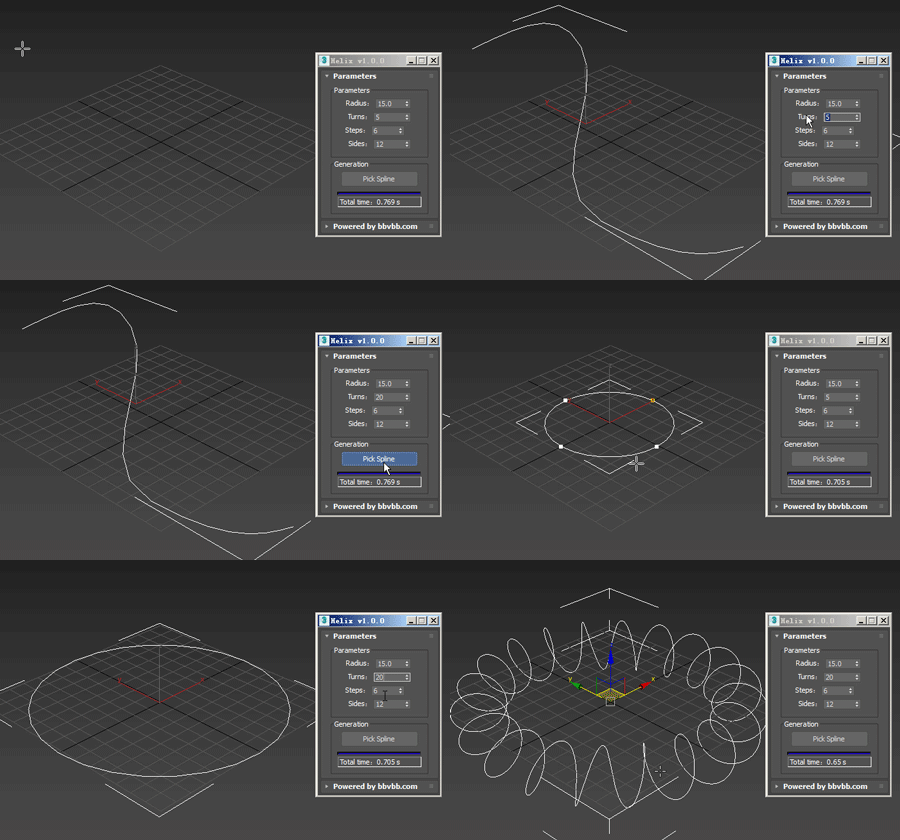
Helix for 3dsMax,是一款由#沐风课堂#用MAXScript脚本语言开发的3dsMax建模小工具,可以将任意弯曲形状的样条线一键转化为延该样条线路径上的螺旋样条线。

MAXScript for build helix spline.

Usage method: 

1 run Helix-1.0.0-en_US.mse.

2 create a spline in the Max view.

3 Click the "Pick Spline" button, and then pick the Spline. 

Automat - Artist Workflow Tools

4 votes

Automat banner

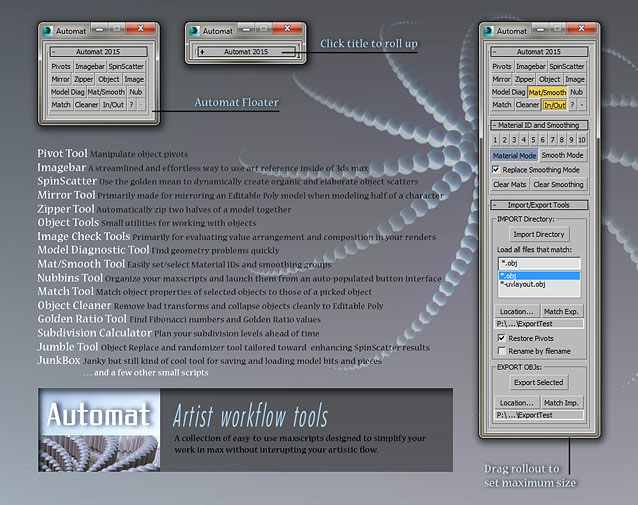
A large collection of time-saving scripts all organized into a simple and clean interface.

SCRIPTS included: Pivot Tool, Imagebar, SpinScatter, Miror Tool, Zipper Tool, Object Tools, Image Check Tools, Model Diagnostic Tool, Mat/Smooth Tool, Nubbins script launcher, Match Properties Tool, Object Cleaner, Golden Ratio Tool, Subdivision Calculator, Jumble Tool, JunkBox, and more.

Dynamic Text

4 votes

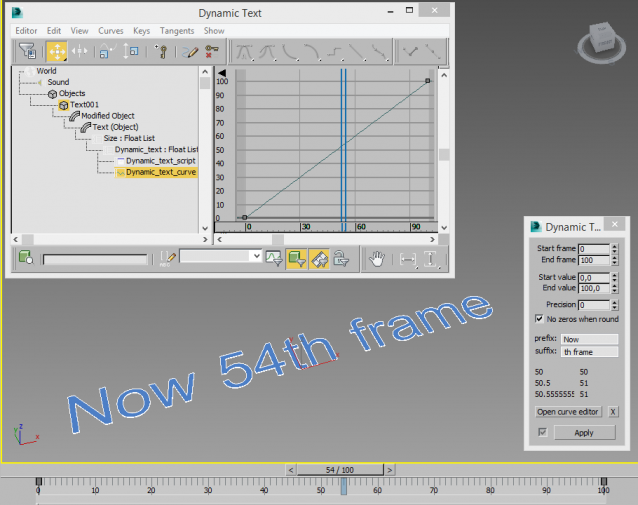
Creates a animatable text that changes depending on time. You can use curve editor for changing dependence.

Useful for creating animated infographic labels and tags.

Hose

3 votes

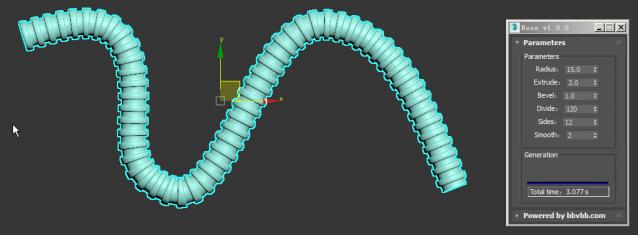
MAXScript for build hose model.

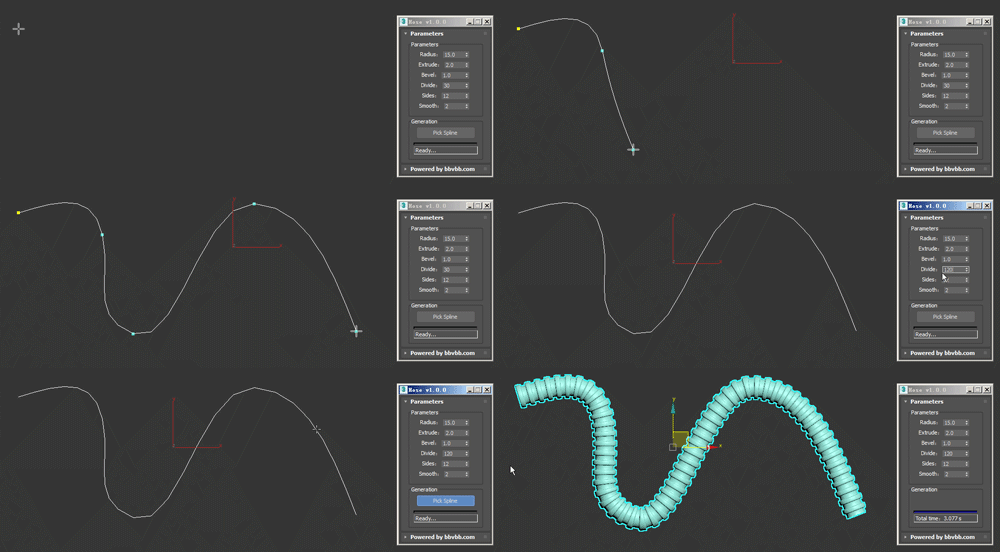
Usage method: 

1 run Hose-1.0.0-en_US.mse.

2 create a spline in the Max view.

3 Click the "Pick Spline" button, and then pick the Spline. 

Script Box

3 votes

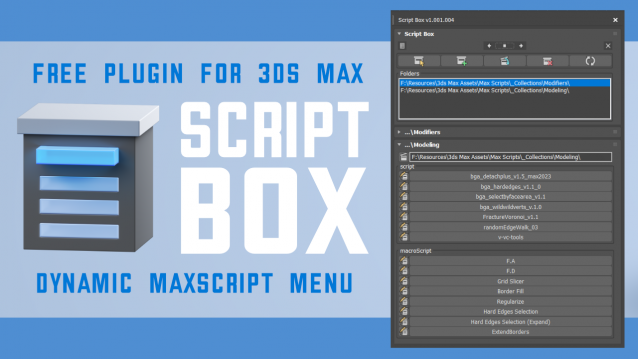
Script Box optimizes your scripting workflow by creating a dynamic dialog menu for Maxscript files.

Simplify installation and execution of Maxscripts by selecting any folder and get a menu that can launch external MaxScripts without adding custom buttons. Freely organize and integrate macroScripts, plugins, utilies and regular scripts inside 3ds max without going through a set of complicated steps.

The current version is free with no limitations, offering the same functionality as the paid version. Future updates are exclusive to paid users.

Main Features

  • Dynamic dialog menu 
  • Execute MaxScripts from any folder
  • Multi-threaded file loading
  • Organized by macroScript, plugin, utility and regular scripts
  • Configure buttons and minimize UI
  • Custom tooltips with aditional information
  • Create, archive and open MaxScripts
  • Dock, resize, and collapse dialogs
  • Launch on start-up

3DS MaxTrackBar Markers Script

3 votes

This script marks specific frames in an animation, adds a note to each marked frame and save the list as xml.
The script is quite useful when juggling scenes and need to keep track of requiered changes, or team members need to share info among them.
The list will not be saved with the scene, it needs to be saved externally as xml to be used when re-opening the scene.

TrackBarMarkers XML AE v2.1.6 :

  • New AfterEffects script which imports and exports xml.
  • Align to XYView

    3 votes

    v1.47 Added aligne just by axis X Y Z

    Relax Pro

    3 votes

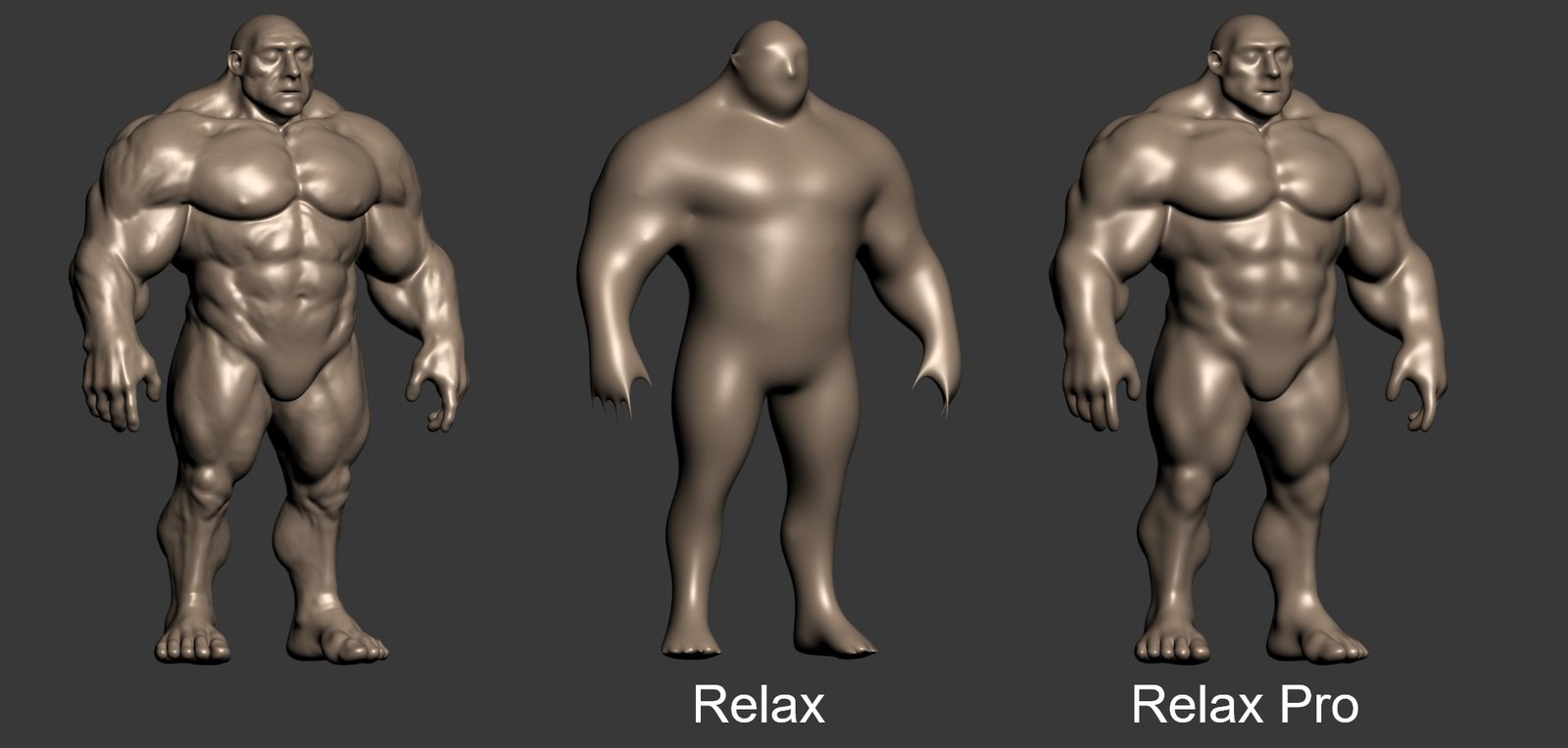
    Relax Pro is a modifier for 3ds Max that smooths meshes while preserving their volume unlike the standard Relax which shrinks them a lot. You can set it to slide vertices over the surface so no volume loss happens. Get it from https://mariussilaghi.com/products/relax-pro

    Syndicate content