Tagged 'export'

AE Transfer

8 votes

AE Transfer is a set of two scripts, for Autodesk 3ds Max and Adobe After Effects, that allows these two apps to exchange parameters of 3D objects and 3D layers with each other.

IE Tool

0 votes

This tool allow the user to import/merge and export/save a lot of objects and files at once!
This is a comercial tool.
Get this tool here:
https://gum.co/rmJuE

3dmax Vray To Unreal Engine Converter and Vertex Color Baker

1 vote


This script can convert Vray to Unreal engine Materials and geomerty, Bake AO/GI/CustomShader to vertex Color/alpha or to texture. Also you can place All scene objects in Unreal like in 3ds max Scene in one click.

Batch Exporter

9 votes

Mirza Link Manager

4 votes

Updated for 3dsMax 2025

Version 3 is out there!

Import once, update any time

The most popular linker between BIM and 3dsMax has been revamped and significantly improved.

What's new:

Boujou2Max

1 vote

Boujou2max plug-in poster

Boujou2max imports raw markers from Boujou as an animated cubes or dummies. This is a good solution for raw motion tracking without camera solve.

Milyan's object cleaner

1 vote

ExtendedXporter

0 votes


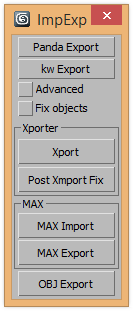
v1.7 Added support kw-exporter

Works with two plugins Panda Directx Exporter and Xporter and kw-exporter


Export FBX to Unreal

3 votes

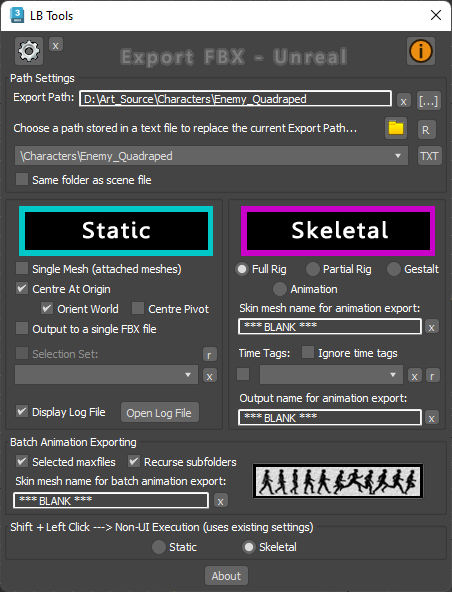
Designed specifically for Unreal workflow, this script provides a quick way to export scene data with minimal interaction with scene objects.

The script will quickly export static meshes and their existing collisions, skeletal meshes or skeletal animations using the FBX format.


See online guide in links section. 


Latest Updates:

Version 2.4;

Biped (.bip) Animation Batch Retargeting & FBX export

4 votes

This script was made to retarget animations so that changes could be made to the biped's proportions throughout production.

I made this for making my life easier between Max and Unity (though it could be used in any max-based pipeline). Unfortunately Unity has no native retargeting, unless your team is using Mecanim.