Tagged 'export'

Bip2root

1 vote

Copies horizontal position of the biped onto the root object and links the biped to the root.

Two useful uses for this script:

  1. Use it to create a root for your biped (using the Static Root option) - so you can place your biped with animation anywhere in the scene without adding extra keyframes. Simply move the root instead of the biped itself.
  2. Some game engines require a moving root to calculate biped's position in the game environment space. With a moving root the biped itself actually stays in place and only the root moves.

UDK FBXporter

2 votes

This is a script the keeps track of "ExportSets" for UDK. It stores what object should be exported, and with what settings. It greatly speeds up the process of exporting to FBX for UDK, as you don't have to select anything and there's no export dialog anymore!
Right now it only supports Static Meshes and SkeletalMeshes, I might add animation in the future.

This is a macroscript that appears in the "FBX Export Sets" category. It should already have an icon if you place it on a toolbar.

Material Manager

1 vote

Material Manager gives users a one-click solution for saving out materials and also reapplying them. Users can choose to save the selected objects materials, or the entire scenes materials.

ExtendedXporter

0 votes


v1.7 Added support kw-exporter

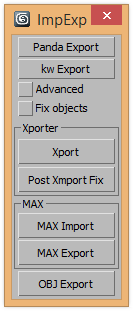
Works with two plugins Panda Directx Exporter and Xporter and kw-exporter


Batch Export Any Format

1 vote

To Batch export use it script with "Batch It Max" script. "Batch It Max" can run any script on multiple files with single click.

Link for Batch It Max : http://paulneale.com/scripts/batchItMax/batchItMax.htm

3DS Max to Nuke FAG

1 vote

I did this script to easily send geometry and cameras to nuke.

Warning: Use the script only for export. Save your project before and after return.

SelectionSet Tools

3 votes

This script allows you to export and import of Selection Sets as XML file. By selecting name in list, you can select the Selection Sets in scene.

How to use:

・Save SelSets / Load SelSets Button:
Export and Import selection sets in 3dsmax. In Load Selection Set Window, you can select any sets to import.

・update list Button:
synchronize selection sets list in scene and Selection Set List below.

・Selection Set List:
select set name in list, then the objects are selected in scene.

WkXmlLibrary

66 votes


The purpose of this script is to give an easy and full access to XML files: creation, reading and modifications
It is intented to be used with the same flexibility as a library: instanciate the structure where you need it
in your code and use the member functions to manipulate the XML files.

WkXmlLibrary - A WerwacK script at www.werwackfx.com

This script strongly relies on the DotNet interface.

Fixes UVW mapping imported in 3ds max from maya

38 votes

hi all

this was done for a very certain task...
i'm working with team mates who work in maya platform while most of the work is done by 3ds max and it plugins..and i work on both but better at 3ds max..

If you ever tried to export an FBX file from maya to max you will suffer from two or three basic things,
1: all materials are phong with high specular
2: some maps were defined in maya in som way that max understands them as maps with map channel != 1,then the need a uvw mapping
3: some faces problems
-----
fixing these in a very big scene could be very painful

I/O Morpher

1 vote

Exports or imports morpher data to or from a morpher.

Useful for copying morpher information from one file to another or from one head to another.

Syndicate content