3ds Max | All

Arrangement

2 votes

This scripted utility allows you:

  • dispose selected object along a path,
  • create simple lofts (with constant cross-section, without any deformation),
  • distribute selected object to a group of other objects.

+ Smoothing groups of the faces of the Loft object is assigned automatically, so faces at the Bezier or Smooth knots will be smoothed and faces at the corners knots will form sharp edges.

+ Compensation of a twisting for closed spatial Paths

- Neither of the Arrangement parameters has no an animation controller.

Eyeon Fusion Job to Backburner

1 vote

This is a very simple script. (not really a maxscript, but useful for 3dsmax users)
It will allow you to use your backburner Manager to handle your Eyeon Fusion renders, using cmdjob.exe.

INSTALLATION
You have to copy the script on you fusion scripts comp folder (C:\Program Files\eyeon\Fusion 6.2\Scripts\Comp\).
Then you can access it at the Script top menu directly on fusion; you dont have to re-open Fusion for it to show.

Box 2 (extended primitive)

0 votes

It's an extended box primitive that adds two options to keep the same value on the three axis :
-Lock size
-Lock subdivision

Maxscript help for 3dsMax 2012 update

3 votes

I've written about setting up your local maxscript help-file: read it here. Alex Mak has posted a nice addition to this. Read it here on cgTalk. Now it's very easy to make your own, local maxscript help behave exactly the same as the online maxscript help. It automatically feeds the word at the cursor-position into the search field. This is what was missing from my previous solution.

Point Cache random playback start

9 votes

A simple tool with simple interface to set a random playback start in Point cache modifier for a group of objects.
to open the dialog run the script file.
OR
Drag & Drop the file inside the view-port.

January 2012 update _ added the ability to use negative numbers

Projection Painter

3 votes

Projection Painter is a script for 3DS Max which allows you to send a view of your model in your favorite painting application to paint its textures then project them back on to your model.

Poly2Surf

22 votes

Conform selected objects to other objects's surface. The scripts works only with Collapsed Editable Poly objects from the selection. Other objects in selection are left intact.
Known issues
Sometimes when operating with surface objects with too many vertices some vertex may not be placed over the surface.
This tool is still in development phase so any feedback is quite welcome.

Simple process preview is available here:

FiberMesh to Splines

3 votes

FiberMesh to Splines will convert the exported FiberMesh polygons from ZBrush to splines. The splines can be used to create and render 3DS Max hair either with 3DS Max default hair modifier or using a hair plugin that has a recomb from splines option.


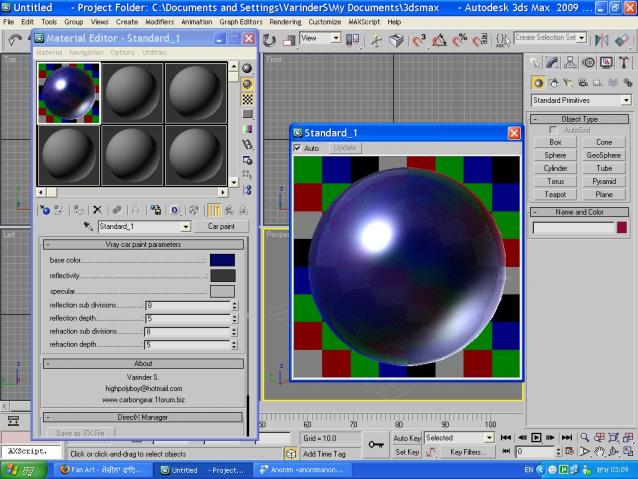
V-ray car paint shader

19 votes

this script is aimed at simplifying the material workflow for makin a car paint material in vray. The script provides very few (yet important) buttons to manipulate the look of the material and makes the workflow A LOT faster and easier.


selected object zero world 3ds max export

0 votes

Usage :

- This max script export selected object
and placing it to 0.0.0 position relative to their pivot point. it makes duplicate of the selected original object, so the original selected object name and position remain untouched

instalation :

- open the tab maxscript and choose open script
- then it will apear the script window.
- drag and drop the entire text to somewhere on your
3dsmax toolbar to make a button

it just for fun for maxscript learning , but hopefully it can be useful for some, if you have any suggestion to improve it just let me know :).

Syndicate content