3ds Max | All

V-RayMax Converter PRO

168 votes

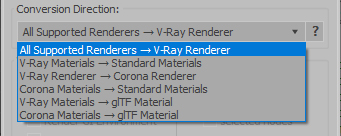
V-RayMax Converter PRO is the best tool for convert 3d scene (materials, maps, lights, cameras, proxies, modifiers, helpers, render elements, etc.) from other render engines to V-Ray and from V-Ray to Corona Renderer, and also for converting V-Ray and Corona materials to Standard|Physical|PBR|OpenPBR materials and to glTF Material.

Current version: 4.0062

Supported for conversion:
To V-Ray from:
  • Standard (Default Scanline)
  • Corona Render
  • FStorm Render
  • Octane Renderer
  • finalRender
  • Arnold
  • Brazil_Advanced (RS v 1.2) material
  • NVIDIA iray (unofficial) material.
From V-Ray to:
  • Standard / Physical / PBR / OpenPBR materials
  • Corona Renderer
  • glTF Material (3ds Max 2023 or later)
From Corona to:
  • Standard / Physical / PBR / OpenPBR materials
  • glTF Material (3ds Max 2023 or later)
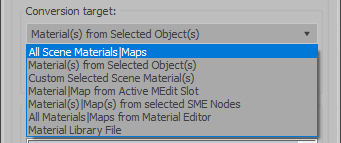
Сonversion scope:

Full list of supported conversions.

Main features:

  • Converts materials, maps, lights, cameras, modifiers, helpers and GI environment from other render engines to V-Ray and from V-Ray to Corona
  • Converts clouds from CoronaSky to VRaySun and vice versa.
  • Converts Night Sky system (Moon, Stars & Milky Way) from V-Ray to Corona and vice versa
  • Converts Render Elements to V-Ray (currently supported Scanline RE, Corona RE, FStorm RE, Octane RE) and from V-Ray to Corona
  • Converts V-Ray and Corona materials to Standard (Default Scanline) materials
  • Converts VRayMtl and CoronaPhysicalMtl materials to Physical Material and OpenPBR Material
  • Converts V-Ray and Corona materials to glTF Material (which is necessary for exporting to the .glb for corresponding 3d software: Blender, Gestaltor, Babylon.JS etc).
  • Converts proxies (currently supported from Corona, FStorm, Octane) to V-Ray Proxy (static and animated)
  • Converts V-Ray Proxy to Corona Proxy (static and animated)
  • Converts standard Bitmaps to VRayBitmap and vice versa
  • Converts standard Bitmaps to CoronaBitmap and vice versa
  • Converts 3ds Max Physical cameras to V-Ray Physical cameras and vice versa
  • Automatic configure ACEScg workflow in V-Ray
  • Batch processing for multiple 3dsMax Scene (*.max) or 3dsMax Material Library (*.mat) files
  • Programmatically interact with most converter functions using built-in maxscript methods (API), which allows you to use the converter without UI and in combination with other 3rd-party scripts.
  • ...and more additional tools for fixing and adjusting the scene.

miauu's Live Measure Pro

12 votes

Material Properties Mass Editor

2 votes

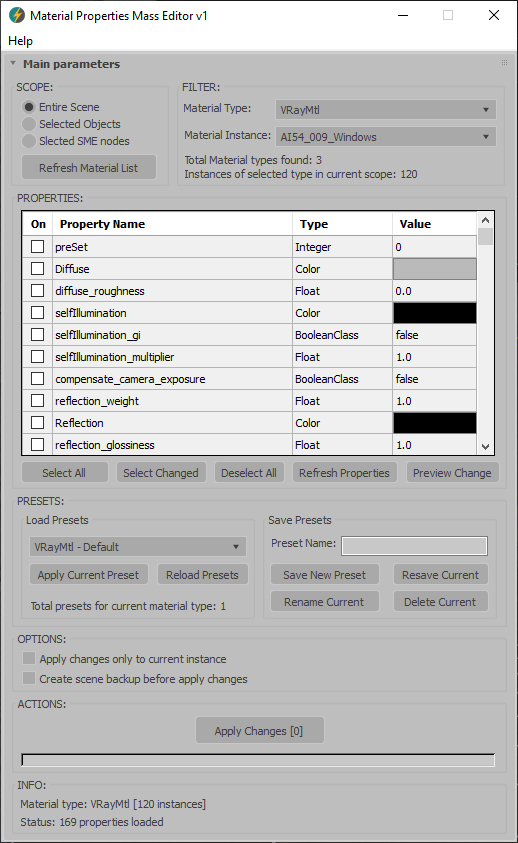
Material Properties Mass Editor (MPME) is the professional tool for batch editing of material properties in 3ds Max. Allows you to modify properties across multiple materials of the same type, including native 3ds Max materials and third-party render engine materials (V-Ray, Corona, Arnold, FStorm, Redshift etc.), and any other installed material types. Changes can be applied according to the chosen scope: entire scene (including Material Editor and SME), selected objects, or selected SME nodes. The script implements a preset system that allows you to save custom property sets as presets for later use, streamlining workflow across different projects and render setups.      

Current version: 1.0001

BOA Asset Browser

146 votes

HCG Asset Browser is now BOA Asset Browser

Rewritten to work with current versions of 3ds Max (2025–2027) -> Still free.

Animators Tool Kit (ATK)

10 votes

*NEW* Utilities in ATK 1.174
VIDEO 'Flippin' Flaps': One click animate the unfolding of your mesh faces.
VIDEO 'PathRig': Generate paths that are guided by target nodes, these paths can act as trajectories, path deforms or both.
TreeLinker': Link objects together by distance from an object to the next object.

Click the GIF for demos:

CoreLink

0 votes

CoreLink - AI-Powered Asset Library Manager for 3ds Max

CoreLink is a fast, lightweight asset manager designed for 3ds Max artists. It allows users to browse, preview, and drag assets directly into a scene without heavy viewport plugins or complex database setups.

All features are included for free, and users only need to upgrade when their library outgrows the standard limit.

Library Track / Relink...

63 votes

.
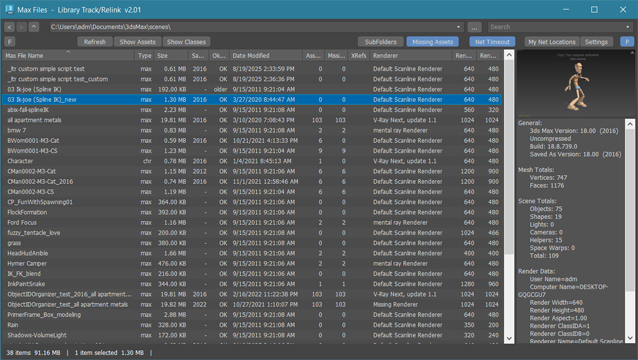
New:  added filters in assets window to filter by asset type, file extension or status
New:  added "Show Classes" - new window with list of all classes and plugins used in max file
New:  added right-side panel displaying max file preview (thumbnail) and max file info.

.

Library Track / Relink... works with Multiple .MAX .MAT or XRef files without opening them. 

Dedicated to organize, collect or relink whole model library or all projects after moving them to new location. Just few clicks and they ready to merge / open !

Project Manager

597 votes

After a long stretch of development, Project Manager 4 is officially out — the biggest release in the product's history, and now with full 3ds Max 2027 support.
The headline is AI Asset Classification.
Your library gets sorted automatically — by object type, material, and style — no manual tagging.

Project Manager 4 — What's New Since v3

Changelog · 3ds Max 2016–2027

AI-Powered Asset Classification

  • Automatic categorisation of 3D models by object type, material, form, and style — no manual tagging required
  • Runs entirely on your machine — no cloud, no subscription, your assets never leave your computer
  • GPU-accelerated background processing at low priority — won't interfere with rendering or active work
  • Reclassify specific folders or categories on demand — no need to reprocess the entire library
  • Scale across a team: multiple workstations share the same database and classify in parallel

Colour Tools

  • Find assets by colour — pick from a palette and instantly see matching models or textures
  • Perceptual colour similarity search — finds visually related assets, not just exact hex matches
  • Find Similar by Colour in the right-click menu for models and textures

Find Similar

  • Find similar by content — AI matches 3D models by style, shape, and visual look
  • Find similar by colour palette — matches assets to a reference image or mood board by dominant colour proportions

Smarter Search & Filtering

  • Multi-keyword search: "Chair, Glass" finds a file named Chair.max described as "glass"
  • Category filter correctly includes all subcategories — filtering Furniture also returns Furniture → Chairs → Dining
  • Combine category and material filters: find glass-and-metal tables, or wooden ones, in one click
  • Categorised / Uncategorised quick filters — see which assets still need attention

Gallery & 3D File Browsing

  • Three gallery tabs for .max files: Models, Materials, and External Links
  • Drag materials directly from the gallery into your open 3ds Max scene
  • 3D viewport preview for FBX, 3DS, OBJ, and other formats — inspect geometry before importing
  • Edit external links inline — fix or replace missing textures without opening the .max file
  • Zoom & Pan for images — inspect textures at full resolution inside Project Manager

Migration & Compatibility

  • v3 and v4 share the same database format — point v4 at your existing library and go; no rebuild required
  • Run v3 and v4 side by side on the same team; supported from 3ds Max 2016 through 2027

Performance & Other Fixes

  • Significantly improved overall performance — faster navigation, filtering, search, and file/folder operations
  • Live sync in shared database mode — changes by colleagues appear automatically without reloading
More about new features   Project Manager version 4
 

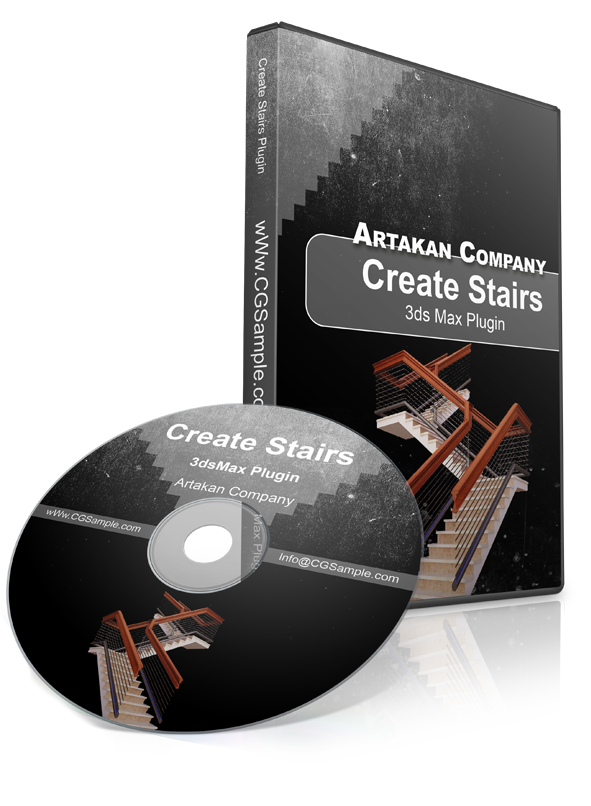
create stairs

22 votes


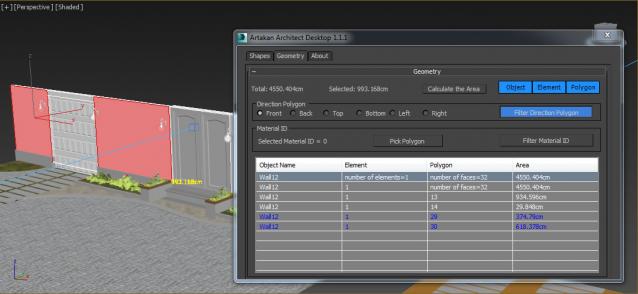
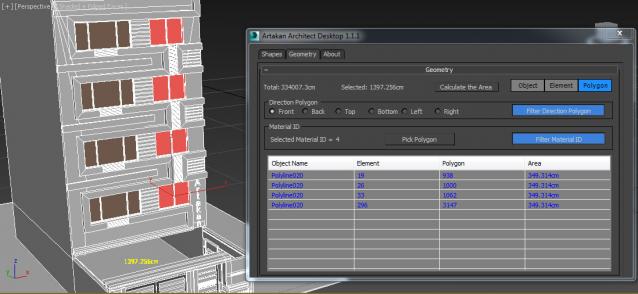
Artakan Architect Desktop

3 votes

Artakan Architect Desktop is a useful tool for architects to meet their needs and is an efficient tool.

Syndicate content