3ds Max | All

Pyramid builder

5 votes

This script makes a Pyramid from a number of blocks

 photo Pyramid_zpse3eb015d.jpg

BackBurner monitor undocumented cmd switches

67 votes

In case you run multiple backburner managers (e.g. on notebook at several places or using local manager and manager in office) it is good idea to have icons for automatic connecting monitor to the different manager hosts.

I've found two working command line parameters for monitor.exe:

monitor -a
monitor -mservername

First one turns "Auto connect" on. Second one sets manager hostname and connects to it. (Note: There is no space between -m and hostname or ip)

Object Triangulator

0 votes

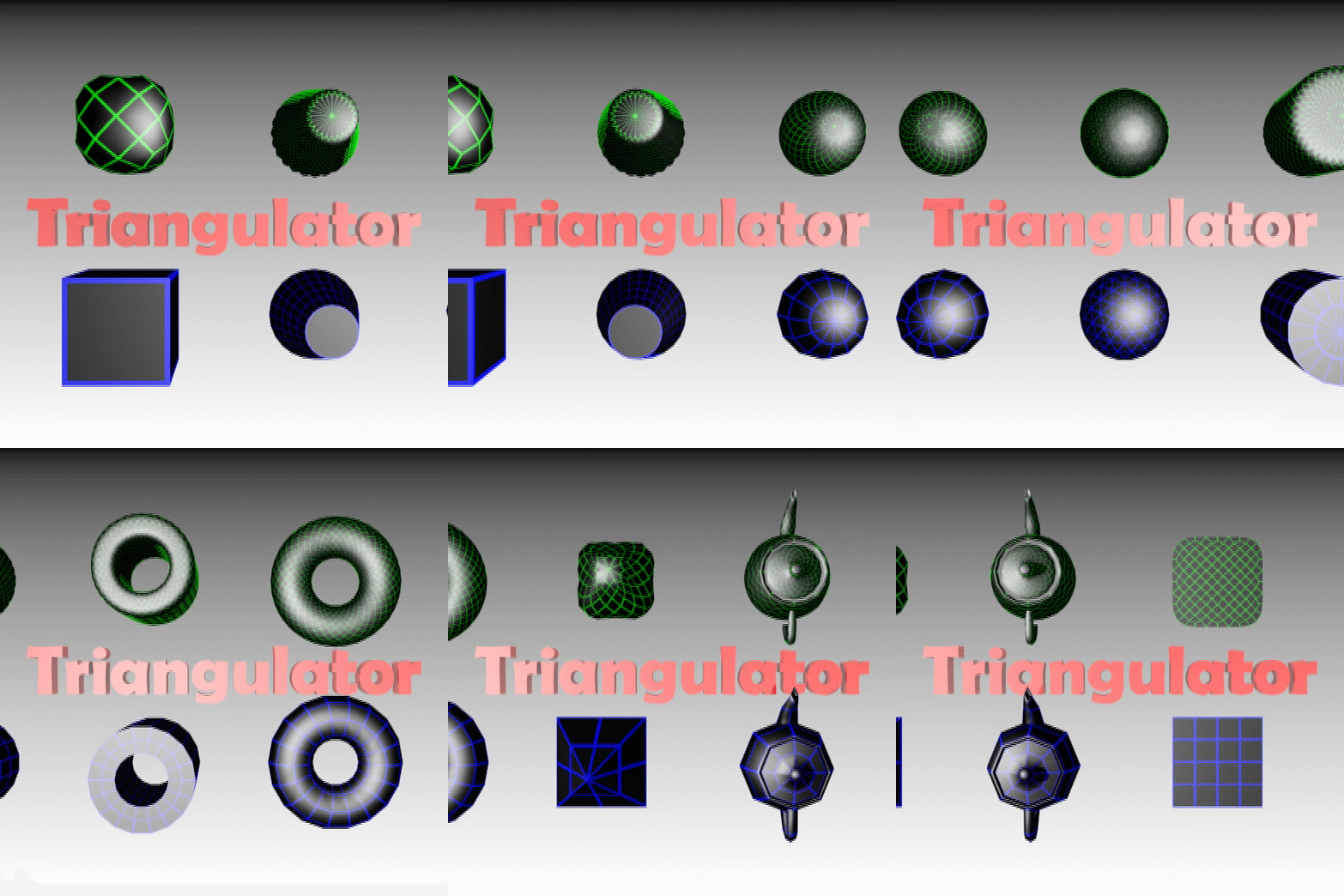
Triangulator is a scripted-plugin which chamfers, and then welds all the vertices of the choosen object(if no object is choosen, a box 25x25x25 is used). The chamfering and welding is executed as many times as the user defines.

You can choose how much each vertices is chamfered, and the weld threshold, which allows you to create many different objects.

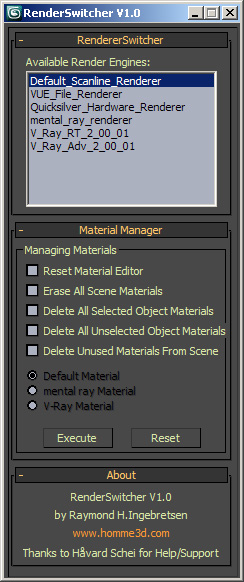
Easy RenderSwitcher

16 votes

XrayCat Survival Toolkit 1.5 - Official Trailer

0 votes

This is the official trailer for XrayCat ST v1.5. this trailers contains explanation for all the new features added for the layer manager, pose manager and mainly the new Joycreator Pro v.1.5. The release date is beginning of september.

New features list

Layer Manager:
- Autoscan of Cat rigs in the scene
- Resizable Window
- hotfix solved

Pose Manager:
- Playback tools

JoyCreator Pro:
- Totally rewritten
- 8 direction joystick added
- infinite layers (cat layers and morph target) for any map point of the joystick, with different weights

Shater ClothSim - The Simulation Beast

2 votes

New Time saving tool for cloth simulation

setup
-- random wire colors
-- delete turbosmooth and shell before putting cloth --if needed
-- create a guide of cylnders for collision on biped hands legs

cloth
-- identefy cloth meshes and collision meshes be selecting order one click and u will have them setup
--multi cloth objects on one simulation automatic olso by selection order.

after simulation
-- add turbosmooth shell shortcuts
-- checks for everything has cloth modifier and add turbosmooth automatic

caching -not point cache just vertex caching on editablemesh object-

another AE exporter

2 votes

gifanim


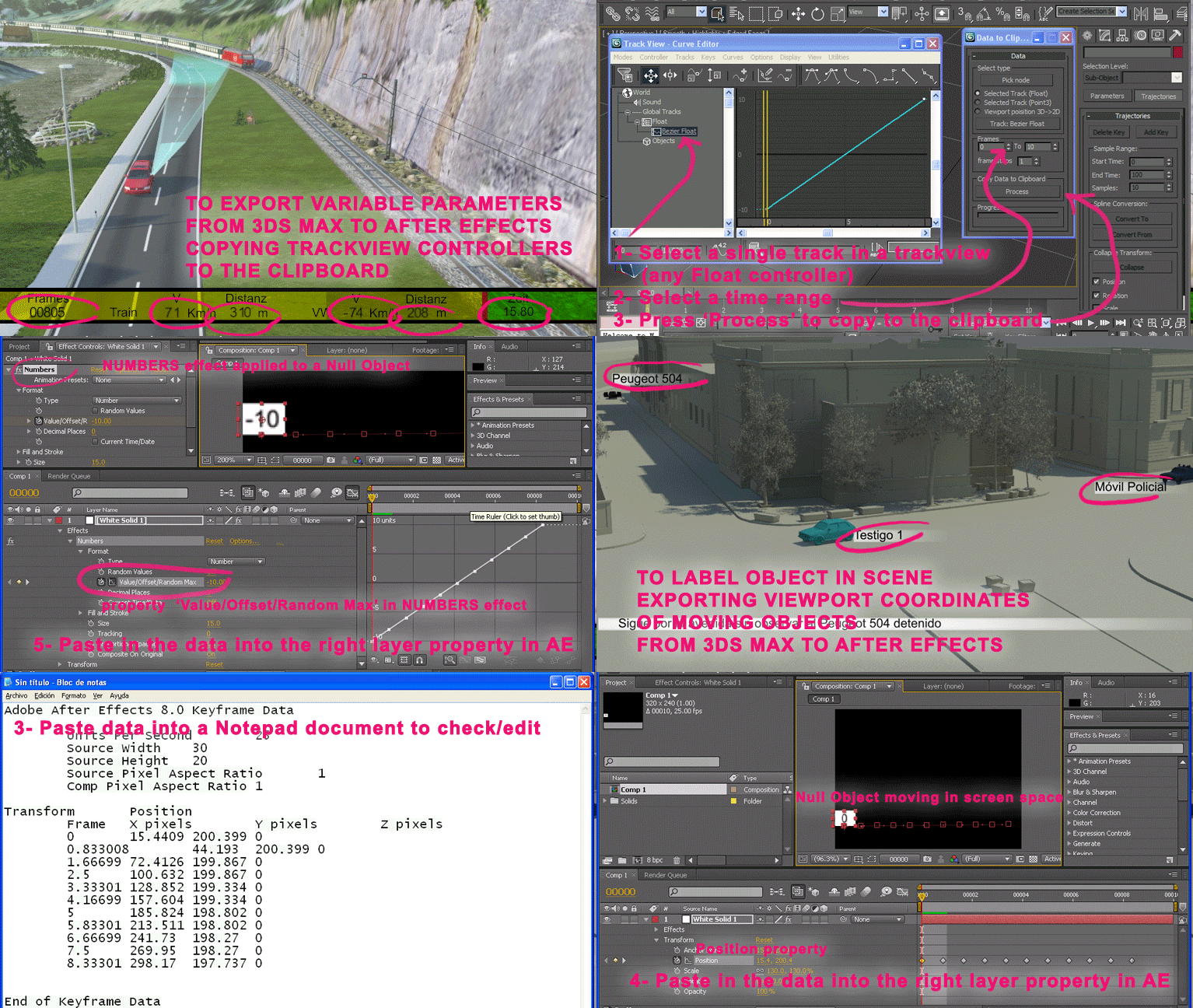
Export position coords. of selected object to be imported in After Effects.
Or export float controller values to show in a text layer in After Effects.
3D position coords. are translated to viewport coords. Intended to locate a label in 2 dimensions on the animated object in AE.

Hide By Category

3 votes

Hide objects by their ctegory.

It will hide objects based on their class. For example if the spline object is selected the script will hide all  spline objects. If the light object is selected the script hide all  spline objects.

Installation: drag and drop the mcr file in max viewports. Go to Customize - Customize User Interface - "miauu" category and search for "Hide By Category" script.

tweetMax

3 votes

Joystick Creator

2 votes

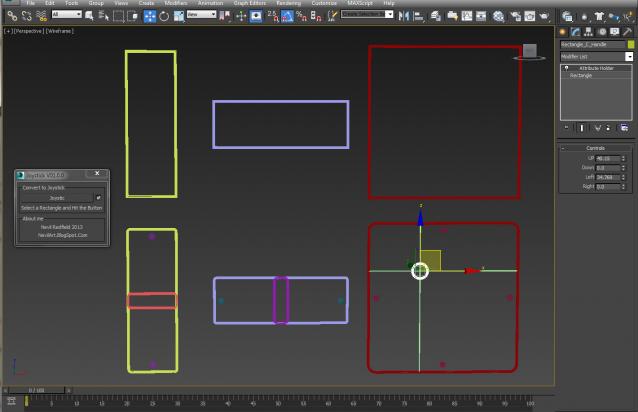
Quick Joystick Creator For Rig

1: create A rectangle and select that
2: run script and hit the Button

Unequal sides on the rectangle making Slider
A perfect Square making the 2D Joystick.

Custom Attribute generating on the joy calculating the joy value automatically, the only thing left to you, wire that to your controller.

Syndicate content