Tagged 'selection'

Noise Manager

2 votes

A tool used for setting noise controller values on a selection of objects containing position and/or rotation noise animation tracks.


General Notes:

- Noise controllers must be added either directly to the main Position or Rotation tracks or setup as a list controller with a single noise in any available list track.

- Does not support multiple noise controllers on a single object. Does not support nested list controllers. Does not support noise float tracks on XYZ controllers.

Selection-Switch

1 vote

Switches quickly between two selections (objects or sets).

Useful for any type of jumping back and forth between two objects - like in alignments.

Select by Color and Move objects to Layer

1 vote

This simple script lets you choose a wirecolor by an object (like "Select by Color") and select all objects with the same color. You can move the selection to levels we have chosen.


Vertex normals selector

1 vote

SubSpline

1 vote

SubSpline 3dsmax script - banner

Total Control of Spline Subobjects


Description

SubSpline is an Advanced Subobject Selector & Material IDs Editor for spline shapes in Autodesk 3dsMax.

Easily expose on screen the vertex numbers and material IDs for all your selected shapes, with a simple toggle button.

Selection Toolbox

1 vote


Quick Select

Objects In View
– Selects all objects visible in the current viewport

Objects Not In View
– Selects all objects not visible in the current viewport

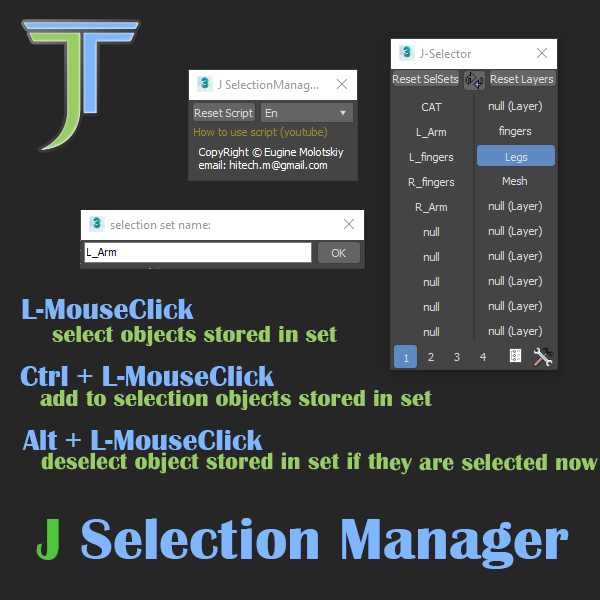
Selection Manager (speed up you work in scene)

1 vote

J Selection Manager

designed for speed up your work by optimizing the selection of objects and hiding/showing groups of objects

Quick Selection

1 vote

Quick Selection is a handy utility that provides several methods for selecting and managing objects within the scene, including the following:

  • Selection by Category
  • Selection by Stored Objects
  • Selection by Selection Sets (independent of any Max file)
  • Selection by Pathname literals (stored in a text file)


See online guide in links section. 


Select Objects By Sub-Material

1 vote

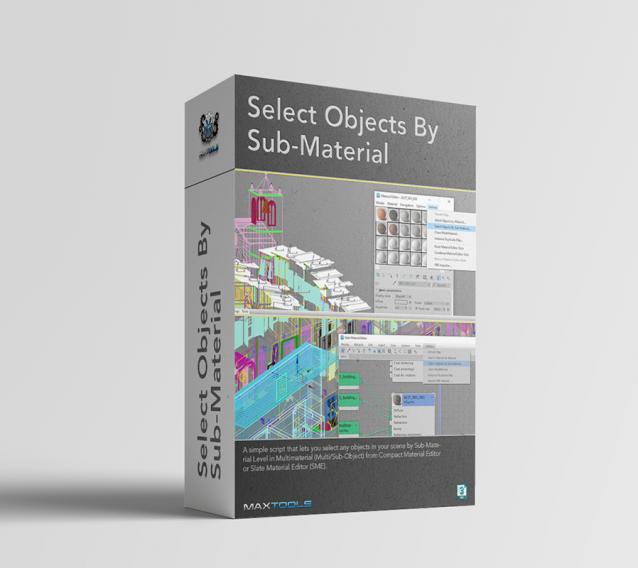
Select Objects By Sub-Material (SOBSM) is a simple free script that allows you to quickly select all objects in your scene that use a selected sub-material from a Multi/Sub-Object material.

Unlike the native "Select Objects By Material" tool, which only selects objects by exact main (parent) material match, this script analyzes material IDs assigned to faces/polygons. This allows you to select objects by a specific sub-material, even when a Multi/Sub-Object material is assigned to the entire object and the desired sub-material is only used on a portion of its faces.

The script works with both material editors in 3ds Max - the Compact Material Editor (Medit) and the Slate Material Editor (SME). Select a sub-material in any editor, run the script, and all objects that use this sub-material (on faces with the corresponding ID) will be selected.           

Syndicate content